Checking that response pages are enabled
Before you begin
In the Palo Alto NGFW admin portal, go to Network → Interfaces and check that the interface you used for the Redirect Host has a management profile.

If no management profile exists, you must add a management profile for the interface. The following steps show how to edit an existing profile.
Steps
-
In the Palo Alto NGFW admin portal, go to Network → Network Profiles → Interface Mgmt.
-
Click the Interface Management Profile for the required interface.
-
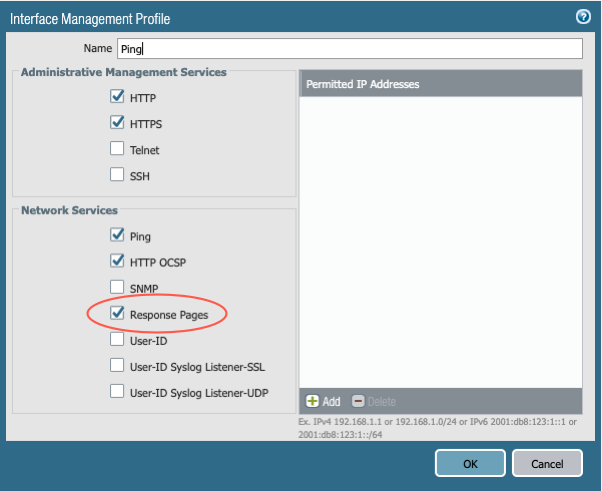
Ensure that the Response Pages check box is selected, and then click OK.
-
Commit all changes.