Configuring authentication policy
Create an authentication policy rule to protect chosen services or apps with the authentication portal.
Steps
-
In the Palo Alto NGFW admin portal, go to Policies → Authentication, and then click Add.
Result:
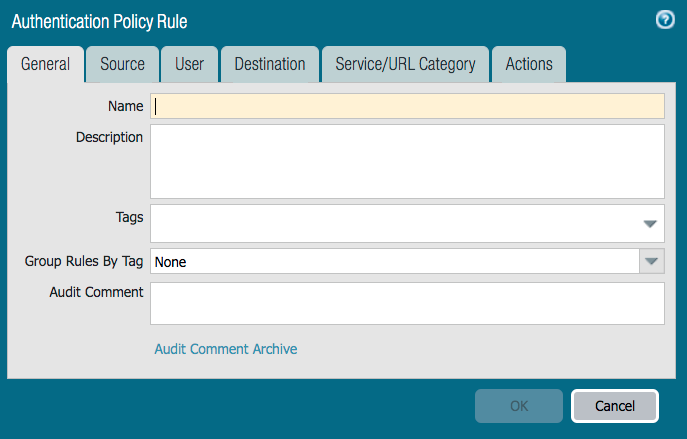
The Authentication Policy Rule window is displayed.
-
On the General tab, enter a name for the rule in the Name field.
-
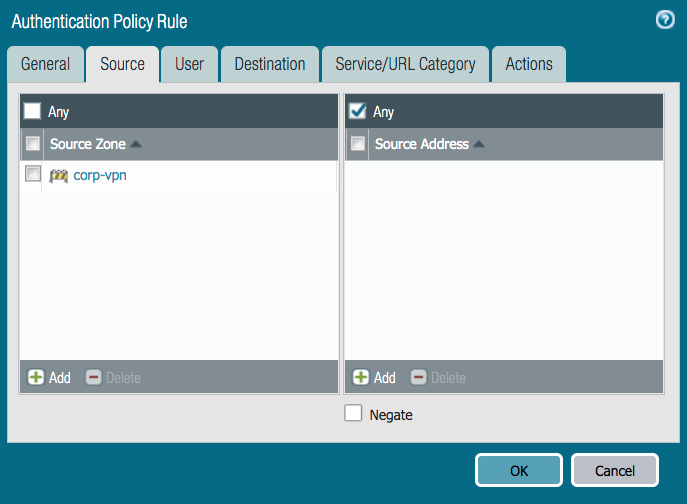
On the Source tab, from the Source Zone list, select an option.
-
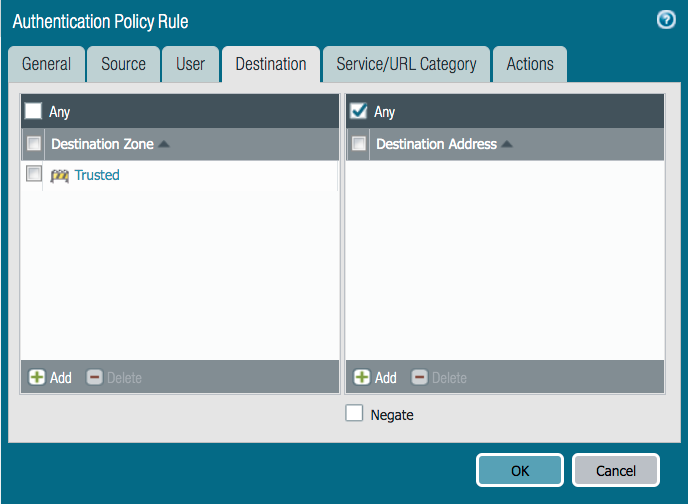
On the Destination tab, from the Destination Zone list, select an option.
-
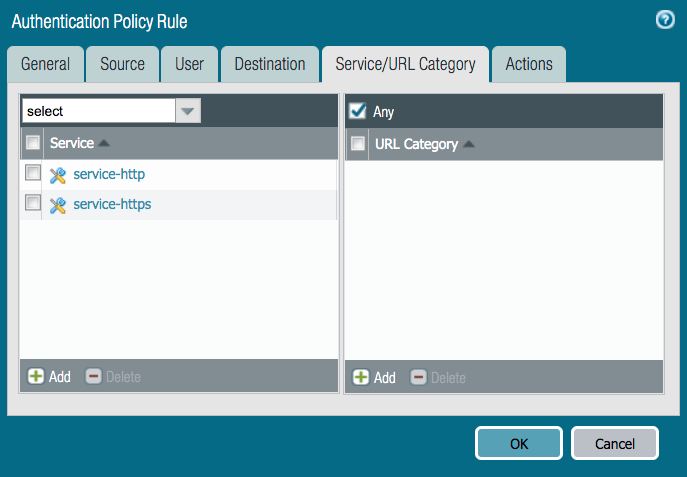
On the Service tab, select the services or URL categories to protect.
-
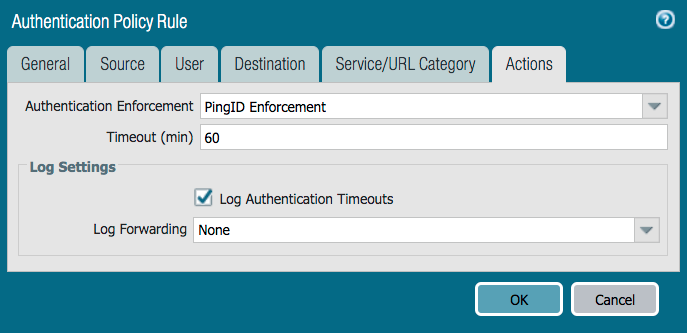
On the Actions tab, from the Authentication Enforcement list, select the authentication enforcement that you created in the previous section. Click OK.
Next steps
For further information, see Authentication Policies.