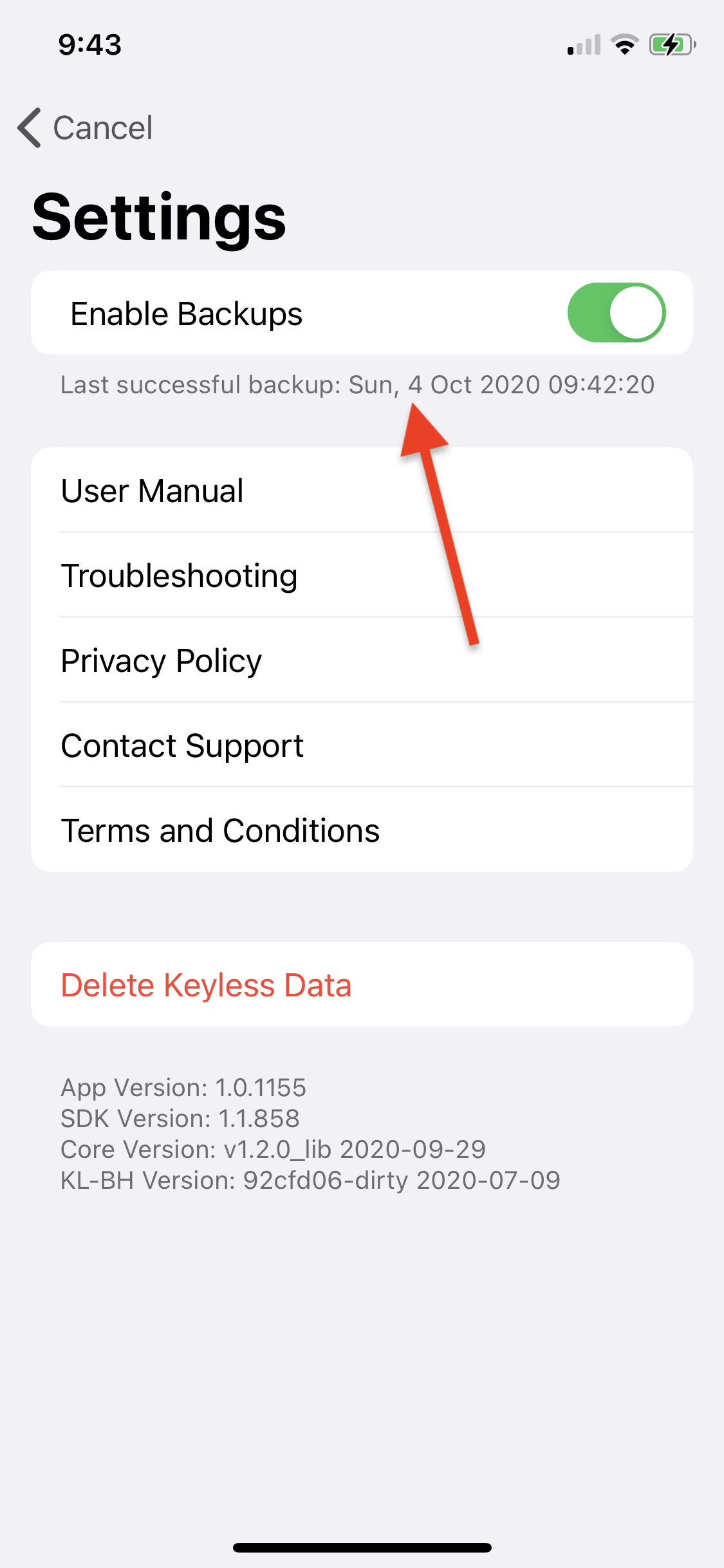
Enable backup
Backups allow you to recover your account in case:
-
You lose access to your device.
-
You reinstall the Keyless app.
To enable the backup functionality, make sure you have the most updated Keyless App from the App Store and follow the steps below.
iOS
Make sure that iCloud Drive is enabled on your device and you have enough space to perform the backup (at least 1 MB):
-
Go to Settings > [Your Name] > iCloud and make sure iCloud Drive is enabled.
-
Open the Keyless app and click the gear icon in the top right corner to go to Settings.
-
Check Enable Backups and wait a few seconds for the operation to complete.