On-premise installation procedure
General configuration
PingOne Recognize is provided as a series of Helm charts. Helm charts contain configuration entries that can be overridden.
The following sections describe the relevant and supported configuration entries.
Other configuration entries can be overridden to suit customer needs, but are not explicitly supported by PingOne Recognize. For example:
resources: {}
  # limits:
  #   cpu: 100m
  #   memory: 128Mi
  # requests:
  #   cpu: 100m
  #   memory: 128Mi

---
autoscaling:
# -- Enable Pod autoscaling
enabled: false
minReplicas: 1
maxReplicas: 100
targetCPUUtilizationPercentage: 80
targetMemoryUtilizationPercentage: 80

---
# -- List of certificates to be included in the pod
certificates: []
#  - name: storage-certificate
#    mountPath: "/etc/ssl/custom-ca/storage-cert.pem"
#    subPath: "storage-cert.pem"
#    readOnly: true
#  - name: db-cert
#    mountPath: "/etc/ssl/custom-ca/db-cert.pem"
#    subPath: "db-cert.pem"
#    readOnly: true
Namespace
Namespaces can be overridden, but take extra care when configuring the endpoint in values.yml. For example:
configMap:
  # Metrics Collector URI
  # `default` in this context references the namespace for the metrics-collector service
  metricsCollectorUrl: http://metrics-collector.default.svc.cluster.local
Helm setup
The first step is to add the PingOne Recognize Helm repository to your Helm repository list with the following command:
helm repo add keyless https://example.com (the actual FQDN will be shared upon request)The charts can then be listed:
helm search repo keyless
The list of required values for each chart can be obtained using the helm show values command:
helm show values keyless/core-daemon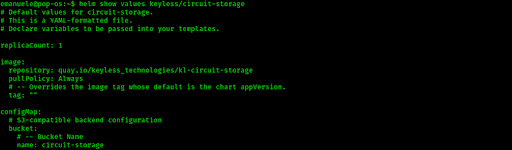
Save and configure the reference values.yaml to suit your installation needs.
Once configured, apply it with the following command:
helm upgrade --install <release-name (for example core-daemon)> keyless/core-daemon --atomic --waitTo allow container images to be pulled from the quay.io repository, a registry secret is required. This secret must contain the provided credentials in the format specified in the Kubernetes documentation.
Core Daemon
To set up this service, the cluster’s internal endpoint is required to allow Core Daemon to connect to PostgreSQL and S3. The default values are sufficient unless each service is deployed in its own dedicated namespace.
If not using AWS, a key must be generated and mounted inside the Core Daemon pods:
openssl ecparam -name secp256k1 -genkey -noout -out private.pem
openssl ec -in private.pem -pubout -out public.pem

kubectl create secret generic keypair -n <core-daemon-namespace> --from-file=tls.crt=public.pem --from-file=tls.key=private.pem
global:
namespace: <core-daemon-namespace>
image:
tag: 2.30.0
configMap:
# -- REQUIRED IF NOT USING AWS
keysFileSystemPublicPath: /etc/ssl/keypair/tls.crt
keysFileSystemPrivatePath: /etc/ssl/keypair/tls.key
coreDaemonConfigEnvironment: <environment>
cloudAwsRegionStatic: <aws-region>
awsRegion: <aws-region>
springProfilesActive: json-logging
cloudAwsS3BucketName: <bucket-name>
csSpringDatasourceUrl: jdbc:postgresql://<hostname>:5432/<dbName>
npSpringDatasourceUrl: jdbc:postgresql://<hostname>:5432/<dbName>
loggingLevelCoreRequest: DEBUG
# -- REQUIRED IF NOT USING AWS
certificates:
- name: keypair
mountPath: /etc/ssl/keypair
readOnly: true
# -- Suggested sizing
resources:
## -- Limits
limits:
cpu: 1800m
memory: 2048Mi
## -- Requests
requests:
cpu: 100m
memory: 512MiMetrics Collector
This service reads and writes from a database for a BI function. A secret is required to access it.
Database connection and sizing
The configMap.springDatasource.url variable holds the JDBC-formatted string to allow Metrics Collector to connect to its own database.
The instance requires a dedicated schema (default: metricscollector):
global:
  namespace: <metrics-collector-namespace>

image:
  tag: 1.13.3

configMap:
  springDatasource:
    url: jdbc:postgresql://<hostname>:5432/<dbName>

# -- Suggested sizing
resources:
  ## -- Limits
  limits:
    cpu: 1800m
    memory: 2048Mi
  ## -- Requests
  requests:
    cpu: 100m
    memory: 700Mi
Operations Service
To set up this service, the cluster’s internal endpoint is required to allow Operations Service to connect to Core Daemon. The default values are sufficient unless each service is deployed in its own dedicated namespace:
global:
  namespace: <operations-service-namespace>

image:
  tag: 2.34.0

configMap:
  # -- Core Daemon URI
  apiCoreDaemonBasePath: http://core-daemon.default.svc.cluster.local/

# -- Suggested sizing
resources:
  ## -- Limits
  limits:
    cpu: 1800m
    memory: 2048Mi
  ## -- Requests
  requests:
    cpu: 100m
    memory: 512Mi
Administrator Dashboard
To set up this service, the cluster’s internal endpoint is required to allow the Administrator Dashboard to connect to Core Daemon. The default values are sufficient unless each service is deployed in its own dedicated namespace:
global:
  namespace: <administrator-dashboard-namespace>

image:
  tag: v1.3.5

configMap:
  typeormUsername: sdk-customer-dashboard-user
  typeormDatabase: sdkcustomerdashboard
  typeormConnection: postgres
  typeormHost: <hostname>
  typeormMigrations: "./migrations/*.ts"
  typeormPort: 5432
  typeormSslRejectUnauthorized: true
  metricsCollectorUrl: http://metrics-collector
  coreDaemonUrl: http://core-daemon
  #The port the service is exposed on
  port: 3000
# -- Suggested sizing
resources:
  ## -- Limits
  limits:
    cpu: 800m
    memory: 2000Mi
  ## -- Requests
  requests:
    cpu: 50m
    memory: 400Mi