Managing Activity and Session logs
PingOne Privilege provides comprehensive logging and auditing capabilities to give administrators full visibility into user activity and system events. These logs are essential for security monitoring, compliance adherence, and troubleshooting.
Because the PingOne Privilege authenticator app is bound to the device’s Trusted Platform Module (TPM), every action is cryptographically signed, creating a non-spoofable audit trail for all user activities.
The following types of logs are supported:
Activity logs
Comprehensive activity records are accessible in Activity > Activity Logs. These logs provide a detailed record of all actions performed by users on the PingOne Privilege platform.
Viewing general activity logs
Each log entry provides details on the event, the user, the user’s device, and resource details, along with a timestamp.
-
In the PingOne Privilege admin console, go to Activity > Activity Logs
-
The logs can be filtered by time, events, resources, and users.
Reviewing a specific user’s activity log
Administrators can also review a detailed log of all actions performed by a specific user from their user profile:
-
In the PingOne Privilege admin console, go to Directory > Users.
-
Find the target user in the list and click their username to open their profile.
-
On the Activity Logs tab, use the available filters to search the logs or narrow the results by a specific time frame or resource.
Session logs
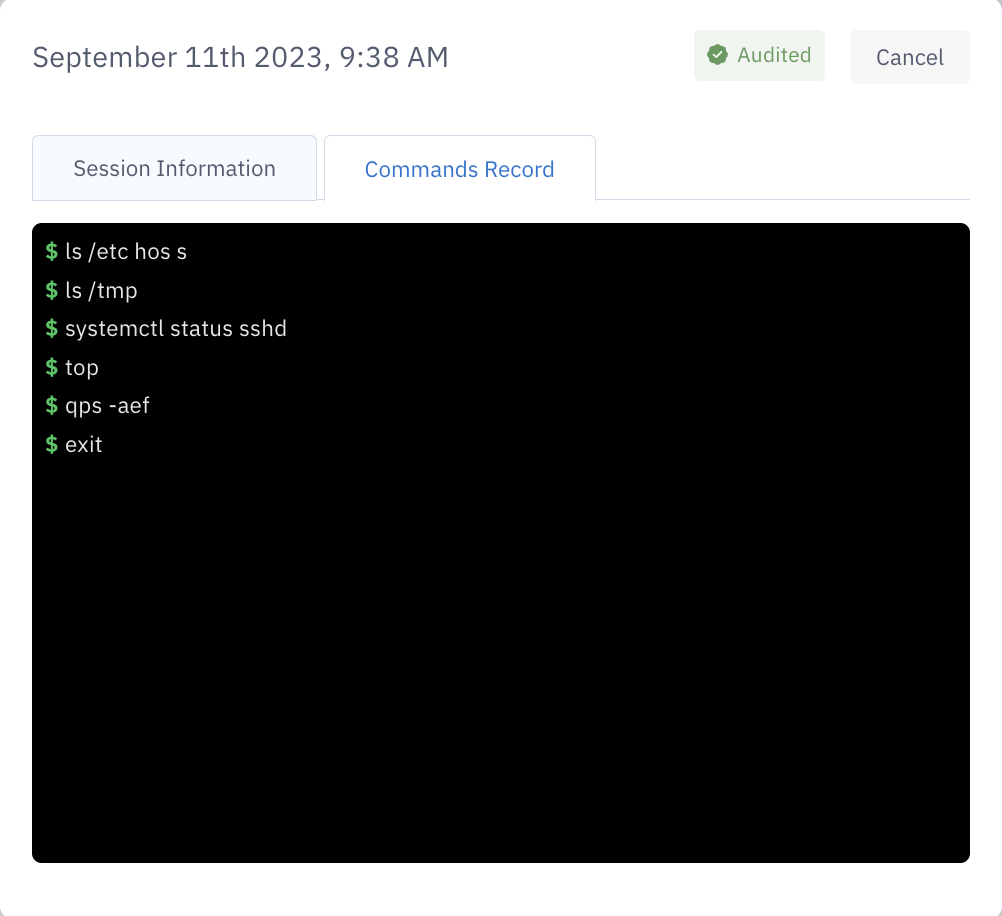
If session logging is enabled for your tenant, PingOne Privilege records all SSH and database sessions. These logs provide a detailed audit trail of user activity for compliance and troubleshooting purposes. Enable this feature in the tenant settings.
Viewing session logs
To view session logs:
-
In the PingOne Privilege admin console, go to Activity > Session Logs.
-
Use the available filters to search the logs or narrow the results by a specific time frame, resource, user, or audit status.
-
Click any log entry in the list to view its details, including a session recording if available.
Access request approval logs
View the history of all access requests, including when they were requested, approved, or denied:
-
In the PingOne Privilege admin console, go to Access Management > Access Requests.
-
On the History tab, search for and select the desired approval log you want to view from the list.