Create a read policy
-
In the PingOne Privilege admin console, click the admin name and select Settings in the list.
-
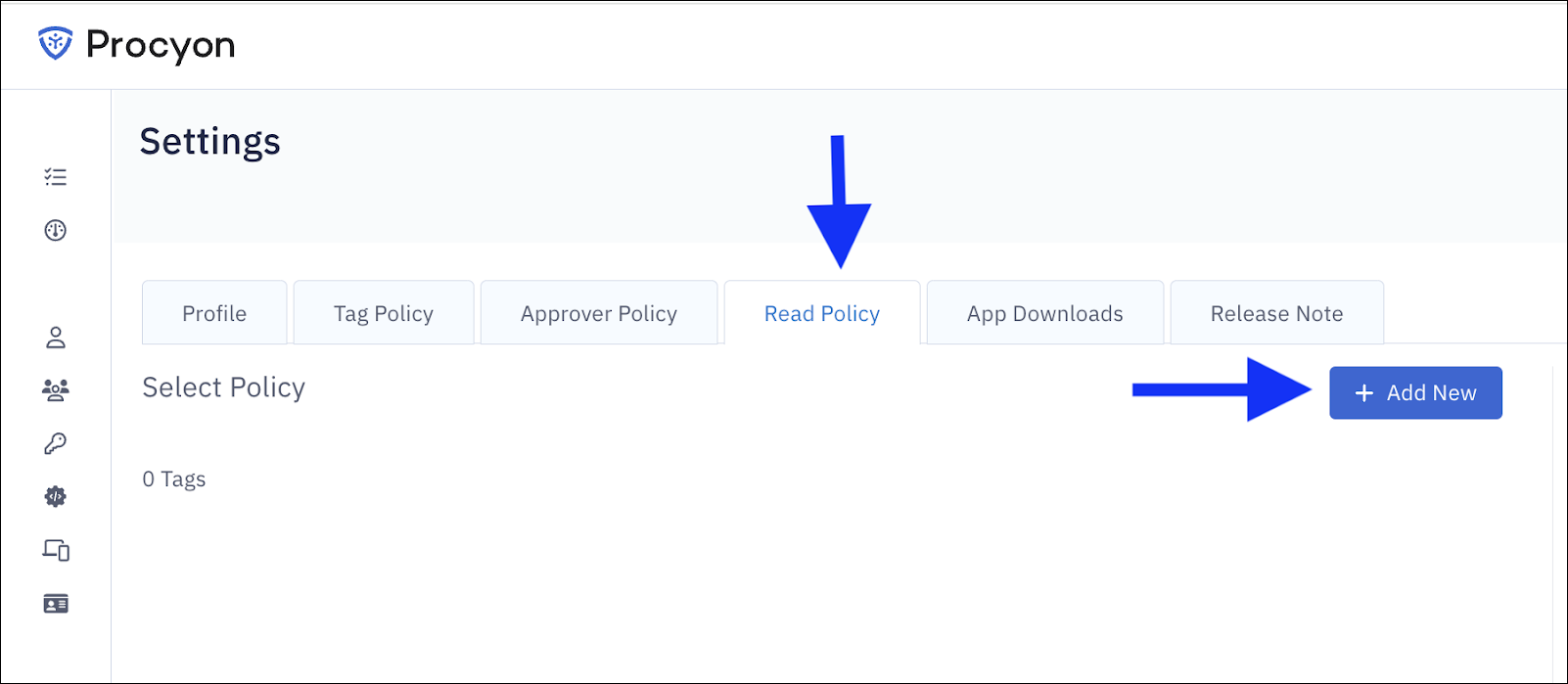
On the Read Policy tab, click Add New to open the Create Policy modal.
-
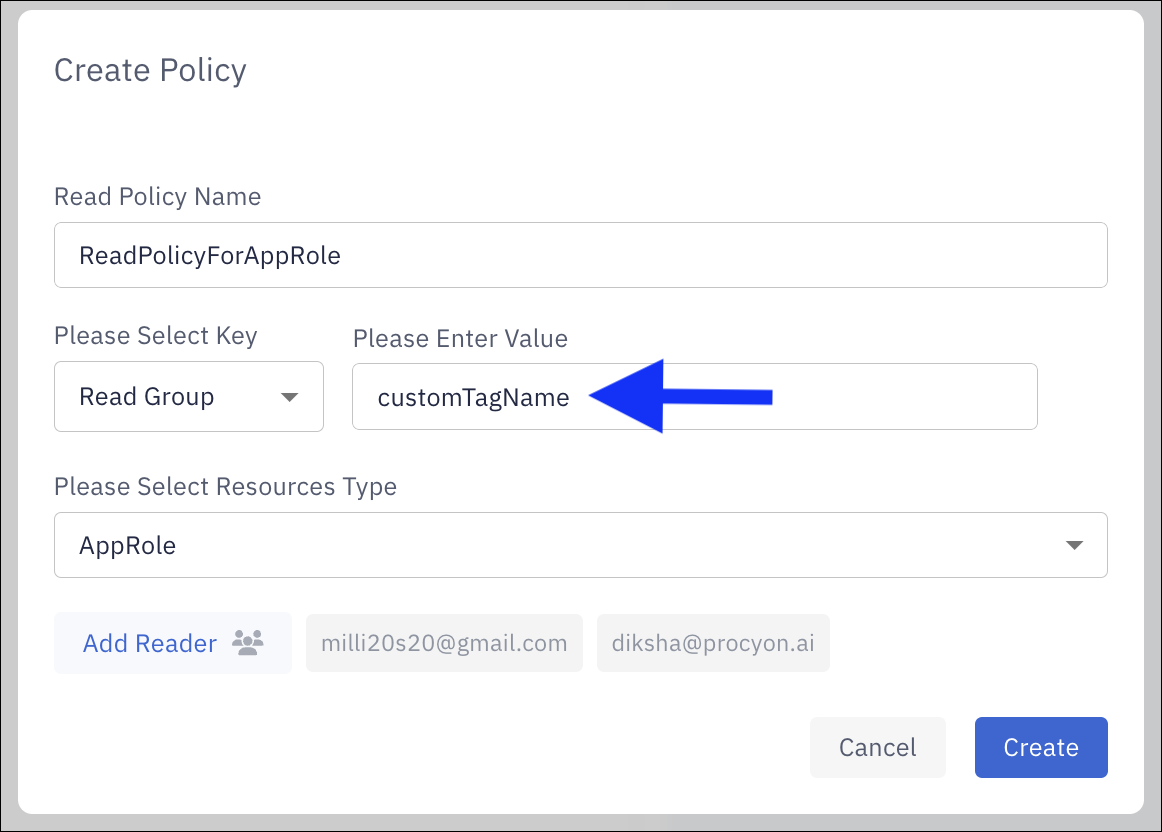
Complete the form by entering:
-
Read Policy Name
-
Key
-
Value
-
Resource Type (matching the entries from the tag policy)
-
-
Select the non-admin users in the Add Reader section for whom the policy applies.
-
Click Create to activate the policy.