Discover and manage personal agents
When AI discovery is enabled in Settings, the Endpoint Controller automatically discovers Personal Agents across the desktops in which it’s deployed. AI discovery finds Personal Agents operating in your environment so you can see and govern them.
PingOne Privilege supports discovery on the following:
-
Operating systems:
-
macOS
-
Windows
-
Linux
-
-
Browsers:
-
Chrome
-
Edge
-
Firefox
-
Safari
-
Before you begin
To discover personal agents, you must first enable discovery for personal agents in your PingOne Privilege admin console Settings:
-
In the PingOne Privilege admin console, go to Settings.
-
Click the Personal Agents tab.
-
Ensure that Discover personal agents is
Enabled. If it’sDisabled:-
Click Edit.
-
Click the Discover personal agents toggle to the right (blue) to enable it.
-
Click Save Changes.
-
Personal agents discovery
To review what discovery finds for personal agents:
-
In the PingOne Privilege admin console, go to AI Security > Personal Agents.
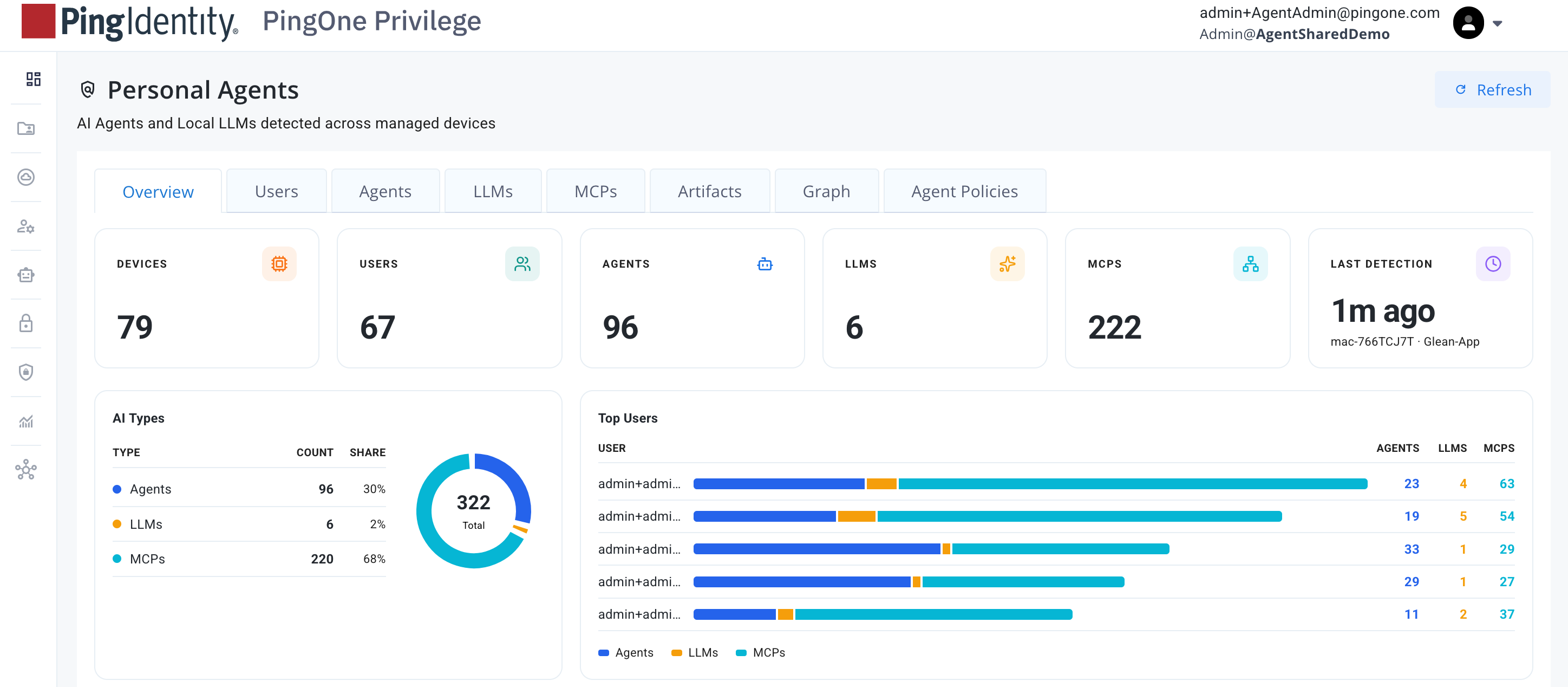
Your Personal Agents dashboard provides an overview of all AI agents and local LLMs detected across managed devices.
-
Click the tabs to review different findings including:
-
Users: Provides a list of users using agents.
-
Agents: Discovered personal agents, including their users and associated device, and when the agent was last seen.
-
LLMs: Discovered LLMs, including their users and associated device, and when the LLM was last seen.
-
MCPs: Discovered MCP servers, including their type, the Uniform Resource Locator (URL) or command used, their users and associated device, and when the MCP was last seen.
-
Graph: Select a discovered personal agent to view its graph.
-
Next steps
After investigating findings, you can create policies to govern discovered personal agents.
Creating policies for personal agents
Create policies for personal agents in the Policies tab on the Personal Agents page.
| You can also create policies for specific personal agents found in the Agents, LLMs, and MCPs tabs. Creating a policy for an agent in the list populates the fields specific to the agent you’re configuring a policy for. |
-
In the PingOne Privilege admin console, go to AI Security > Personal Agents.
-
Click the Policy tab.
-
Click Create Policy.
-
Enter a Name and Description for the policy. Click Next.
-
Select the entities policy applies to:
-
Agents
-
Local models
-
MCP servers
If you don’t select any, the policy applies to every kind.
-
-
Select the Operating system.
If you don’t select any, the policy applies to every device. -
Create one or more Matches for the policy to apply to:
-
Name: Process name on execution. An interpreted agent is named by its script and interpreter.
-
Process path: Full path of the binary, which is never truncated. Select this option when several programs share one process name.
-
Host: Where the workload connects to, read from the TLS handshake.
-
-
Click Next.
-
In the Applies To Whom list, select a scope for the policy:
-
Everyone in the tenant
-
Specific users and groups: Click Select Users And Groups and add them.
A policy scoped to a user overrides one scoped to a group, which overrides one that applies to everyone.
-
-
Decide what action this policy takes:
-
Monitor: Reports the process and doesn’t take any action.
-
Allow: Exempts it from a broader deny.
-
Warn: Reports a warning, but the process still runs.
-
Deny: Terminates the process when it starts.
-
-
For policy state, you can either:
-
Leave the policy Enabled by default, which enacts the policy when it’s created.
-
Click the policy toggle to the left (gray) to disable it (Disabled). The policy appears in the list of policies, but delivers no actions to devices.
-
-
Click Create Policy.
Result:
The policy appears in the list of policies.