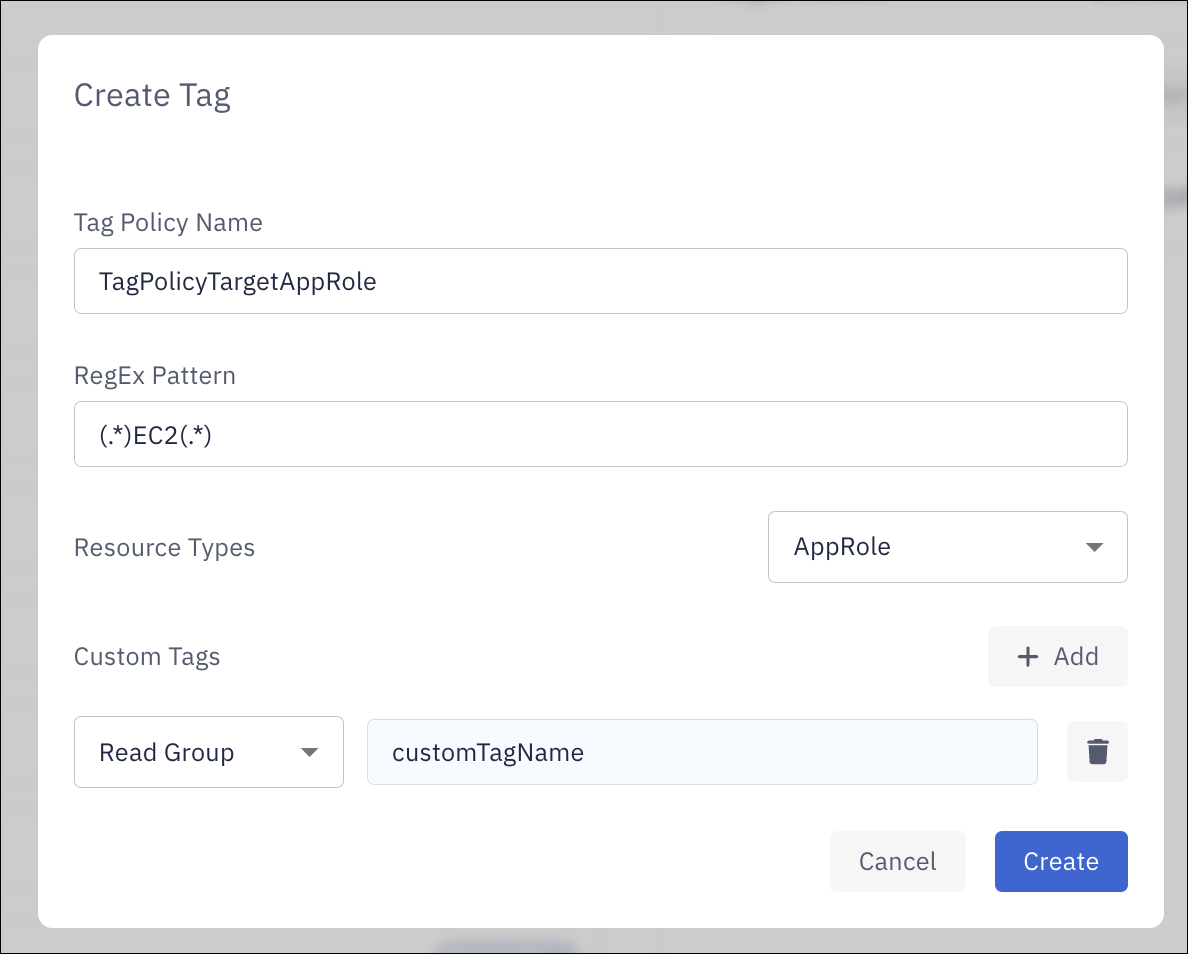
Create a tag policy
-
In the PingOne Privilege admin console, click the admin name and select Settings in the list.
-
On the Tag Policy tab, click Add New to open the Create Tag modal.
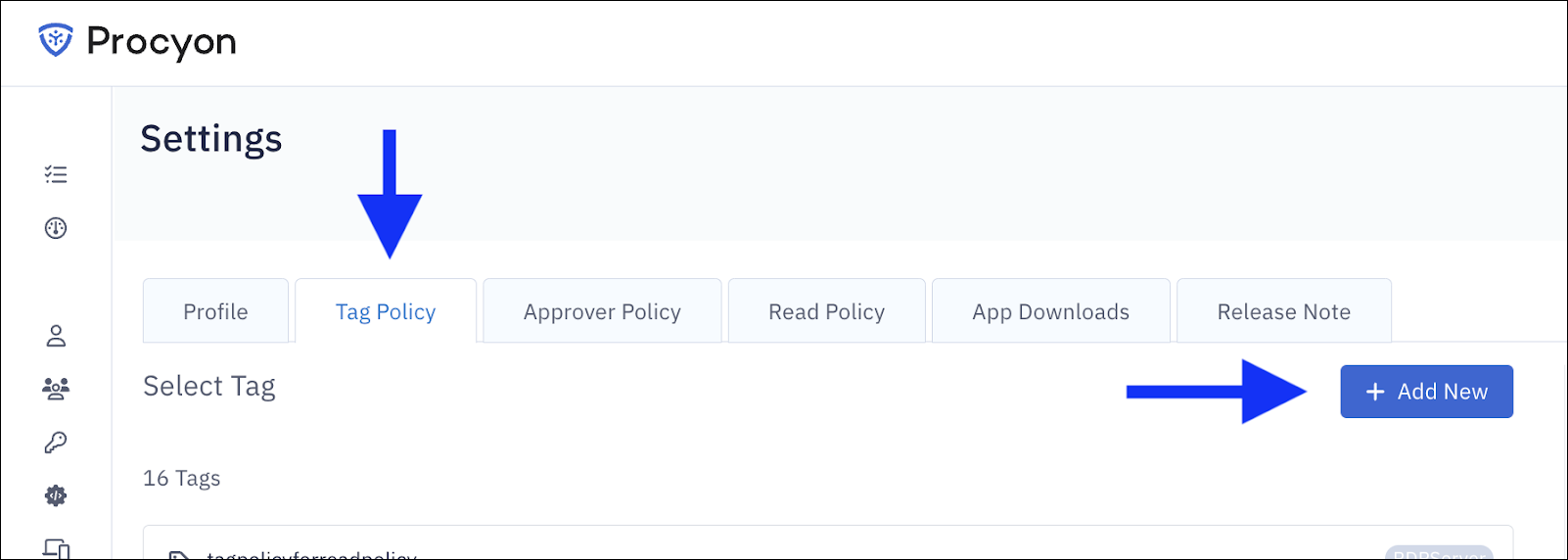
-
Fill out the modal form with the following details:
-
Tag Policy Name
-
RegEx Pattern
-
Resource Types
-
Custom Tags
For a read policy, select the Read Group custom tag option and enter the relevant custom value.
-
-
Click Create to activate the policy.