Creating policies to validate and authorize the access token
Create policies to validate the access token and determine authorization requirements.
Steps
-
In the PingAuthorize Policy Editor, go to the Policies tab.
-
Go to the Global Decision Endpoint section and create a new policy called
Token Validation. -
In the Rules section, in the Combining Algorithm list, select Unless one decision is deny, the decision will be permit.
-
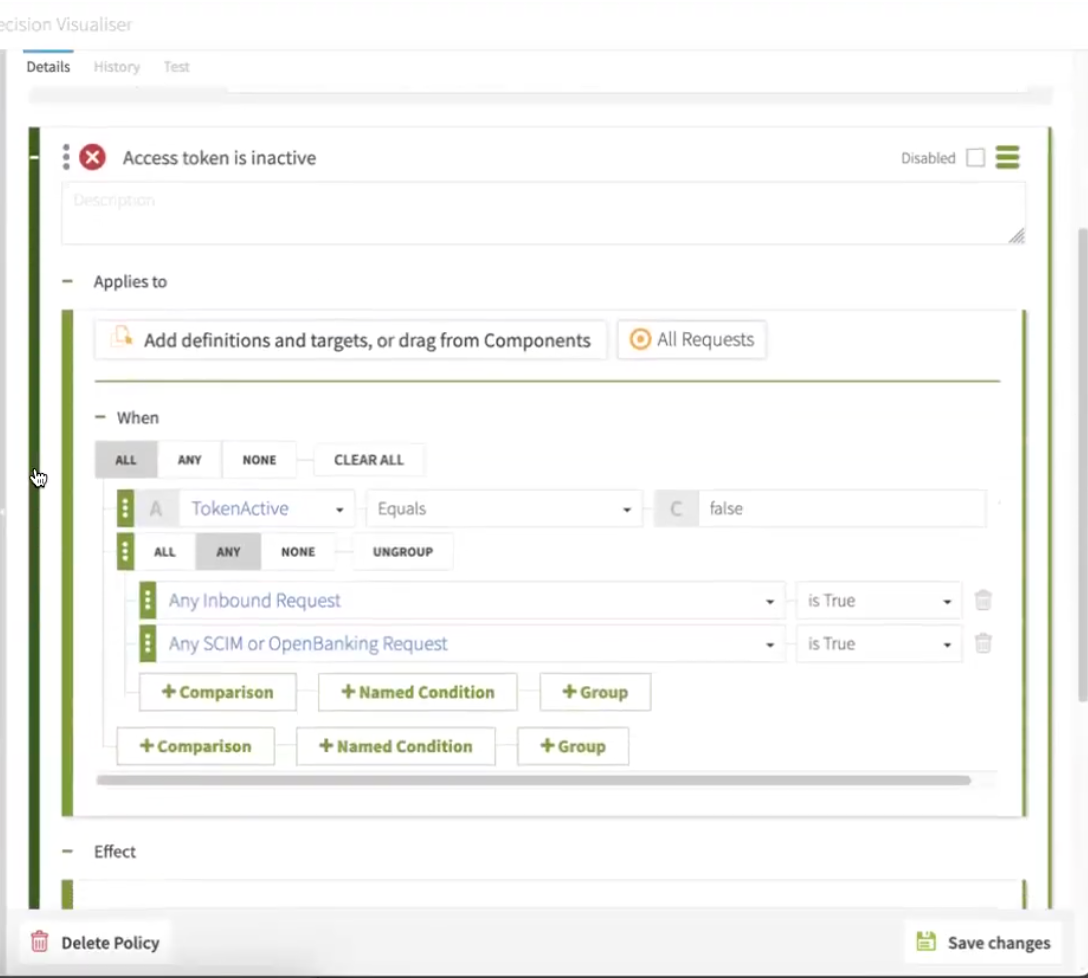
In the Rules section, add an Access token is inactive rule:
-
In the Applies to section, select Add definitions and targets, or drag from components and All requests.
-
In the When section, map the following:
-
Select All, then select TokenActive, Equals, and False.
-
Select Any, then set Any Inbound Request to is True, and Any SCIM or OpenBanking Request to is True.
-
-
-
In the Statements section:
-
Add an Invalid Token statement:
-
In the Code field, enter
denied-reason. -
In the Applies To field, enter
Deny. -
In the Applies If field, enter
All decisions in path match. -
In the Payload field, enter
{"status":401, "message":"invalid_token","detail":"Access token is expired or otherwise invalid"}. -
Make sure the Obligatory checkbox is selected.
-
-
-
Click Save.