Uninstalling the desktop app on a Mac
Uninstall the PingID desktop application using a Mac computer.
Before you begin
You must unpair your account from the desktop app before uninstalling the app from your Mac. For more information, see Unpairing the desktop app.
About this task
Steps
-
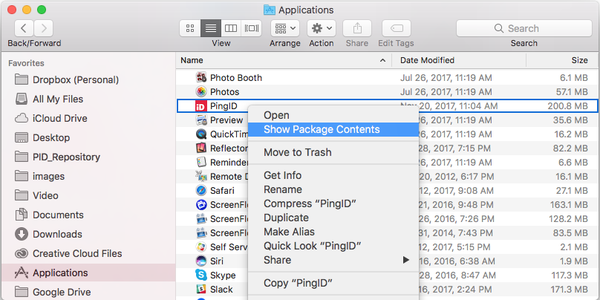
On your Mac, open Finder and in the Applications folder right-click PingID.
-
Click Show Package Contents.
-
-
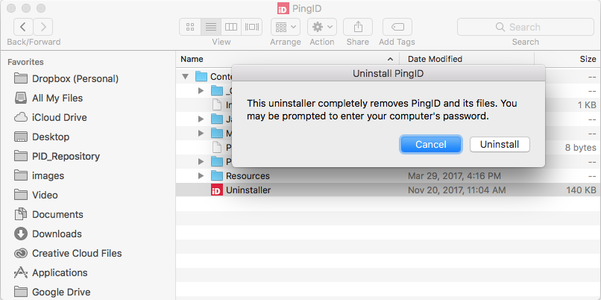
From the Contents folder, select Uninstaller.
Result:
A confirmation message is displayed.
-
Click Uninstall, and enter your computer password if prompted.
Result:
The app is uninstalled, and all PingID desktop files are removed from your Mac.