October 2022
October 10
Manage group memberships for PingOne users
New PingOne Connector
The following new PingOne Connector capabilities allow you to manage which groups a user belongs to:
-
Create User Group Membership
-
Delete User Group Membership
Combined with the existing Read User Group Memberships capability, this provides you with a more complete membership management experience.
Migrate users from an LDAP datastore to PingOne
New PingOne Connector
The new PingOne Connector Migrate User through Gateway capability allows you to authenticate a user against an LDAP gateway set up in PingOne, then automatically migrate the account to the main PingOne user store.
By integrating this into your existing authentication flow, you can migrate users gradually as they sign on.
The Gateway User Type List property allows you to filter by specific gateways and user types.
Force a user to set a new password next time they sign on
New PingOne Connector
In the PingOne Connector, you can now set a flag that forces a user to set a new password next time they sign on.
Previously, the new password had to be set by the administrator when flagging the account.
Dynamically populated capability fields
Improved PingOne Connector
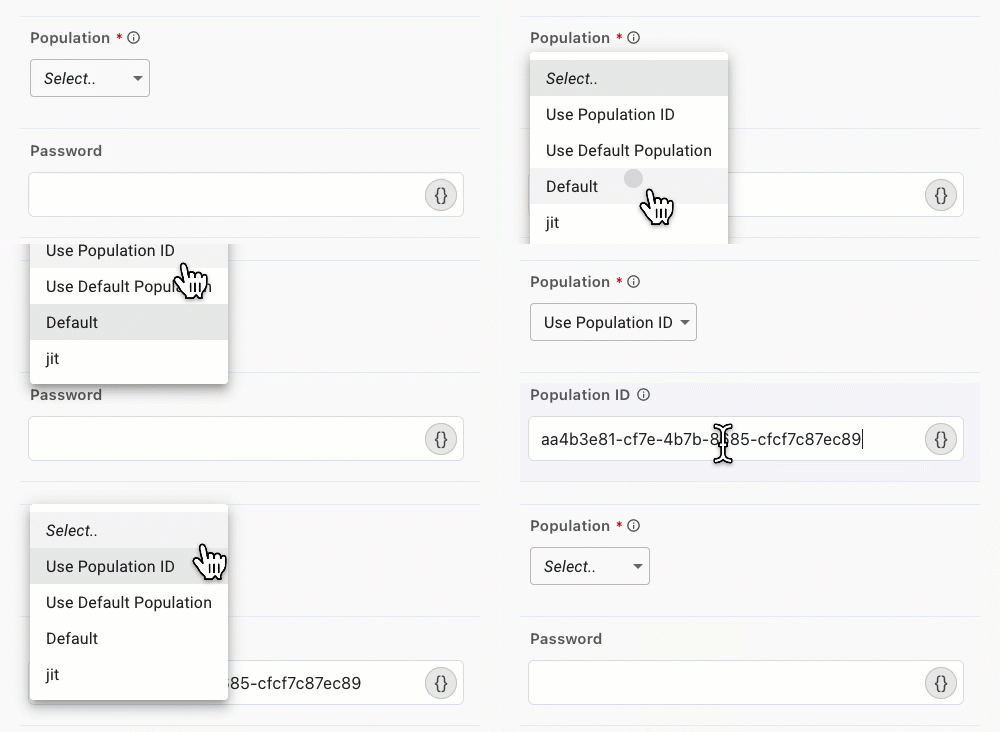
When configuring a PingOne Connector capability, DaVinci now populates properties, such as Population and Agreement, with information from PingOne.
Your existing configuration still works, and you can always select Use Population ID (or the equivalent) to show a manual entry field. This lets you manually enter a value or use a dynamic value from your flow.
Simpler attributes list for creating and updating users
Improved PingOne Connector
Previously, the PingOne Connector Create User and Update User capabilities allowed you to define additional user attribute mappings by manually typing attributes and values in the Other Attributes section.
To make the configuration more convenient, the attribute names and data types are now populated automatically from your PingOne environment.
Default error messages for capabilities
Improved PingOne Connector
All PingOne Connector capabilities now use the default error messages from the PingOne API. This makes it easier to set up a flow with meaningful error messages.
You can override these messages on the Mappings (Error Messages) tab of the capability configuration.
Use your default PingOne population
Improved PingOne Connector
When configuring PingOne Connector capabilities that need a population, you can now select Use Default Population instead of selecting a specific population.
When you set a default population in PingOne, all capabilities with this setting will automatically use that population.
Get Transaction Status now outputs the complete transaction status details
Fixed Challenge Connector
Previously, the Challenge Connector Get Transaction Status capability would output a blank details object. It is now populated with the Additional Fields configured in the Challenge node that set the transaction status.