Cloudflare Connector
The Cloudflare connector allows you to integrate threat intelligence and Zero Trust security capabilities into your PingOne DaVinci flows.
This connector provides capabilities to assess risks and enforce security policies in real time:
-
Get IP Overview: Retrieve threat intelligence and risk assessments for an IP address.
-
Get Domain Overview: Retrieve threat intelligence and content categorization for a domain.
-
Get User Risk Score: Retrieve the behavioral risk score assigned to a user.
-
Reset User Risk Score: Reset a user’s risk score to baseline after investigation or remediation.
-
Make Custom API Call: Define a custom API call to any Cloudflare API endpoint.
Setup
Resources
You can find more information and setup help in the following:
-
PingOne DaVinci documentation:
Requirements
To use the connector, you’ll need:
-
A Cloudflare account with access to the Cloudflare dashboard.
-
For User Risk Score capabilities: A Cloudflare Zero Trust Enterprise plan subscription.
-
Permissions to create API tokens in your Cloudflare account.
Configuring the Cloudflare connector
Add the connector in PingOne DaVinci as shown in Adding a connector, then configure it as follows.
Connector configuration
To get the required credentials, you must create an API token in the Cloudflare dashboard with permissions to access the Cloudflare Threat Intelligence APIs and Zero Trust Risk Scoring APIs.
-
From the Cloudflare dashboard, navigate to Profile > API Tokens.
-
Click Create Token and either select a template or create a custom token.
-
Configure the token with the necessary permissions for Intelligence APIs and Zero Trust (if using risk score capabilities).
-
Click Continue to summary, then Create Token. Copy the token value immediately (it won’t be shown again).
-
To find your Account ID, navigate to your account’s Overview page and the Account ID is located in the browser’s address bar.
Learn more in Create API token in the Cloudflare documentation.
Using the connector in a flow
Get IP Overview
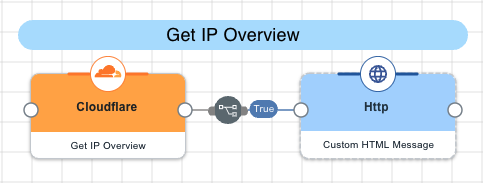
The connector queries the Intelligence IP API using an IP address to retrieve threat intelligence data, including risk assessments, classifications, and associated domains. The IP address can be in either IPv4 or IPv6 format. This capability is useful for investigating suspicious IP addresses and understanding their security posture.
Test the flow by clicking Save, Deploy, and Try Flow.
Get Domain Overview
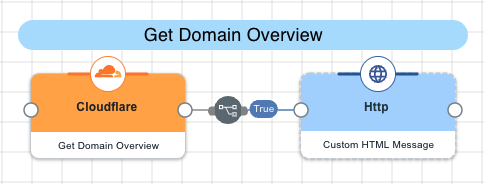
The connector queries the Intelligence Domain API using a domain name to retrieve comprehensive threat intelligence information, including content categories, reputation data, and associated IP addresses. This capability helps assess the security risk of domains encountered in your environment.
Test the flow by clicking Save, Deploy, and Try Flow.
Get User Risk Score
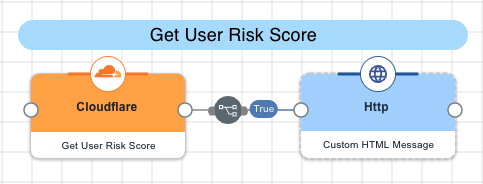
The connector first queries the Zero Trust Users API to locate the user by email address, then retrieves their risk score from the Zero Trust Risk Scoring API. Risk scores of Low, Medium, or High are assigned based on user behavior and activities, helping identify users who may pose a security threat to your organization. This capability requires a Cloudflare Zero Trust Enterprise plan.
Test the flow by clicking Save, Deploy, and Try Flow.
Reset User Risk Score
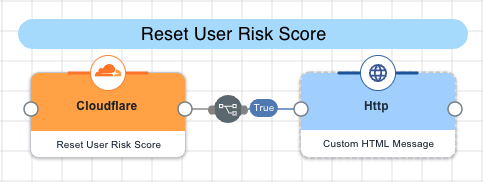
The connector first queries the Zero Trust Users API to locate the user by email address, then submits a reset request to the Zero Trust Risk Scoring API to return the user’s risk score to baseline. This action is typically performed after a security investigation is complete or when administrative overrides are necessary. This capability requires a Cloudflare Zero Trust Enterprise plan.
Test the flow by clicking Save, Deploy, and Try Flow.
Make Custom API Call
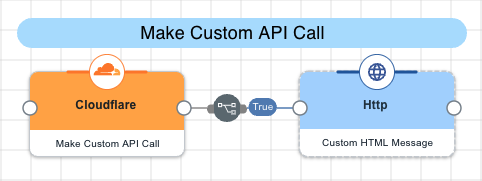
The connector allows you to define custom API calls to any Cloudflare API endpoint not covered by the predefined capabilities. You can specify the endpoint path, HTTP method, query parameters, headers, and request body to interact with Cloudflare’s extensive API offerings. This provides flexibility to integrate additional Cloudflare services as needed.
Test the flow by clicking Save, Deploy, and Try Flow.
Capabilities
Get IP Overview
Returns Cloudflare IP Overview of a specific IP address
Show details
-
Properties
-
Input Schema
-
Output Schema
- IP Address textField
-
IP Address
-
default object
-
properties object
-
ip string required
IP Address (IPv4 or IPv6)
-
-
Input Example
{
  "properties": {
    "ip": "50.64.49.74"
  }
}-
output object
-
rawResponse object
-
statusCode number
-
headers object
-
riskFound boolean
-
riskType object
-
result object
-
Get Domain Overview
Returns Cloudflare Domain Overview of a specific Domain
Show details
-
Properties
-
Input Schema
-
Output Schema
- Domain textField
-
Domain
-
default object
-
properties object
-
domain string required
Domain
-
-
Input Example
{
  "properties": {
    "ip": "pingidentity.com"
  }
}-
output object
-
rawResponse object
-
statusCode number
-
headers object
-
contentCategories array
-
result object
-
Get User Risk Score
Returns Cloudflare User Risk Score for a specific user
Show details
-
Properties
-
Input Schema
-
Output Schema
- Email textField
-
Email
-
default object
-
properties object
-
email string required
User Email Address
-
-
Input Example
{
  "properties": {
    "email": "user@example.com"
  }
}-
output object
-
rawResponse object
-
statusCode number
-
headers object
-
email string
-
name string
-
riskLevel string
-
lastResetTime string
-
riskEvents array
-
Reset User Risk Score
Resets Cloudflare User Risk Score for a specific user
Show details
-
Properties
-
Input Schema
-
Output Schema
- Email textField
-
Email
-
default object
-
properties object
-
email string required
User Email Address
-
-
Input Example
{
  "properties": {
    "email": "user@example.com"
  }
}-
output object
-
rawResponse object
-
statusCode number
-
headers object
-
success boolean
-
Make Custom API Call
Define a custom API call to Cloudflare.
Show details
-
Properties
-
Input Schema
-
Output Schema
- Endpoint textField required
-
The Cloudflare API endpoint, such as "/accounts/eaa16507a7d5779d6b428b0780962120/intel/domain".
- Method dropDown required
-
The HTTP Method.
-
GET
-
POST
-
PUT
-
DELETE
-
PATCH
-
- Query Parameters keyValueList
-
Add query parameters and provide their values.
- Headers keyValueList
-
Add HTTP headers and provide their values.
- Body codeEditor
-
The raw formatted JSON body.
-
default object
-
properties object
-
fromId string/number
FromId
-
endpoint string required
Endpoint
-
method string required
Method
-
queryParameters array
Query Parameters
-
headers array
Headers
-
body object
Body
-
-
-
output object
-
rawResponse object
-
statusCode number
-
headers object
-