Socure
Socure is a predictive analytics platform for real-time digital identity verification and fraud prevention. It uses a combination of artificial intelligence and machine learning to validate personal identifiable information (PII). For example, use Socure technology to help onboard new users securely by confirming the authenticity of government-issued ID and performing facial recognition.
PingOne Advanced Identity Cloud lets you implement the identity verification capabilities of Socure’s ID+ API and Predictive DocV with the following authentication nodes:
Example
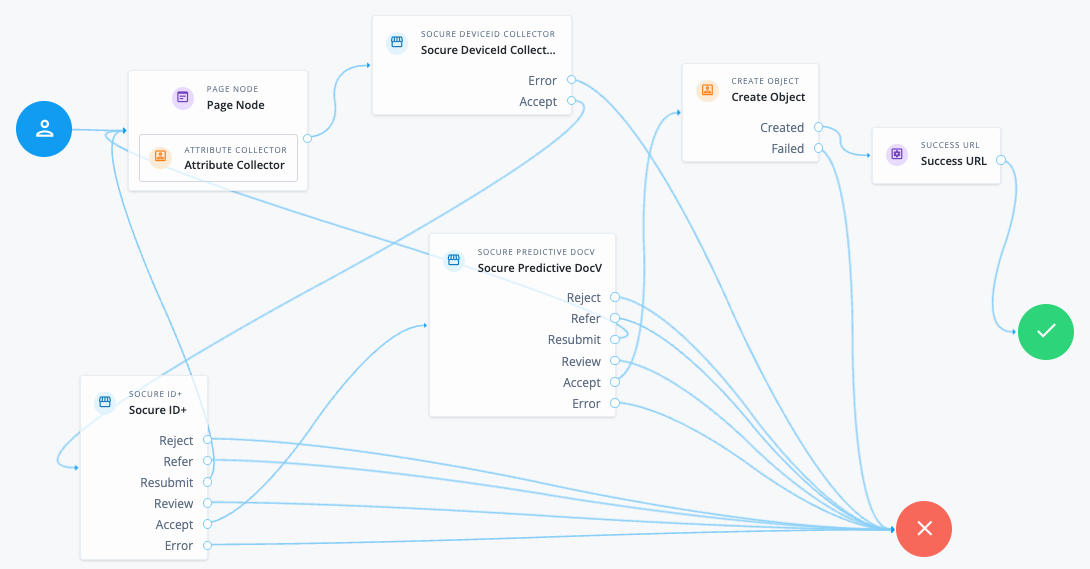
This example shows a journey using the Socure nodes for identity proofing during the initial onboarding of a user.
-
The Page node with the Attribute Collector node gathers the user attributes required to verify the user’s identity.
-
The Socure DeviceId Collector node collects device data and links it to personal identity attributes for fraud and risk analysis.
-
The Socure ID+ node verifies the identity using the Socure ID+ API and returns a decision:
-
Accept: The user identity is verified and the journey continues to the Socure Predictive DocV node for enhanced verification. At this point, you could also route the end user straight to the Create Object node. -
Resubmit: The end user is routed back to the Attribute Collector node for further PII, such as a residential address. -
Refer: The user identity is referred for further checks. In this example, the journey continues to the error outcome, but you could also route the journey to the Socure Predictive DocV node.
All other decisions lead to an error outcome.
-
-
The Socure Predictive DocV node initiates a workflow to authenticate the end user’s government-issued identity documentation and returns a decision based on the Socure API:
-
Accept: The user identity is verified and the journey continues to the Create Object node to create a new user account. -
Resubmit: The end user is routed back to the Attribute Collector node for further PII, such as a residential address.
All other decisions lead to an error outcome.
-
-
If all the Socure nodes verify the end user’s details successfully, the journey continues to the Create Object node. It creates a new user account with the object attributes gathered during the journey.
Prerequisites
To use the Socure nodes, you must have a Socure admin account. This provides you with the SDK key required to access the Socure endpoints. You also need to allow access to your tenant in the Socure configuration.
Get your ID+ and SDK keys
-
Log in to the Socure admin dashboard.
-
Click your organization.
-
Click your environment: Production, Certification or Sandbox.
Your keys are different for each environment.
-
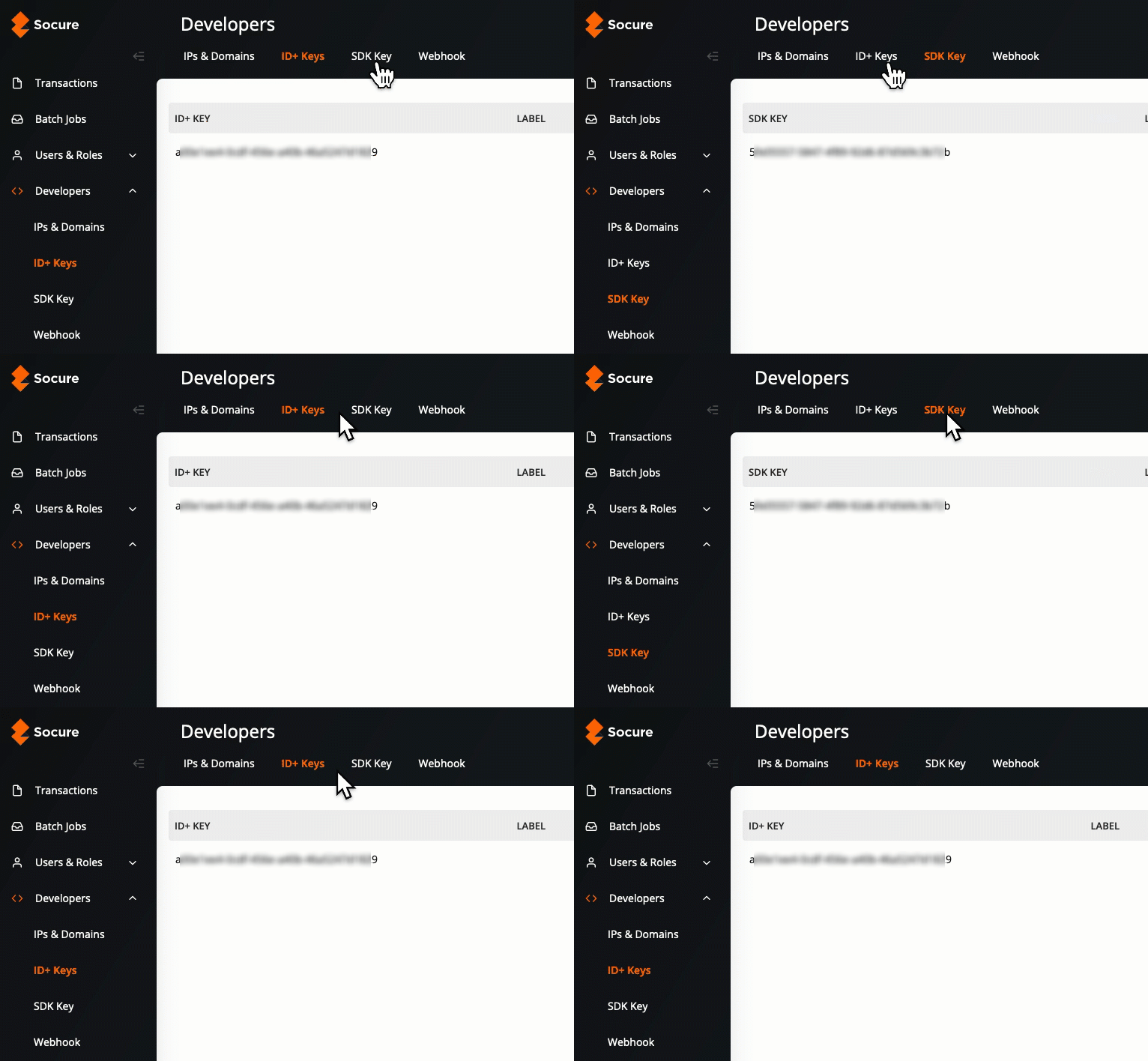
Click the Developers tab and select a key:
-
To use the Socure ID+ API, click ID+ Keys
-
To use the Socure Web SDK, click SDK Key
-
-
Right-click the ellipsis icon () and click Copy Key.
Authorize access to your domain
-
From the Socure admin dashboard, go to Developers > IPs & Domains.
-
Click New Domain.
-
In the IP/DOMAINS field, add your tenant or custom domain name and click Create. Repeat for all the domains that require access to the Socure ID+ API.
In a sandbox, the domain is the same as your tenant name.