Manage accounts
The accounts page provides a centralized location for managing all user accounts across your targeted applications, giving administrators and application owners the tools for efficient access governance.
This view streamlines account auditing and governance by giving application owners a single place to manage accounts without needing full application configuration permissions.
What you can do
-
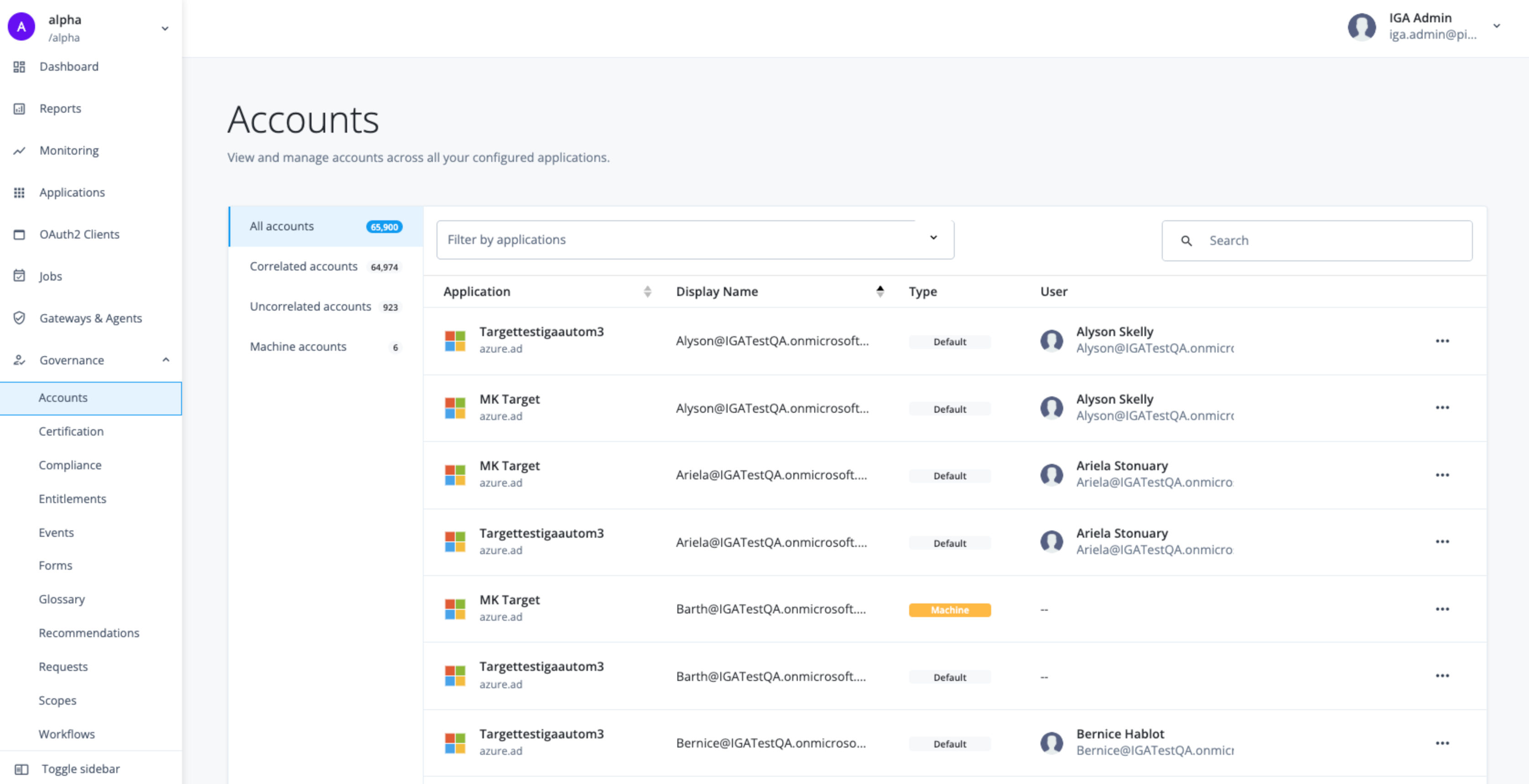
View and filter Accounts: View all accounts across all target applications. You can filter the list by application and by the account’s type (
defaultfor human users ormachinefor services). -
Review account details: Access detailed information for any account.
-
Review correlated accounts: For correlated accounts (those linked to a user identity), you can review details, object properties, and entitlements.
-
Manage uncorrelated accounts: For uncorrelated accounts (those not linked to a user identity), you can change the account type to
machine, review the account details, and its object properties. -
Assign custodians for machine accounts: If you set an uncorrelated account to the
machinetype, you must assign custodians to own and manage the account as well as change the account subtype.
Filter or search for accounts
-
In the Advanced Identity Cloud admin console, click Governance > Accounts.
-
View the list of accounts across your applications.
-
In the Filter by applications field, select an application type.
-
In the Search field, enter an account name.
View account details
-
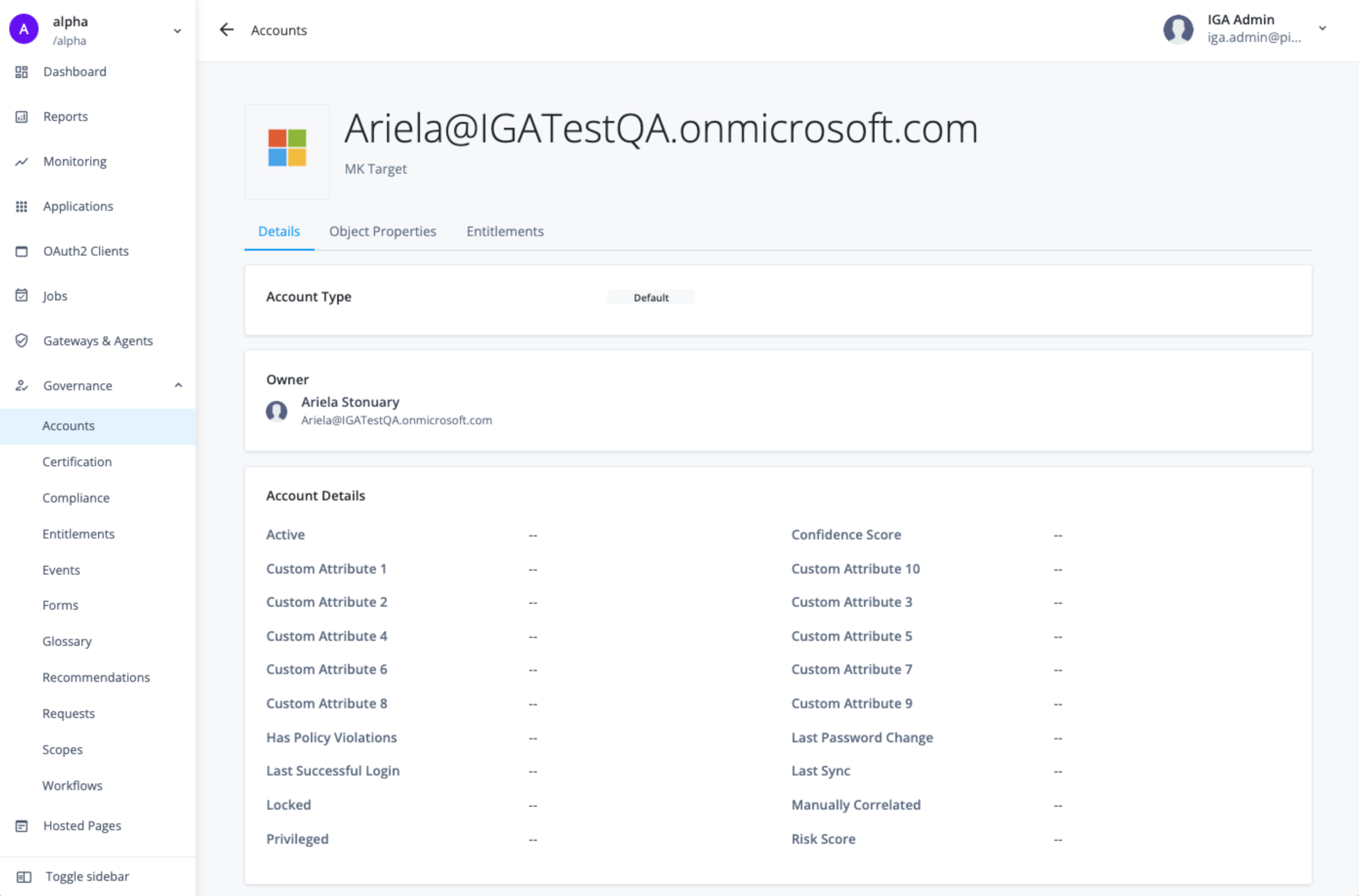
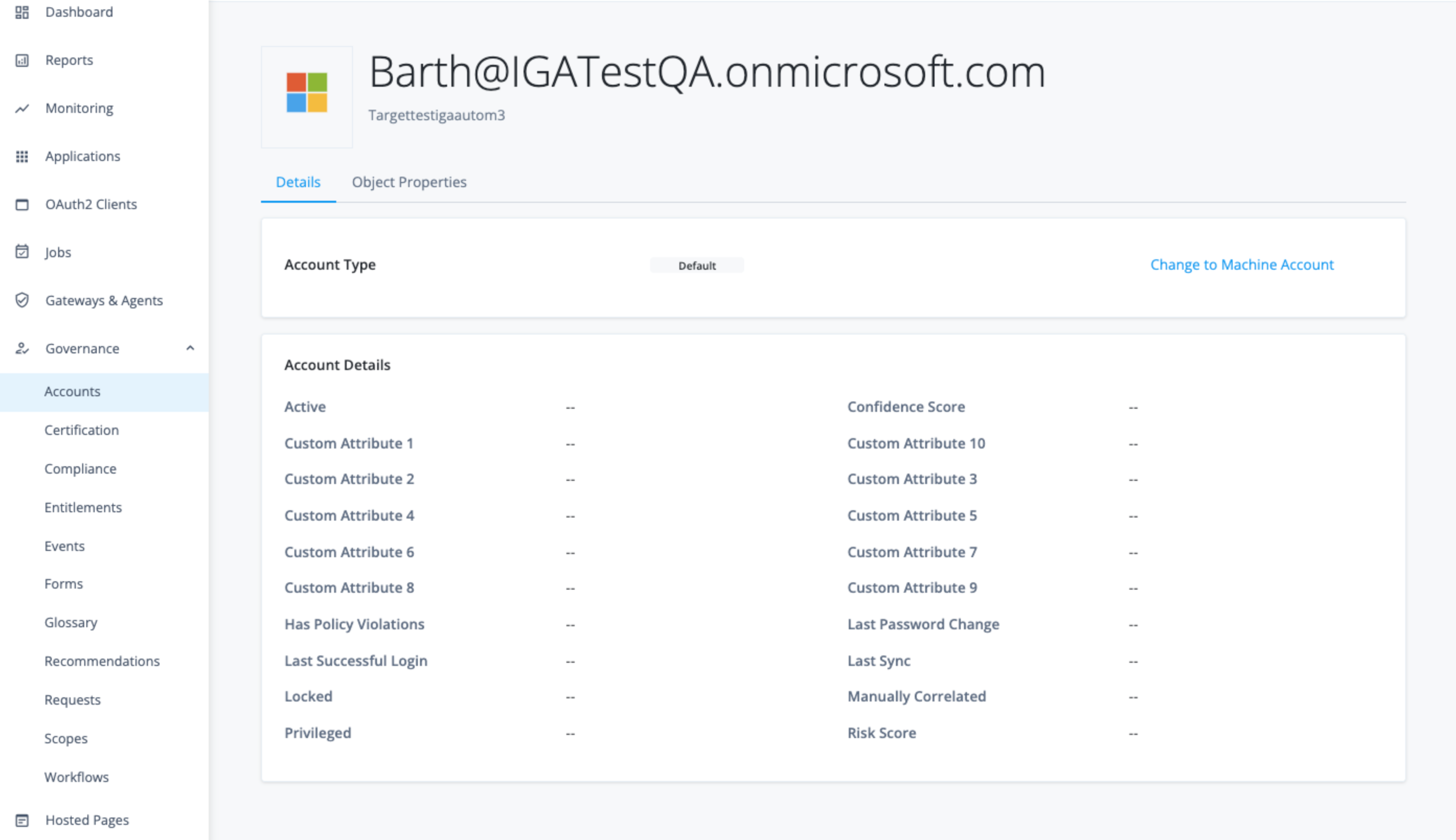
On the Accounts page, click an account to view its details.
The Details page displays the following sections:
-
Account Type: (
DefaultorMachine). -
Owner/User: User associated with the account (if correlated).
-
Account Details: Displays core account properties and attributes.
-
View object properties
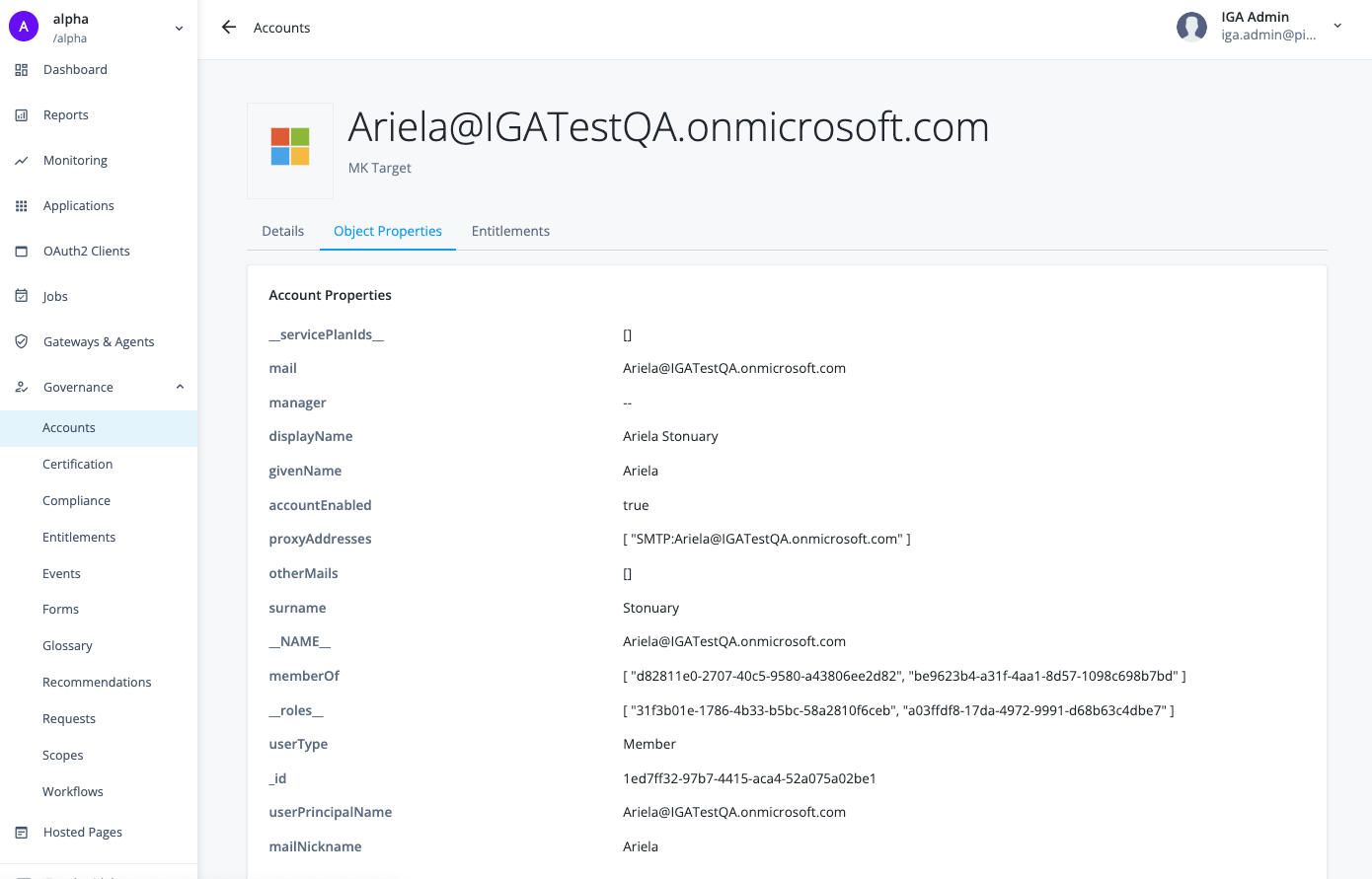
The Object Properties tab provides a direct view of the technical attributes of the account as synchronized from the connected target application.
The page lists the specific, raw data fields pulled from the application,
such as mail, displayName, givenName, surname, and group memberships
like memberOf and others.
-
On the Accounts page, click an account to view its details.
-
Click the Object Properties tab. Review the properties for the account.
View entitlements
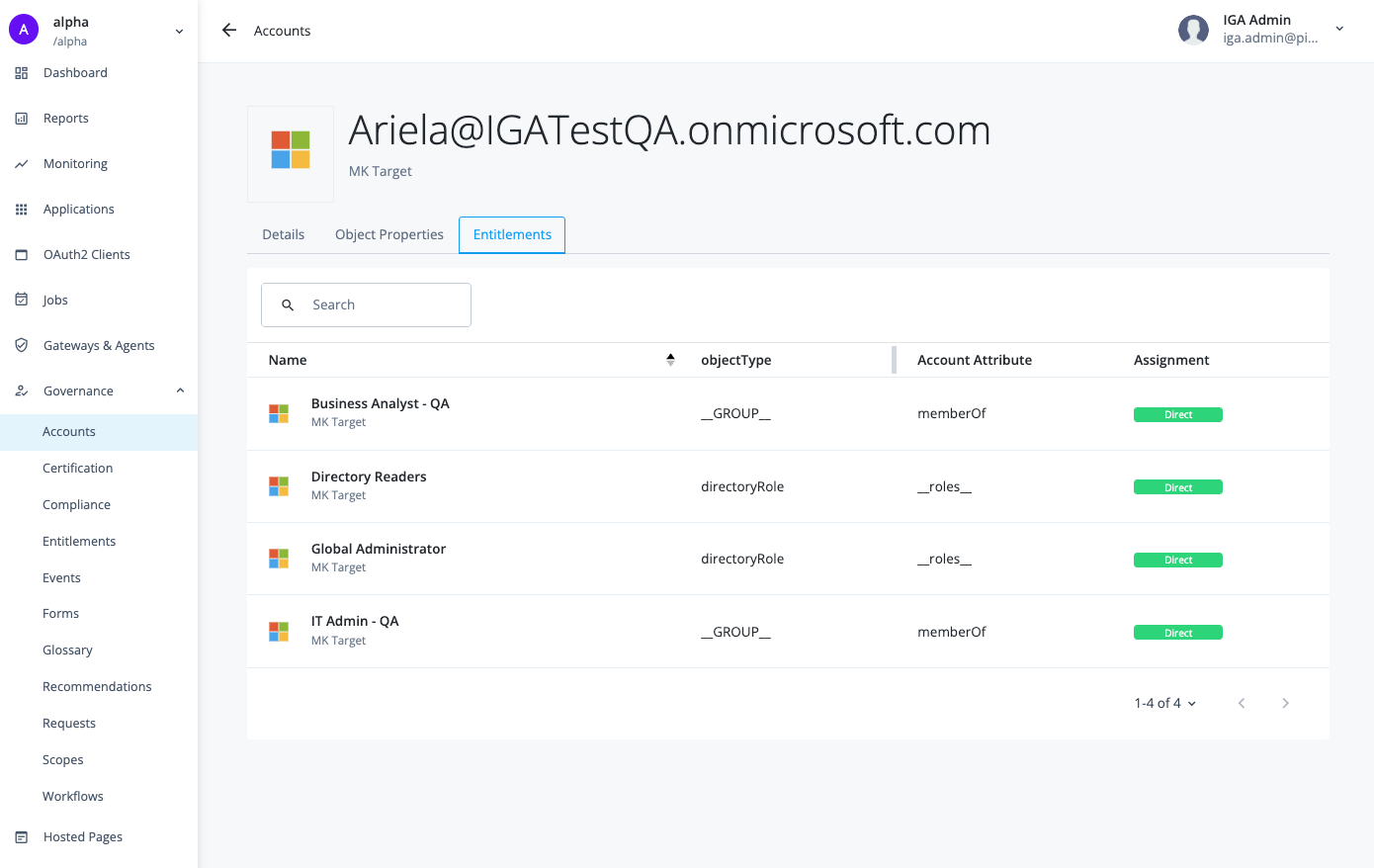
The Entitlements tab displays all the specific access rights, roles, or group memberships that the account currently holds on the connected target application.
-
On the Accounts page, click an account to view its details.
-
Click the Entitlements tab. Review the entitlements for the account.
Change the account type for uncorrelated accounts
-
On the Accounts page, click Uncorrelated accounts.
-
Review the accounts and click an account to view its details.
-
If the account is for a service or application, click Change to Machine Account.
-
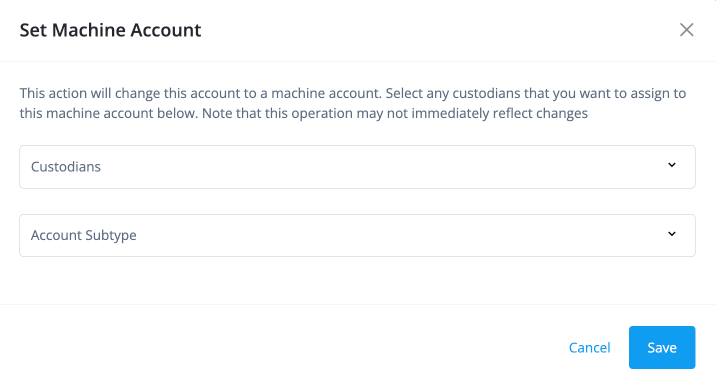
In the Set Machine Account modal, select the following:
-
Custodians: Select or enter the custodians you want to assign to the machine account.
-
Account Subtype: Select the account subtype for the machine account.
-
-
Click Save.
-
Change the custodians or account subtype
-
On the Accounts page, click Machine accounts.
-
Select an account, and click Edit Machine Account.
-
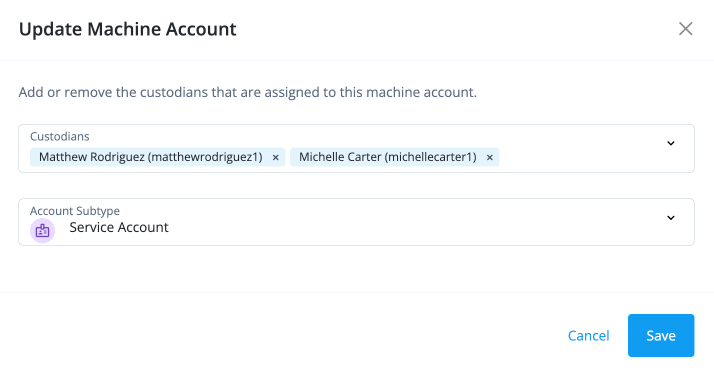
In the Update Machine Account modal, edit the following:
-
Custodians: Add or remove the custodians.
-
Account Subtype: Select an alternate account subtype for the machine account.
-
-
Click Save.
-