Policy Decision node
The Policy Decision node evaluates authorization in an authentication journey. Use this node to determine whether a user has access to a particular resource based on identity or environmental checks, such as group membership or the time of day.
If the policy relies on a subject for evaluation, you must ensure the user is authenticated or their identity verified before the journey runs this node. This prevents unauthorized access to policies and protects against denial of service (DoS) attacks.
A subject is identified in the following prioritized order:
-
The node uses the SSO token passed into the journey.
-
The node checks for an existing identified user, for example, through an Identify Existing User node or a Data Store Decision node earlier in the journey.
-
The node looks for the
usernamein the node state.
The outcome of the policy evaluation, to accept or reject access, maps to the node’s outcomes. It doesn’t handle advices.
| Use the more specialized App Policy Decision node to handle policy evaluation for OIDC and SAML applications. |
|
Consider the following security risks when designing journeys that include policy evaluation:
|
Examples
The following examples demonstrate how you can use the Policy Decision node to evaluate policies that match against dynamic environment values or policies that depend on authenticated users and session properties.
Learn about configuring policies in Policies in the UI.
Evaluate a policy using a dynamic value
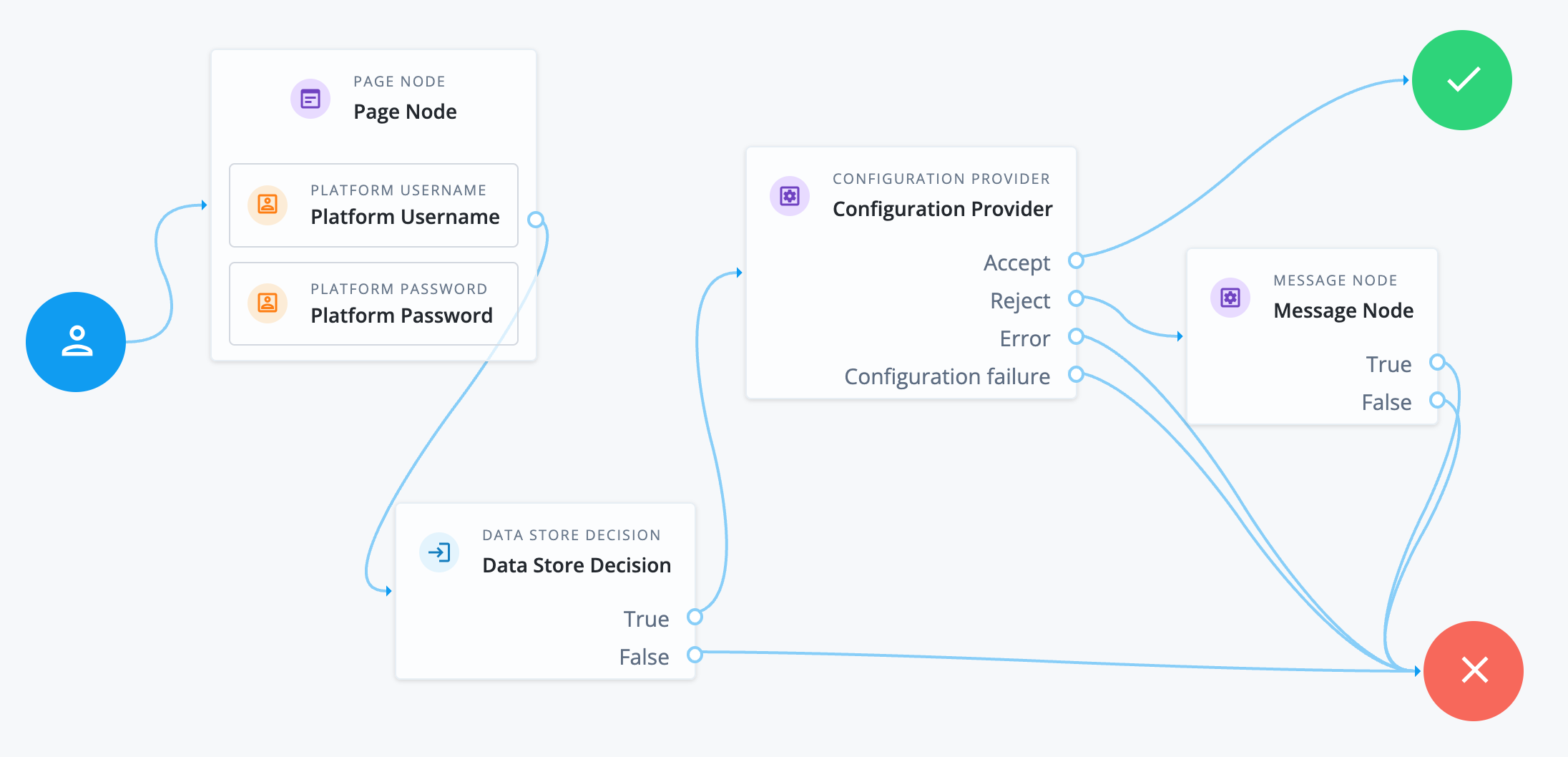
The following journey uses a Configuration Provider node imitating a Policy Decision node to evaluate whether the user can access a resource based on the time of day.
-
The Page node containing the Platform Username node and Platform Password node prompts for credentials.
-
The Data Store Decision node validates the username-password credentials.
-
A successful authentication routes the journey to the Configuration Provider node.
The node is configured with the following script:
var currentTime = Date.now().toFixed();
config = {
  "policySet" : "myPolicySet",
  "resource" : "http://example.com:80/time",
  "action" : "GET",
  "environment" : {
    "requestTime" : currentTime,
    "requestTimeZone": "GMT"
  }
};
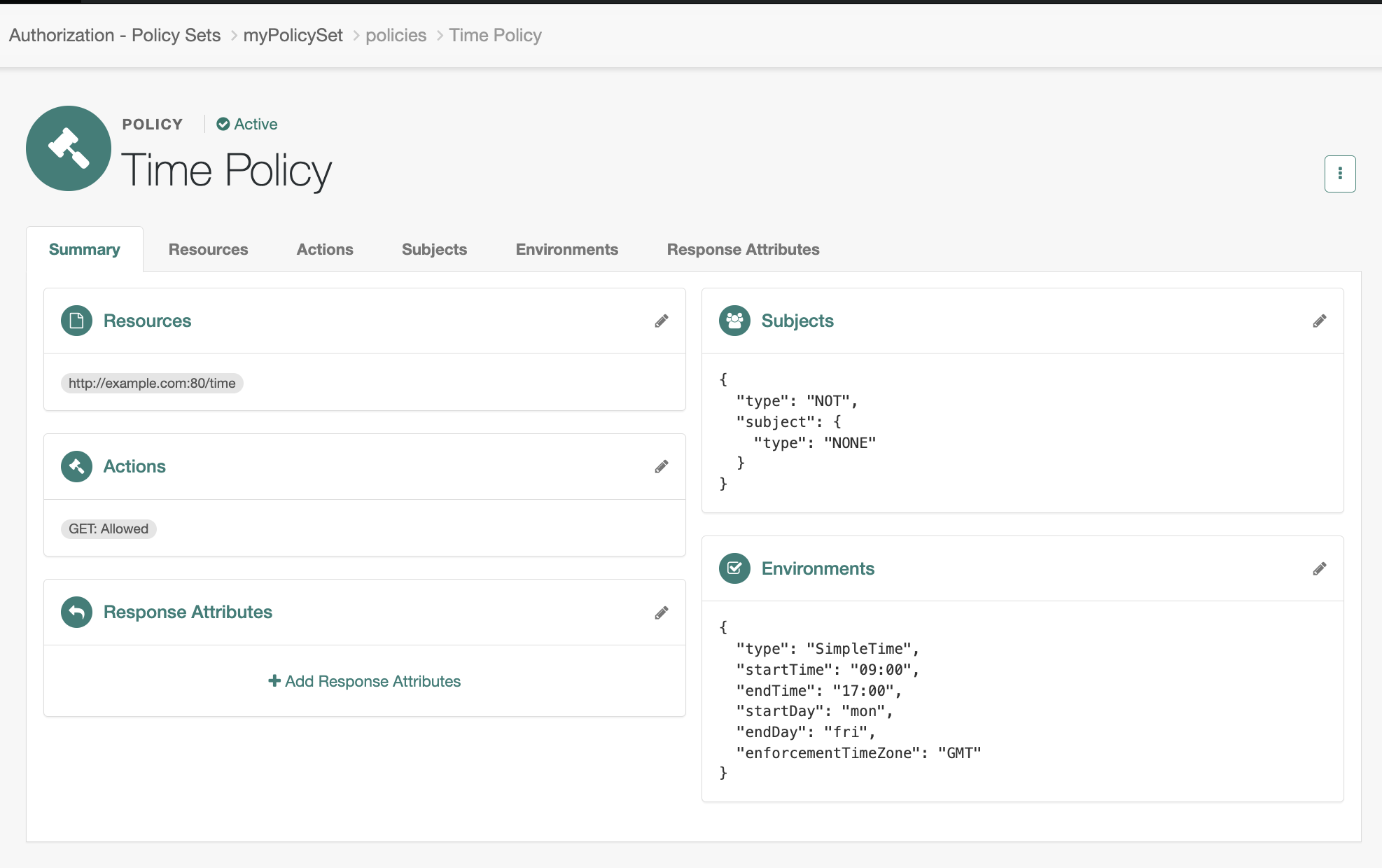
The script configuration matches a policy that lets any user access the resource
http://example.com:80/timeif the current time is Monday to Friday, 09:00 to 17:00 GMT. In this case, the policy doesn’t use the subject. It uses an environment condition to determine access to the resource.For a policy to match regardless of the subject, configure a Never Matchsubject condition inside a logicalNotblock.Example policy
-
The outcome of the policy evaluation determines the path of the journey:
- Accept
-
The policy grants access to the resource and the journey is successful.
- Reject
-
The policy rejects access to the resource and the Message node informs the end user they’re not authorized.
- Error
-
An error in policy evaluation leads to the failure outcome.
- Configuration failure
-
An error with the Configuration Provider node script also leads to the failure outcome.
Evaluate a policy against an authentication level
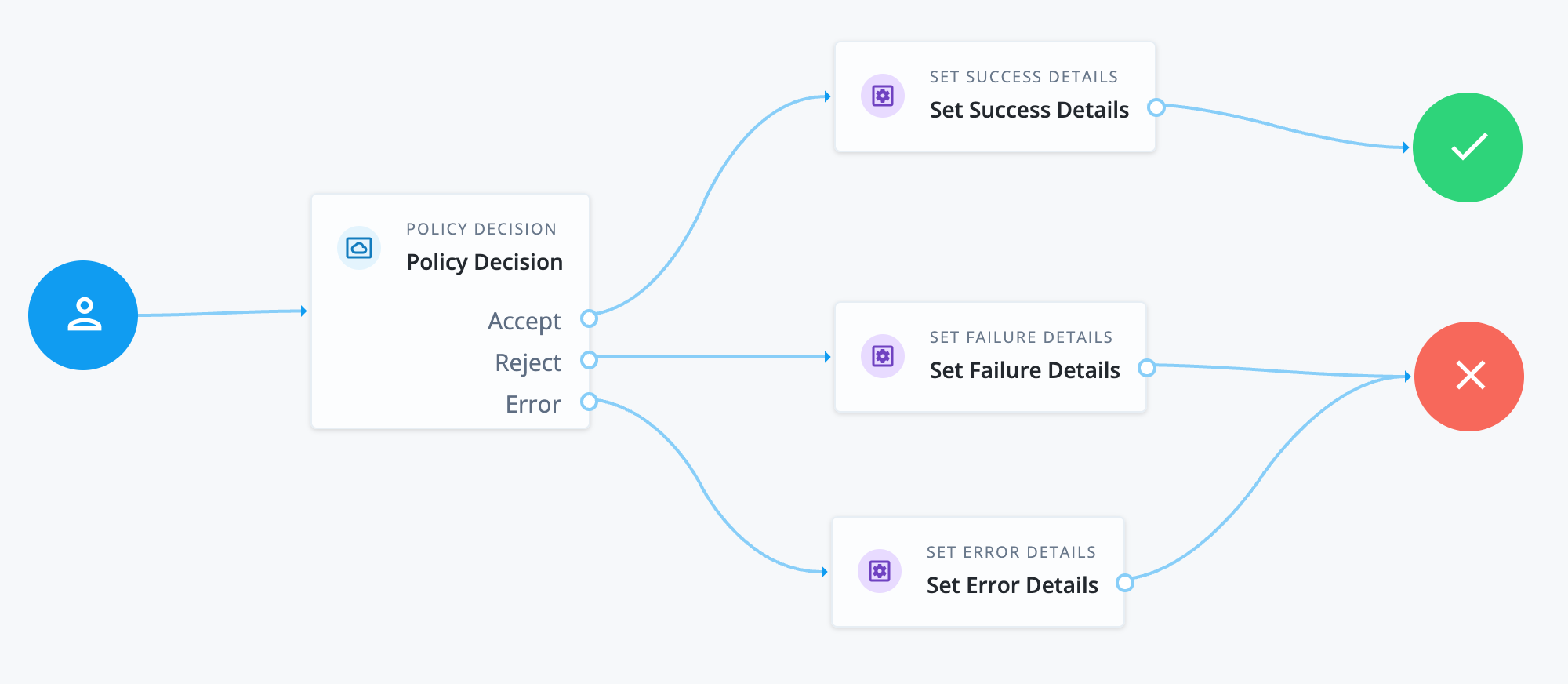
The following journey uses a Policy Decision node to check whether the subject has a specific authentication level. The journey requires the subject to already have a session.
-
The journey starts with the Policy Decision node. It requires an end user with an existing session.
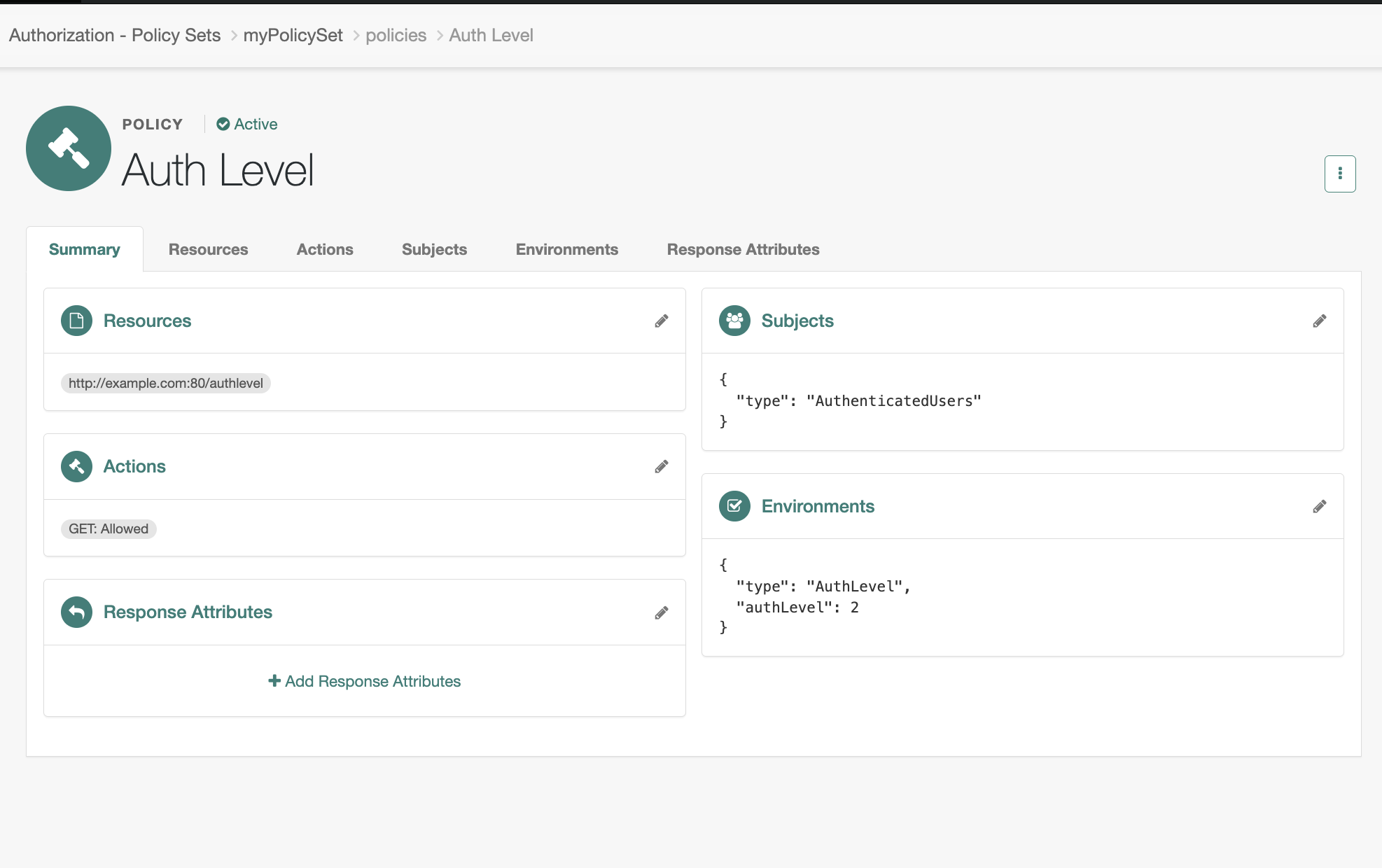
The node’s configured policy set and resource matches a policy set that only grants access to authenticated users with an authentication level of 2, for example:
- Policy Set
-
Example Policy Set - Resource
-
http://example.com:80/authlevel - Action
-
GET
Example policy
-
The outcome of the policy evaluation determines the path of the journey:
- Accept
-
The policy grants access to the resource and the journey proceeds to the Set Success Details node.
- Reject
-
The policy rejects access to the resource and the journey proceeds to the Set Failure Details node.
- Error
-
An error in policy evaluation leads the journey to the Set Error Details node.
Availability
| Product | Available? |
|---|---|
PingOne Advanced Identity Cloud |
Yes |
PingAM (self-managed) |
Yes |
Ping Advanced Identity Software (self-managed) |
Yes |
Inputs
If policy evaluation requires a subject, make sure the username is collected earlier in the journey.
Dependencies
This node requires the configuration of a policy set that has at least one policy with a resource and an action.
Learn about configuring policies in Policies in the UI.
Configuration
| Property | Usage |
|---|---|
Policy Set |
Select a policy set from the list to use for the evaluation of the policy. If you use a Configuration Provider node to set dynamic values,
set this property to the policy set identifier, for example, |
Resource |
The resource name to use for policy evaluation, for example, Make sure this matches the resource in the policy. |
Action |
The action to use for policy evaluation, for example, |
Environment |
(Optional) The environment parameters to include in the policy evaluation request, specified as
|