Mapping Amazon Managed Grafana attributes
About this task
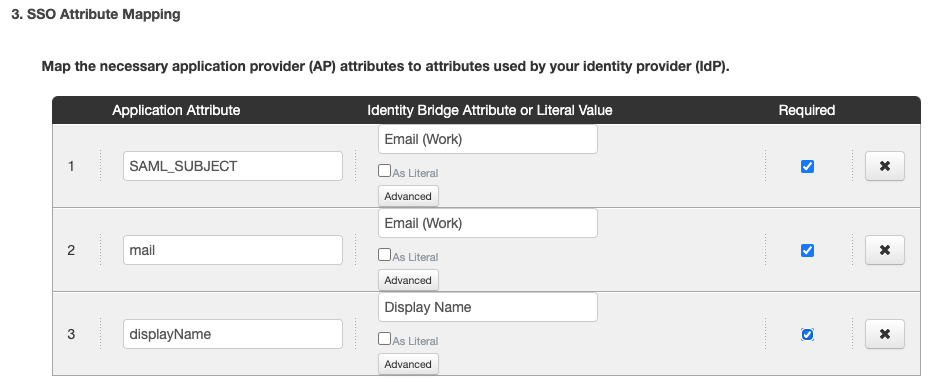
PingOne will automatically populate required SAML attributes.
For Amazon Managed Grafana, the required attributes are:
-
SAML_SUBJECT -
mail -
givenName
|
You must set |
Steps
-
In the Application Attribute field, enter the attribute name as it appears in the application.
-
In the Identity Bridge Attribute or Literal Value field, choose one of the following.
Choose from:
-
Enter or select a directory attribute to map to the application attribute.
-
Select As Literal, then enter a literal value to assign to the application attribute.
-
-
Optional: To create advanced attribute mappings, click Advanced.
-
Click Continue to Next Step.