May 2026
May 27
Configurable custom user sessions in the PingOne authentication connector
New PingOne Authentication Connector
DaVinci now automatically tracks the User ID and Authentication Methods used during flow execution and maps them to the PingOne authentication connector to create a session. This change improves security by reducing impersonation risks and streamlines user mapping for admins.
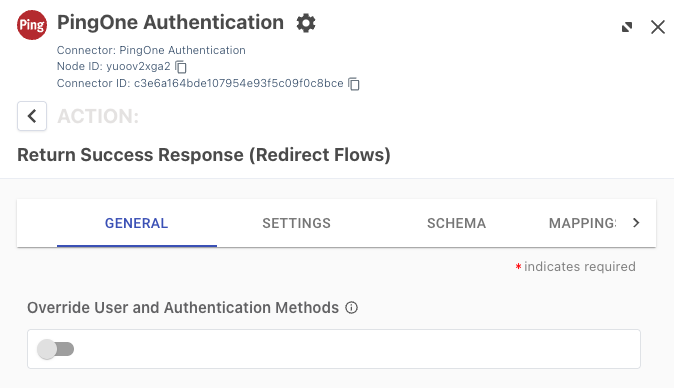
For capabilities that utilize user mappings, a new Override User and Authentication Methods toggle is available. When enabled, admins can override defaults and manually modify session information. This feature is fully backward compatible and existing flows using the PingOne authentication connector’s Return Success Response capability will continue to use existing mappings.
May 11
The Authentication connector is now available
New Authentication Connector
You can use the Authentication Connector for the following use cases:
-
Checking users' account status
-
Authenticating users
-
Registering user accounts
-
Recording agreement consent
-
Account recovery
-
Password change
The MFA connector is now available
New MFA Connector
You can use the MFA Connector for the following use cases:
-
Registering with an MFA device
-
Authenticating with an MFA device
Show Form now supports dynamic multiple outcomes
New Form Connector
We’ve added a new Show Form capability that generates outcomes dynamically based on the selected form configuration. Outcomes appear in a list below the node and you can branch directly from each outcome.
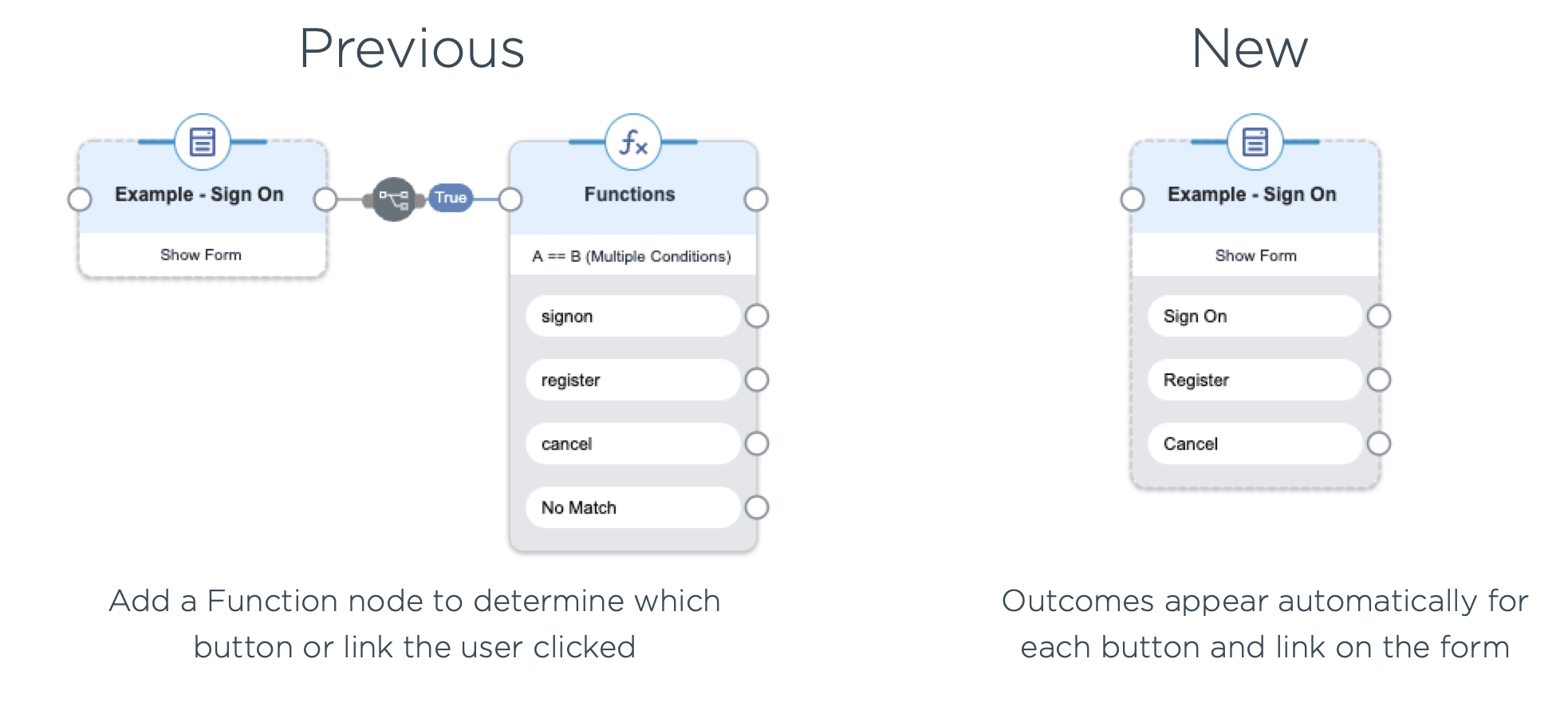
The previous capability is now Show Form (Legacy).
You can switch existing nodes at any time by selecting the new capability in node settings and clicking Apply. The existing configuration carries over, and the dynamic outcomes appear so you can rewire the flow as needed.
The legacy capability will continue to work normally until a deprecation announcement is made. We recommend migrating to the new Show Form capability to receive ongoing enhancements and long-term support.
Learn more in Branching from Show Form outcomes.