Exporting a policy deployment package
When you have completed development and testing of your policies, you can export your Trust Framework and policies to a deployment package for use in embedded PDP mode.
You can configure your policy deployment packages to be signed upon export. Learn more in Policy application management with signed deployment packages.
Steps
-
Export a snapshot.
Learn more in Creating a snapshot.
-
Go to the Branch Manager section.
-
Click the Deployment Packages tab.
-
Click the icon.
-
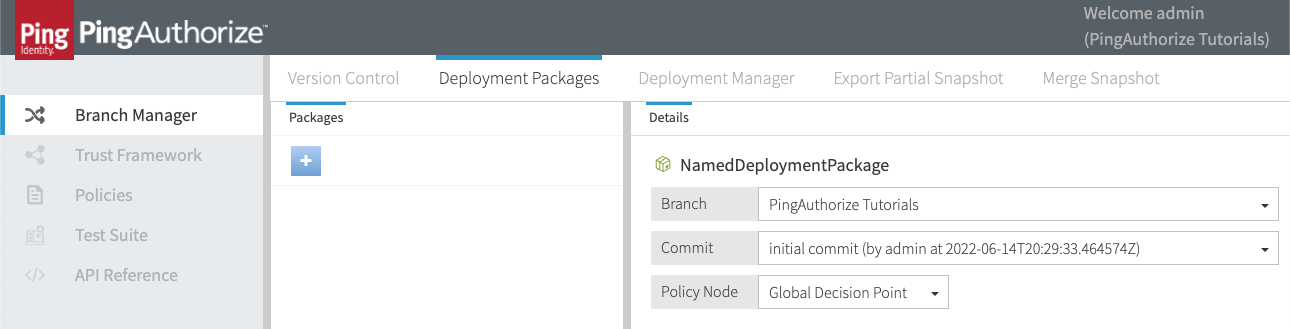
Enter a meaningful name for your deployment package.
-
In the Branch list, select a policy branch.
-
In the Commit list, select a commit.
-
In the Policy Node list, select a policy node.
Example:
-
Click Create Package.
-
Click Export Package.
Result
The deployment package is downloaded to your computer.