Configuring policy request header mappings using the administrative console
Steps
-
On the Configuration page of the PingAuthorize administrative console, go to Authorization and Policies > Policy Decision Service.
-
In the Policy Request Header Mappings section, click New Policy Request Header Mapping.
-
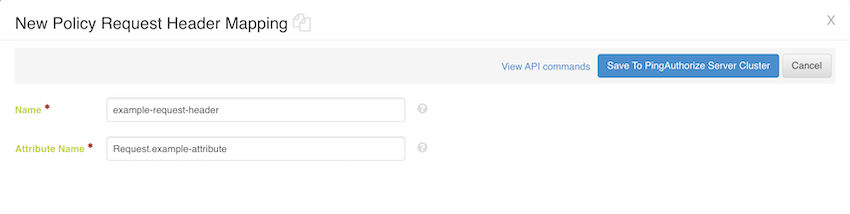
In the Name field, enter the name of the header.
The request header name is not case sensitive.
-
In the Attribute Name field, enter the full name of the attribute that you want to map to the relevant header.
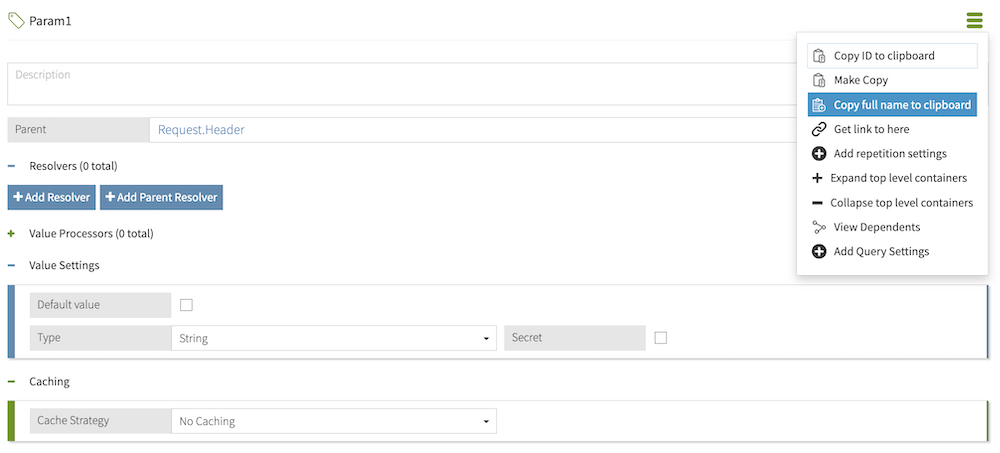
The full name of an attribute represents that attribute’s full path in the Trust Framework hierarchy. For example, a Param1 attribute with parent attributes Request and Header would have a full name of Request.Header.Param1. To quickly obtain an attribute’s full name, click the hamburger menu of that attribute and select Copy full name to clipboard.
-
Click Save to PingAuthorize server cluster.
Example
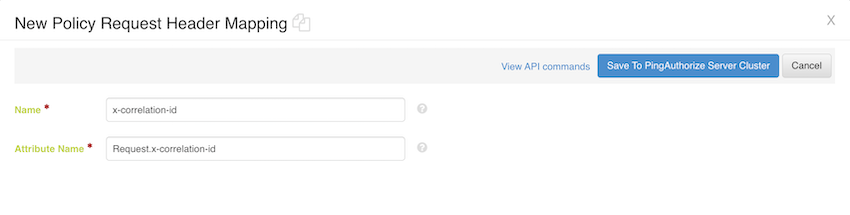
Suppose you want to add a request correlation ID so that your logging and monitoring services have full visibility of a decision request’s processing journey. This correlation ID is represented by the x-correlation-id authorization attribute, which has a parent Request attribute. The following policy request header mapping creates a mapping between the x-correlation-id header and the x-correlation-id attribute:
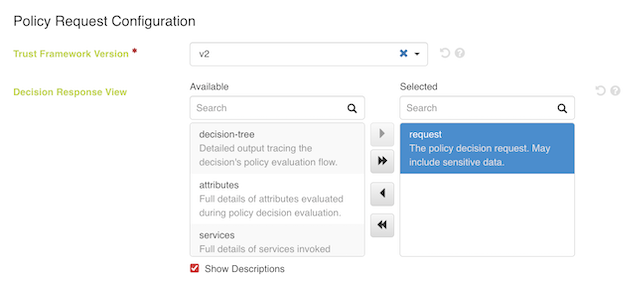
To include the modified decision request body in the JSON PDP API response, select the request view in the Decision Response View.
|
Selecting the request view causes the Policy Decision Logger to record potentially sensitive data in API requests and responses. |
Suppose a decision request includes a sample Attribute1 attribute and a header value of x-correlation-id:abc. The relevant authorization policy produces a PERMIT decision if the Request.x-correlation-id attribute equals "abc" and a DENY decision otherwise:
{
"domain": "example.Domain",
"action": "example.Action",
"service": "example.Service",
"identityProvider": "example.Identity Provider",
"attributes": {
"Attribute1": "A request body attribute"
  }
}
The following decision response includes the modified request body, which now includes the Request.x-correlation-id attribute set to the x-correlation-id header’s value:
{
"id": "18e98969-3915-4096-b437-71100ac1d70f",
"deploymentPackageId": "502bdfdf-da19-47c9-b474-0047f77d18de",
"timestamp": "2024-05-23T15:29:30.115879Z",
"elapsedTime": 193449,
"request": {
"domain": "example.Domain",
"service": "example.Service",
"action": "example.Action",
"attributes": {
"Attribute1": "A request body attribute",
"Request.x-correlation-id": "abc"
    }
  },
"decision": "PERMIT",
"authorised": true,
"statements": [],
"status": {
"code": "OKAY",
"messages": [],
"errors": []
  }
}