View audit events in the legacy admin UI
| Widgets are deprecated and will be removed in a future release of IDM. For more information, refer to Deprecation. |
The legacy admin UI includes an audit widget that provides a visual display of audit events. You can also query the audit logs over REST.
The audit widget is displayed on the System Monitoring dashboard by default. To show audit events:
-
Sign on to the legacy admin UI, and select Dashboards > System Monitoring.
-
On the Audit Events widget, select the type of audit event that you want to view. The event types correspond to the audit event topics, described in Default audit event topics.
Depending on the event type, you filter the events further. For example, if you select Config as the event type, you can then select to view all configuration audit events, or only Creates, Reads, Updates, and so on.
-
By default, events are displayed for the current month. Use the arrow keys to scroll backwards and forwards to display the audit data for other months.
The following image shows all access events for the month of March, 2020.
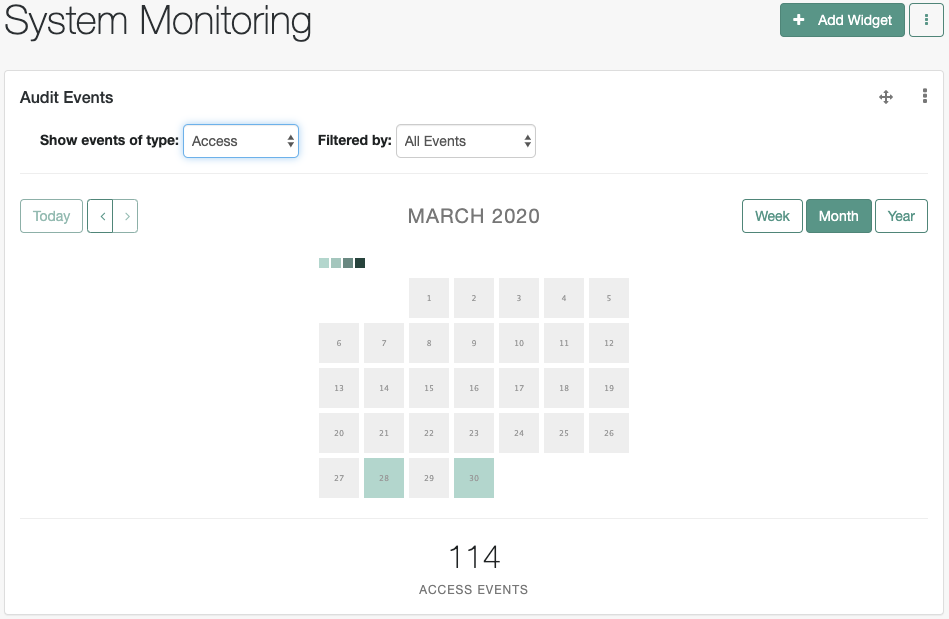
Use the move pointer to reposition the widget on the dashboard, or the vertical ellipses to delete the widget.