Integrate with PingOne Protect for risk evaluations
The DaVinci Client can integrate with PingOne Protect to evaluate the risk involved in a transaction.
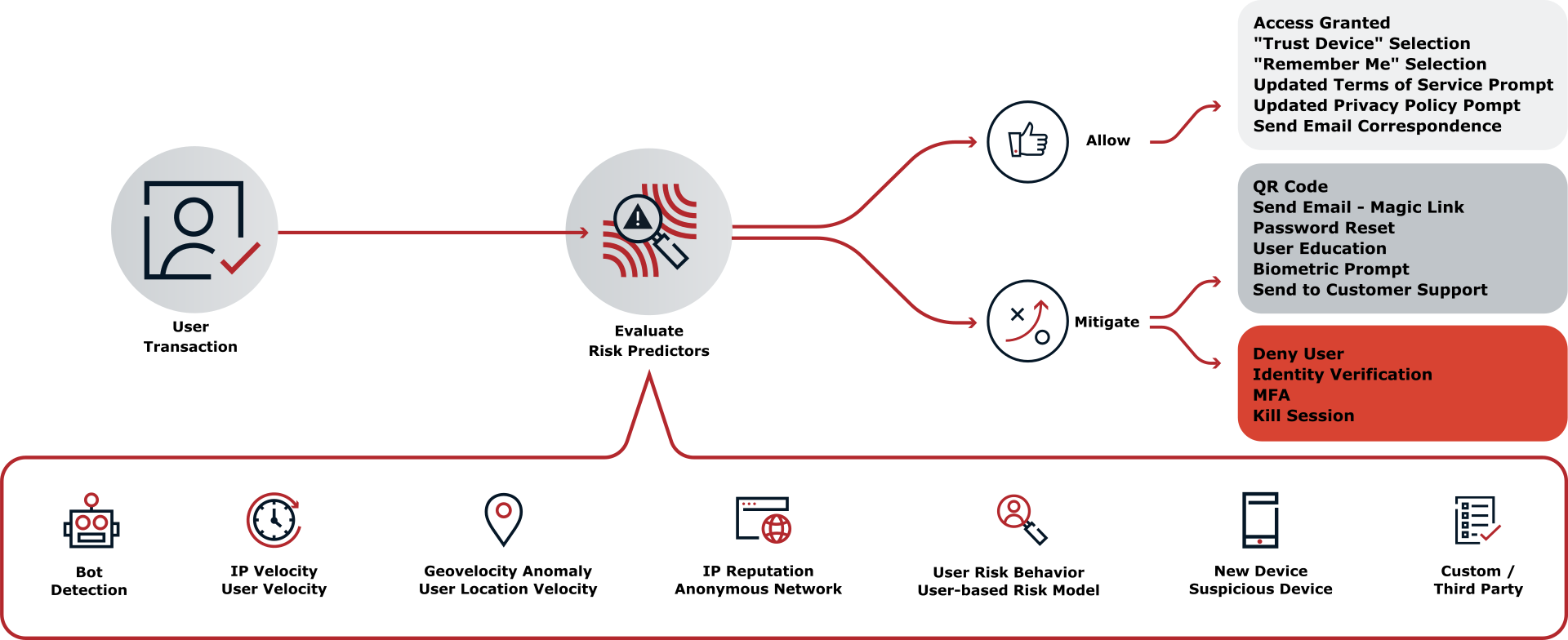
You can instruct the DaVinci Client to gather information during a transaction. Your app can then collate this information together and request a risk evaluation from PingOne.
Based on the response from Protect, you can choose whether to allow or deny the transaction or perform additional mitigation, such as bot detection measures.
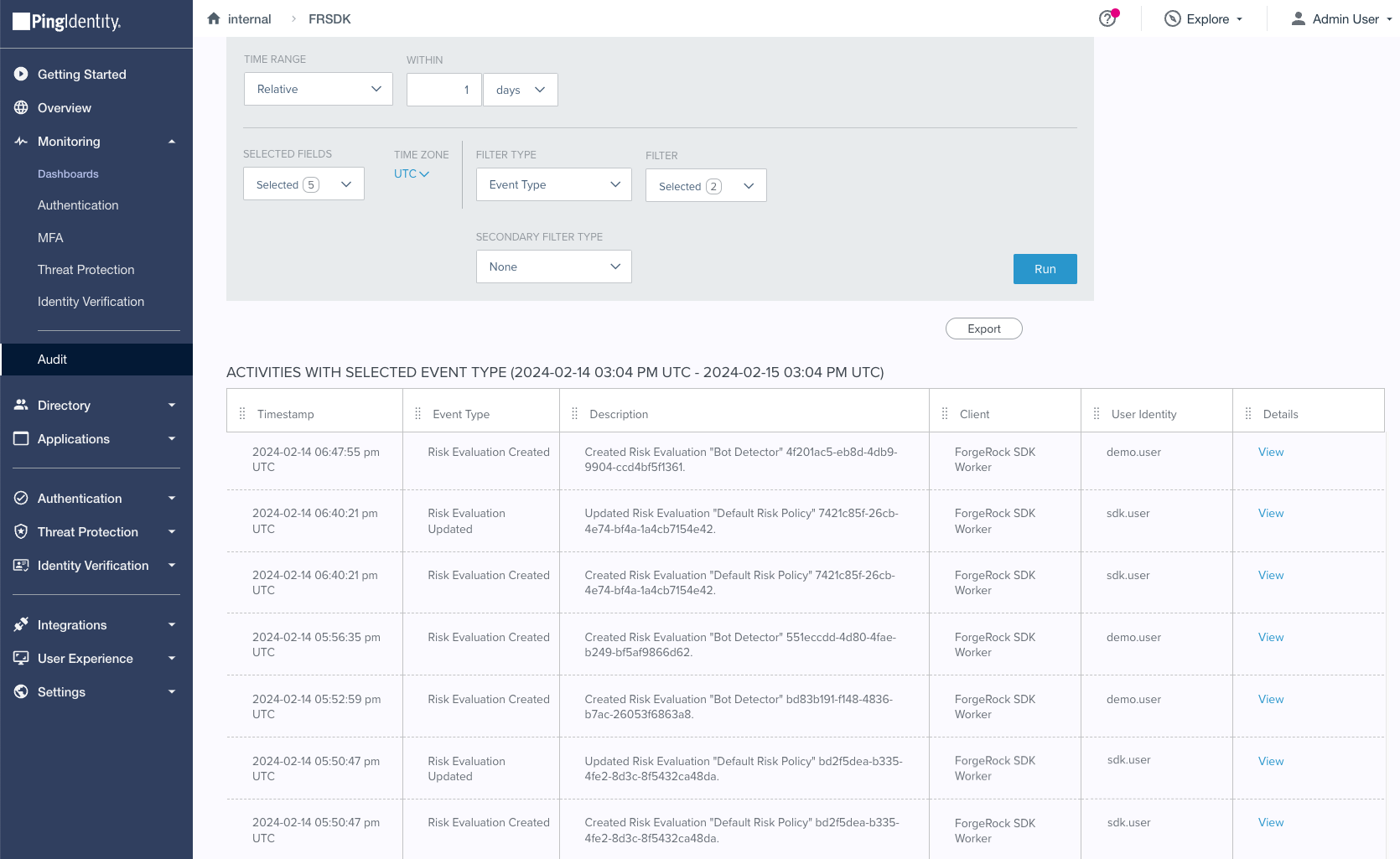
You can use the audit functionality in PingOne to view the risk evaluations:
Compatibility
- PingOne
-
-
Your PingOne instance must have DaVinci enabled.
-
- DaVinci flows
-
Ensure your flows only use supported connectors, capabilities and fields for user interactions:
-
HTTP Connector
-
Custom HTML capability
View supported fields
HTTP Connector field and collector support Field (
Collector)Description
DaVinci module
Android
iOS
JavaScript
Text field
(
TextCollector)Collects a single text string.
✅
1.0.0
✅
1.0.0
✅
1.0.0
Password field
(
PasswordCollector)Collects a single text string that cannot be read from the screen.
✅
1.0.0
✅
1.0.0
✅
1.0.0
Submit Button
(
SubmitCollector)Sends the collected data to PingOne to continue the DaVinci flow.
✅
1.0.0
✅
1.0.0
✅
1.0.0
Flow Button
(
FlowCollector)Triggers an alternative flow without sending the data collected so far to PingOne.
✅
1.0.0
✅
1.0.0
✅
1.0.0
Label
(
LabelCollector)Display a read-only text label.
✅
1.1.0
✅
1.1.0
✅
1.1.0
Radio / Dropdown
(
SingleSelectCollector)Collects a single value from a choice of multiple options.
✅
1.1.0
✅
1.1.0
✅
1.1.0
HTTP Connector SK-Component support SK-Component (
Collector)Description
DaVinci module
Android
iOS
JavaScript
skIDP
(
IdpCollector)Presents a button to allow users to authenticate using an external identity provider, such as Apple, Facebook, or Google.
✅
1.1.0
✅
1.1.0
✅
1.1.0
skrisk
(
ProtectCollector)Instructs the client to gather behavioral data and return it to PingOne so that it can perform risk evaluations.
✅
1.3.0
✅
1.3.0
✅
1.3.0
View unsupported features
Verify that your flow does not depend on any unsupported elements:
- SKPolling components
-
The SKPolling component cannot be processed by the DaVinci Client and should not be included in flows.
Features such as Magic Link authentication require the SKPolling component and therefore cannot be used with the DaVinci Client.
- Images
-
Images included in the flow cannot be passed to the SDK.
For example, the PingOne sign-on with sessions DaVinci flow.
-
-
PingOne Form Connector
-
Show Form capability
View supported fields
Custom Fields support Field (
Collector)Description
DaVinci module
Android
iOS
JavaScript
Text Input
(
TextCollector)Collects a single text string.
✅
1.1.0
✅
1.1.0
✅
1.1.0
Password
(
PasswordCollector)Collects a single text string that cannot be read from the screen.
✅
1.1.0
✅
1.1.0
✅
1.1.0
Dropdown
(
SingleSelectCollector)Collects a value from a dropdown containing one or more text strings.
✅
1.1.0
✅
1.1.0
✅
1.1.0
Combobox
(
MultiSelectCollector)Collects a value from a dropdown containing one or more text strings, the user can enter their own text string.
✅
1.1.0
✅
1.1.0
✅
1.1.0
Radio Button List
(
SingleSelectCollector)Collects a value from one or radio buttons.
✅
1.1.0
✅
1.1.0
✅
1.1.0
Checkbox List
(
MultiSelectCollector)Collects the value of one or more checkboxes.
✅
1.1.0
✅
1.1.0
✅
1.1.0
Phone Number Input
(
PhoneNumberCollector)Collects a phone number, including the country code.
✅
1.2.0
✅
1.2.0
✅
1.2.0
Toolbox support Field (
Collector)Description
DaVinci module
Android
iOS
JavaScript
Flow Button
(
FlowCollector)Presents a customized button.
✅
1.1.0
✅
1.1.0
✅
1.1.0
Flow Link
(
FlowCollector)Presents a customized link.
✅
1.1.0
✅
1.1.0
✅
1.1.0
Translatable Rich Text
(
TextCollector)Presents rich text that you can translate into multiple languages.
✅
1.1.0
✅
1.1.0
✅
1.1.0
Social Login
(
IdpCollector)Presents a button to allow users to authenticate using an external identity provider, such as Apple, Facebook, or Google.
✅
1.1.0
✅
1.1.0
✅
1.1.0
MFA Device Selection - Authentication
(
DeviceAuthenticationCollector)Presents a list of methods for performing multi-factor authentication (MFA).
DaVinci client currently only supports the Email, SMS, and Voice MFA types.
✅
1.2.0
✅
1.2.0
✅
1.2.0
MFA Device Selection - Registration
(
DeviceRegistrationCollector)Presents a list of methods you can register for multi-factor authentication (MFA).
DaVinci client currently only supports the Email, SMS, and Voice MFA types.
✅
1.2.0
✅
1.2.0
✅
1.2.0
Property support Property (
Type)Description
DaVinci module
Android
iOS
JavaScript
Enable Device Profiling
(
toggleSwitch)Instruct the SDK to collect client device information.
✅
1.3.0
✅
1.3.0
✅
1.3.0
Include Behavioral Data
(
toggleSwitch)Instruct the SDK to collect behavioral data to identify non-human activity.
Requires Enable Device Profiling to also be enabled.
✅
1.3.0
✅
1.3.0
✅
1.3.0
-
Steps
- Step 1. Set up PingOne
-
In this step, you set up your your PingOne instance to perform risk evaluations.
For example, you create a worker application and risk policy in PingOne, and integrate them into your DaVinci flows.
- Step 2. Install dependencies
-
In this step, you add the required PingOne Protect module and dependencies to your project.
- Step 3. Develop the client app
-
With everything prepared, you can now add DaVinci Client code to your application to evaluate risk by using PingOne Protect.
You’ll learn how to initialize the collection of contextual data, gather and send it to the server for a risk evaluation, and how to pause and resume behavioral data collection.