Preparing PingAuthorize for Konnect integration
For Kong Konnect to use PingAuthorize as an external authorization policy runtime service, you must prepare PingAuthorize to receive authorization requests from Kong Konnect.
Steps
-
In the PingAuthorize admin console, go to Configuration > Web Services and Applications > HTTP Servlet Extensions.
-
Click Sideband API.
-
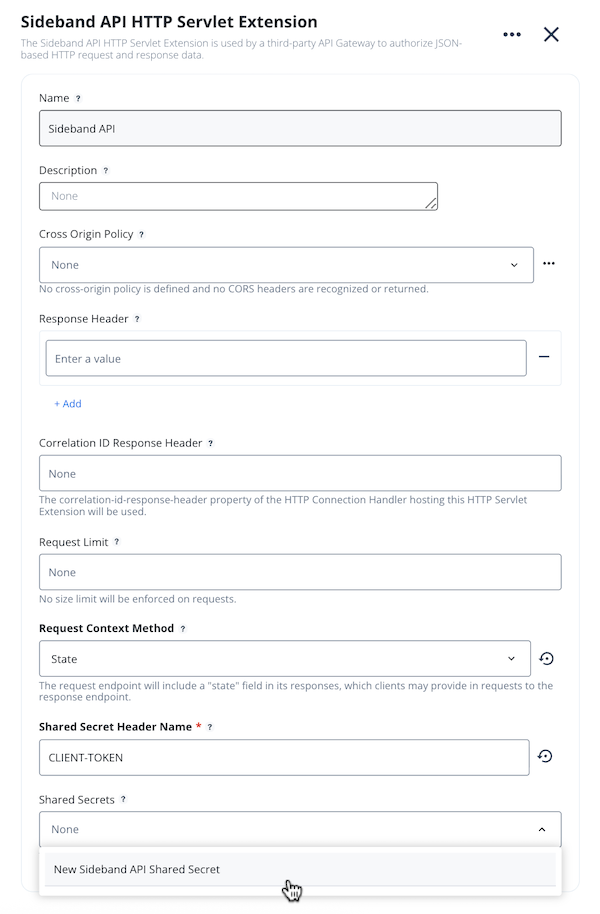
In the Request Context Method list, select State.
-
In the Shared Secret Header Name field, enter
CLIENT-TOKEN. -
To create a new shared secret, in the Shared Secret Header Name list, select New Sideband API Shared Secret.
-
In the New Sideband API Shared Secret modal, create a suitably long shared secret value, and then click Save.
-
Click Save.