Provided statements
The PingAuthorize Policy Editor includes a set of preconfigured statement types, which are also available in the PingAuthorize Server. These statements are ready to use out of the box, and the server executes them as documented.
To view the full list of provided statement types included in the Policy Editor:
-
In the Policy Editor, click Policies, and then click a policy or add a new policy.
-
Expand the Statements section and click Add Statement.
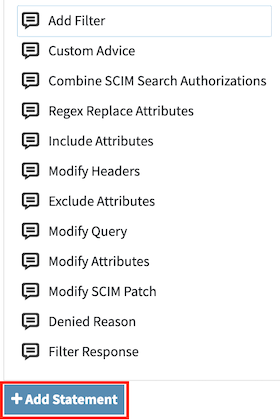
Hover over a statement type to view its description.
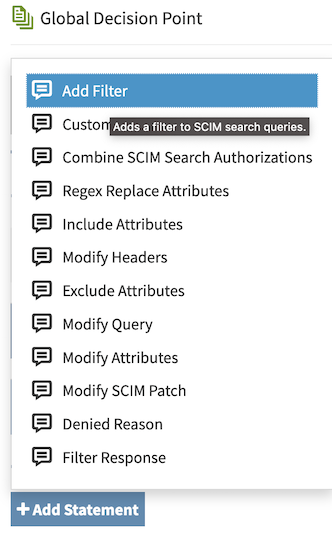
When you select a provided statement type, the following fields are automatically populated:
-
Description: A description of the statement.
-
Code: The statement’s unique code.
-
Payload: An example payload value.
You can replace this example value with one that’s more appropriate for your policy.
The following sections describe the provided statement types.
Add Filter
Use the add-filter statement to add mandatory administrator-defined filters to SCIM search queries. These filters restrict the result set returned to the client.
The add-filter statement:
-
Only applies to SCIM requests.
-
Combines its filter with any existing request filters using logical
AND. -
Combines its filter with other
add-filterstatements when multiple instances are included in the policy result.
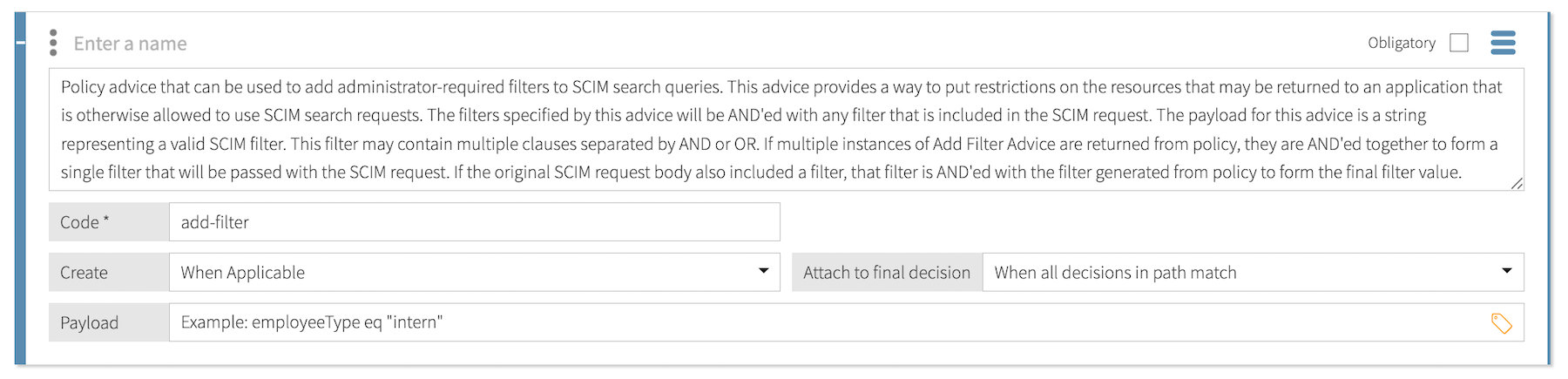
The Payload for this statement is a string containing a valid SCIM filter.
Example
The following payload filters SCIM results to include only users with the employeeType set to "intern":
employeeType eq "intern"
Auth Challenge
Use the auth-challenge statement to implement step-up authentication challenges in policies that protect API services. In step-up authentication, HTTP servers use the WWW-Authenticate response header to challenge OAuth 2.0 clients to provide sufficient credentials. Learn more about authentication challenges and bearer token usage in RFC 9470 and RFC 6750.
The auth-challenge statement:
-
Only applies to deny decisions produced by inbound decision requests.
-
Adds the
WWW-Authenticateheader to deny responses.The
WWW-Authenticateheader isn’t forwarded to the client when using Sideband API error templates or Gateway error templates. If your policies use theauth-challengestatement to challenge clients for step-up authentication, don’t use error templates.
Learn more in Step-up authentication for APIs.

The payload for this statement is a JSON object with the following properties:
| Property | Type | Required | Description |
|---|---|---|---|
|
Number |
Required |
The HTTP response status code sent to the client. Example: |
|
String |
Required |
|
|
String |
Optional |
A human-readable error description for informational purposes that’s meant for developers, not end users. Example: |
|
String |
Optional |
An absolute URI that identifies a web page explaining the error. Example: |
|
String[] |
Optional |
The authentication context class reference values, in order of preference, that the protected resource requires for the authentication event associated with the access token. Values are separated by spaces.
Example: |
|
Number |
Optional |
The allowable elapsed time in seconds since the last active authentication event associated with the access token. Example: |
|
String[] |
Optional |
An array of OAuth 2.0 scopes required to access the protected resource. Example: |
|
String |
Optional |
The challenge type. When this is not set, the default is |
|
String |
Optional |
Provides the scope of protection as a hint to the end user about which credentials are required. |
Example
The following payload instructs PingAuthorize to construct an authentication challenge informing the requesting client that a different authentication level (multi-factor) and more recent authentication (within the last hour) are required.
Example payload:
{
  "httpStatus": 401,
  "error": "insufficient_user_authentication",
  "errorDescription": "A different authentication level is required. More recent authentication is required.",
  "acrValues": [
    "Multi_Factor"
  ],
  "maxAge": 3600
}
Example HTTP response status and WWW-Authenticate header value:
HTTP/1.1 401 Unauthorized
WWW-Authenticate: Bearer error="insufficient_user_authentication",
     error_description="A different authentication level is required. More recent authentication is required.",
     acr_values="Multi_Factor",
     max_age="3600"
Combine SCIM Search Authorizations
Use the combine-scim-search-authorizations statement to optimize policy processing for SCIM search responses.
The combine-scim-search-authorizations statement:
-
Only applies to SCIM search responses.
-
Replaces default per-resource authorization, which generates a separate policy request for each resource using the
retrieveaction. -
Processes all search results using a single
search-resultspolicy request containing aResourcesarray of all matching SCIM resources. -
Applies returned statements iteratively to each resource, allowing modification or removal of individual items.

This statement doesn’t use a payload.
Denied Reason
Use the denied-reason statement to provide an error message that contains the reason for denying a request. This statement only applies to deny decisions for SCIM searches using the optimized search-results authorization mode. Learn more in Search response authorization.

The Payload for this statement is a JSON object with the following properties:
| Property | Type | Required | Description |
|---|---|---|---|
|
Number |
Required |
Specifies the HTTP status code to return to the client. The default status is |
|
String |
Optional |
Specifies a short error message to return to the client. |
|
String |
Optional |
Specifies additional, more detailed error information to return to the client. |
Example
The following payload returns a 403 response indicating that the requested operation isn’t allowed because of insufficient OAuth scopes:
{
  "status":403,
  "message":"insufficient_scope",
  "detail":"Requested operation not allowed by the granted OAuth scopes."
}
Exclude Attributes
Use the exclude-attributes statement to specify attributes to exclude from a JSON response.
|
If your protected API is changing over time, consider using the Include Attributes statement instead of the Exclude Attributes statement. The Include Attributes statement is a safer choice that continues to work when you add new attributes to your API. |
The exclude-attributes statement:
-
Only applies to permit decisions (not applicable to SCIM searches or SCIM modify).
To augment SCIM modifies, use the Modify SCIM Patch statement type.
-
Can match multiple attributes to exclude using JSONPaths.
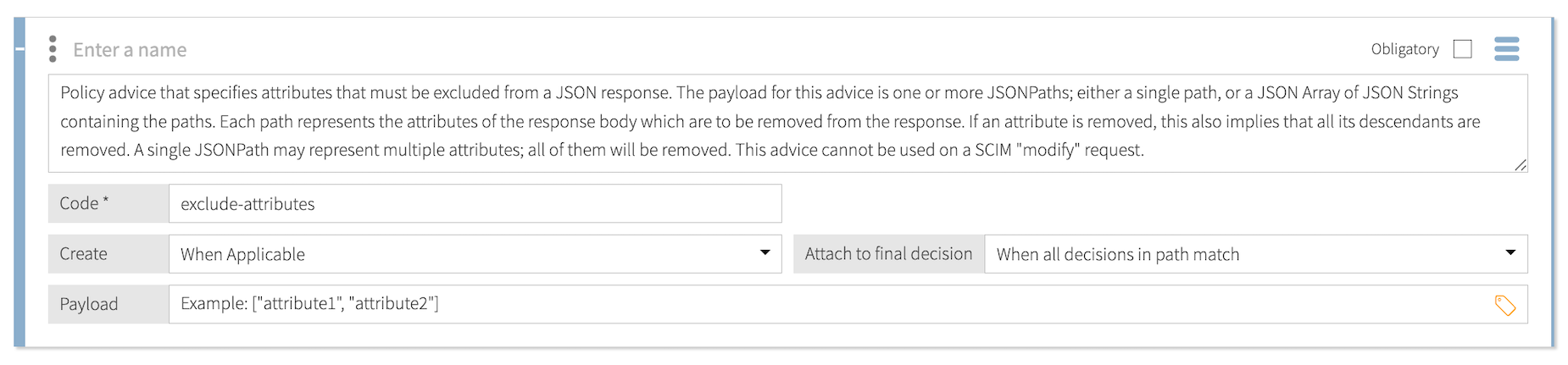
The Payload for this statement is a JSON array of attribute names: ["attribute-to-exclude", "attribute-to-exclude"]
This statement limits the attributes in the response body returned to the requester by removing attributes that are listed in the payload.
-
If an attribute has descendants, they are also removed from the response body.
-
If a single JSONPath expression represents multiple attributes, all of the represented attributes are removed from the response.
Example
The following payload instructs the decision service to remove the amount attribute from the HTTP response body:
["amount"]
Original body:
{
  "ID": "123456",
  "amount": "999",
  "type": "Savings"
}
Modified body:
{
  "ID": "123456",
  "type": "Savings"
}
Filter Response
Use the filter-response statement to invoke policy iteratively over a JSON array contained in an API response.
For each element of the JSON array, the statement removes that element from the final response when policies return a deny decision. If policies return a permit decision with additional statements, those statements are fulfilled in the context of the request.
|
Server performance might degrade as the total number of decision requests increases. |
The filter-response statement only applies to permit decisions. Although you can’t apply this statement directly to a SCIM search, the SCIM service performs similar processing automatically when it handles a search result. For every candidate resource in a search result, the SCIM service makes a policy request for the resource with an Action value of retrieve.
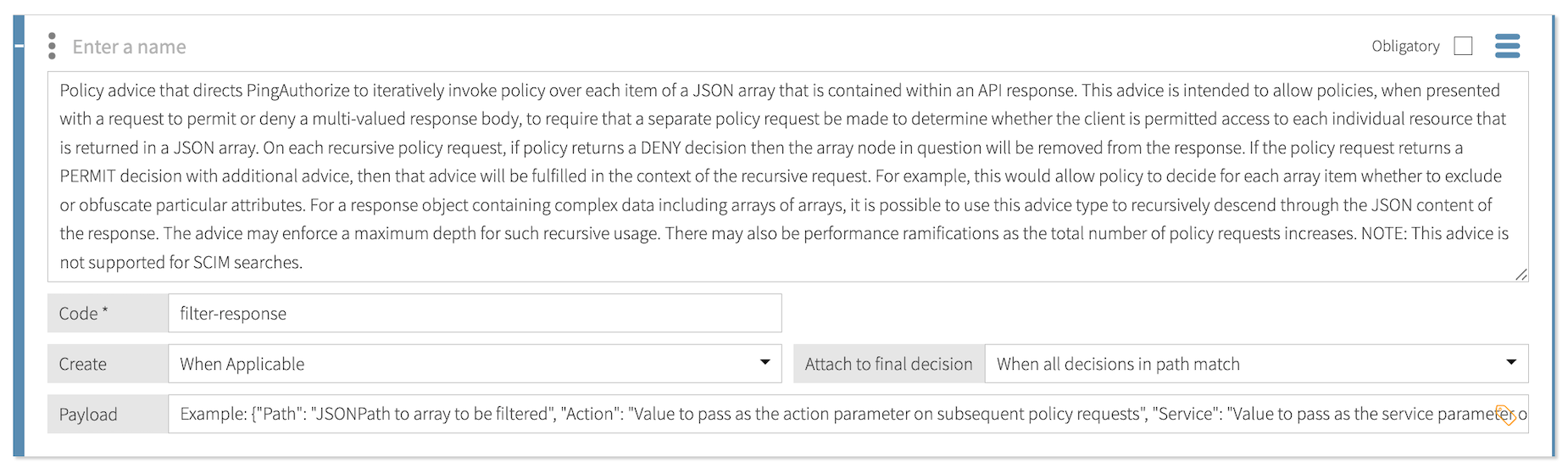
The Payload for this statement is a JSON object with the following properties:
| Property | Type | Required | Description |
|---|---|---|---|
|
String |
Required |
Specifies the JSONPath that defines an array in the API’s response body. The statement iterates over this array and makes a decision request for each element. |
|
String |
Optional |
Specifies the value to pass as the If no value is specified, the statement uses the |
|
String |
Optional |
Specifies the value to pass as the |
|
String |
Optional |
Specifies the type of object contained in each element of the array defined by the On each subsequent decision request, the statement passes each element of the array to the decision service as an attribute with the name specified by this property. If no value is specified, the statement uses the |
Example
The following payload iterates over all elements in $.items and applies a retrieve action to authorize each user individually:
{
  "path": "$.items",
  "action": "retrieve",
  "service": "directoryService",
  "resourceType": "User"
}
Include Attributes
Use the include-attributes statement to define an allowed list of attributes to include in the HTTP response body in an inbound request or outbound response.
The include-attributes statement only applies to permit decisions (not applicable to SCIM searches or SCIM modify). To augment SCIM modifies, use the Modify SCIM Patch statement type.
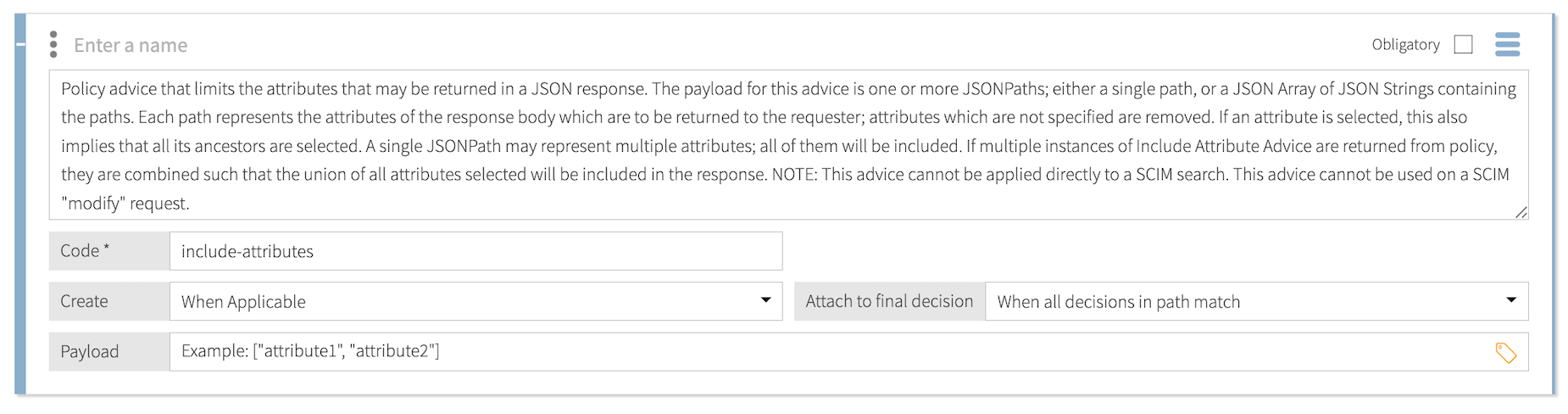
The Payload for this statement is a JSON array of attribute names: ["attribute-to-include", "attribute-to-include"]
This statement limits the attributes in the response body returned to the requester by removing attributes that aren’t listed in the payload.
-
If a listed attribute has ancestors, the response also includes the ancestors.
-
If a single JSONPath expression represents multiple attributes, the response includes all of the represented attributes.
-
If a policy result returns multiple instances of
include-attributesstatements, the response includes the union of all selected attributes.
Example
The following payload instructs PingAuthorize to remove the type attribute from the HTTP response body:
["ID", "amount"]
Original body:
{
  "ID": "123456",
  "amount": "999",
  "type": "Savings"
}
Modified body:
{
  "ID": "123456",
  "amount": "999"
}
Modify Attributes
Use the modify-attributes statement to modify attribute values in the body of an inbound request or an outbound response. To augment SCIM modifies, use the Modify SCIM Patch statement type.
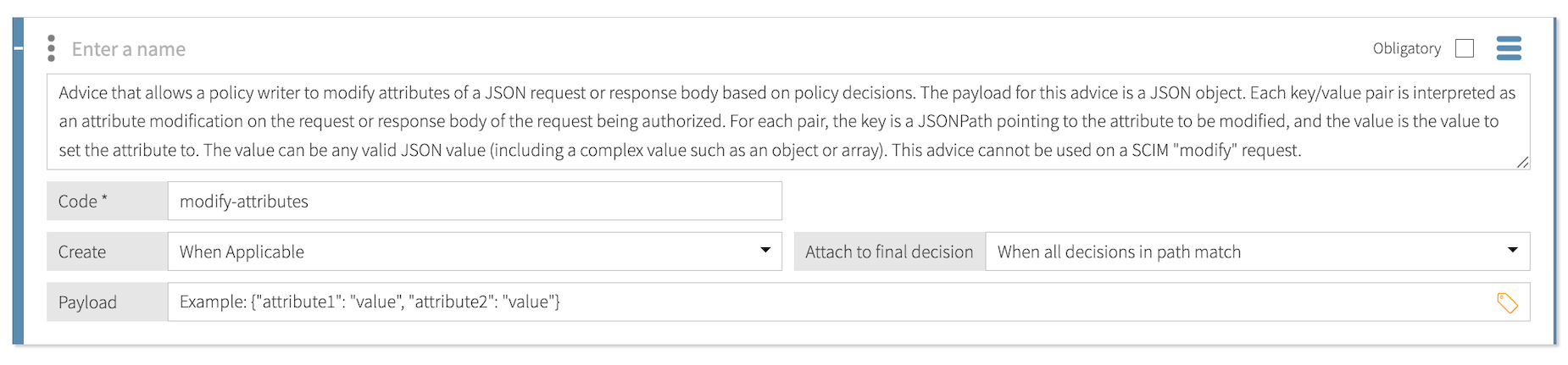
The Payload for this statement is a JSON object that contains key-value pairs. Each key-value pair is interpreted as an attribute modification on the request or response body of the request being authorized.
For each pair, the key is a JSONPath expression that points to the attribute being modified, and the value is the new value for the attribute: {"$.jsonPath": "attributeValue"}
The value can be any valid JSON value, including a complex value such as an object or array. A null value removes the attribute from the HTTP body. Key-value pairs that do not already exist are added to the HTTP body, unless the value is null.
Example
The following payload instructs the decision service to replace the account type Savings with the account type PremierSavings:
{"$.type": "PremierSavings"}
Original body:
{
  "ID": "123456",
  "amount": "999",
  "type": "Savings"
}
Modified body:
{
  "ID":"123456",
  "amount":"999",
  "type":"PremierSavings"
}
Modify Headers
Use the modify-headers statement to modify the values of request headers before PingAuthorize sends them to the upstream server or to modify the values of response headers before PingAuthorize returns them to the client.
You can’t apply this statement directly to a SCIM search.

The Payload for this statement is a JSON object that contains key-value pairs: {"Header-Name": "header-value"}
The keys are the names of the headers to modify, and the values are the new values of those headers.
A value can be:
-
null, which removes the header. -
A string, which sets the header to that value.
-
An array of strings, which sets the header to all of the included values.
If a header doesn’t support multiple values, such as
Content-Type, the statement sets the header to the last value in the array.
If a header field doesn’t exist, the statement adds it, unless the value is null.
Example
The following payload instructs the decision engine to add a custom request header:
{"X-UserName": "user@bankexample.com"}
Original headers:
Host: bankingexample.com:1443
Content-Length: 13
Accept: application/json
Modified headers:
Host: bankingexample.com:1443
Content-Length: 13
Accept: application/json
X-UserName: user@bankexample.com
Modify Query
Use the modify-query statement to add, update, or remove request URL query prameters.
The modify-query statement only applies to permit decisions produced by inbound decision requests.
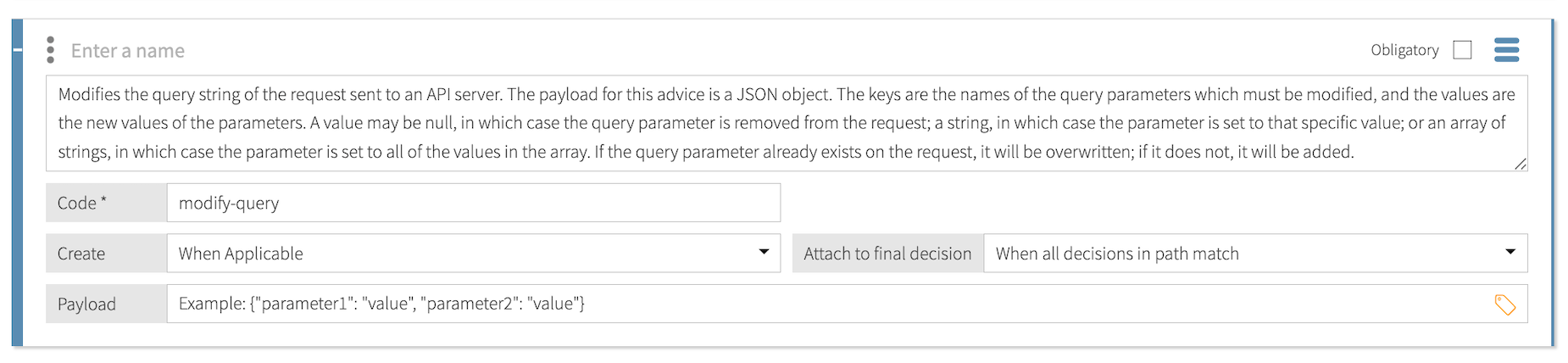
The payload for this statement is a JSON object that contains key-value pairs. For each pair, the key is the name of the query parameter to modify, and the value is the new value of the query parameter: {"queryParameter": "parameter-value"}
The value can be:
-
null, which removes the query parameter from the request. -
A string, which sets the query parameter to that specific value.
-
An array of strings, which sets the query parameter to all the values in the array.
If the query parameter already exists in the request, the statement overwrites it. If the query parameter doesn’t already exist, the statement adds it, unless the value is null.
Example
The following payload instructs PingAuthorize to modify a query parameter that returns 20 accounts at a time to return to 10 instead:
{"limit":"10"}
Original request:
GET /accounts?limit=20 HTTP/1.1
Host: bankingexample.com:1443
Accept: application/json
Modified request:
GET /accounts?limit=10 HTTP/1.1
Host: bankingexample.com:1443
Accept: application/json
Modify SCIM Patch
Use the modify-scim-patch statement to add operations to a SCIM Patch request before PingAuthorize sends it to the store adapter.
You can only apply this statement to SCIM requests with an action of modify.

The payload for this statement can be either:
-
A JSON array appended directly to the existing list of SCIM Patch operations.
-
A JSON object converted into a set of
replaceoperations appended to the patch.
If the payload is a JSON array, PingAuthorize treats each element as a SCIM Patch operation and adds these operations to the end of the patch’s Operations list.
Examples
The following payload adds a value to name.first and removes the value of name.last by generating one add operation and one remove operation:
[
  {"op": "add", "path": "name.first", "value": "John"},
  {"op": "remove", "path": "name.last"}
]
Original patch:
{
  "schemas": ["urn:ietf:params:scim:api:messages:2.0:PatchOp"],
  "Operations": [
    {"op": "replace", "path": "name.formatted", "value": "John Doe"}
  ]
}
Modified patch:
{
  "schemas": ["urn:ietf:params:scim:api:messages:2.0:PatchOp"],
  "Operations": [
    {"op": "replace", "path": "name.formatted", "value": "John Doe"},
    {"op": "add", "path": "name.first", "value": "John"},
    {"op": "remove", "path": "name.last"}
  ]
}
If the payload is a JSON object, PingAuthorize interprets each key-value pair as a new replace operation, where:
-
The key becomes the SCIM attribute path.
-
The value becomes the value used in the replace operation.
PingAuthorize appends these generated operations to the end of the existing patch.
The following payload sets two SCIM attributes by generating one replace operation for each key-value pair:
{"name.first": "John", "name.last": "Doe"}Original patch:
{
  "schemas": ["urn:ietf:params:scim:api:messages:2.0:PatchOp"],
  "Operations": [
    {"op": "replace", "path": "name.formatted", "value": "John Doe"}
  ]
}
Modified patch:
{
  "schemas": ["urn:ietf:params:scim:api:messages:2.0:PatchOp"],
  "Operations": [
    {"op": "replace", "path": "name.formatted", "value": "John Doe"},
    {"op": "replace", "path": "name.first", "value": "John"},
    {"op": "replace", "path": "name.last", "value": "Doe"}
  ]
}
Regex Replace Attributes
Use the regex-replace-attributes statement to use regular expressions to search for and replace attribue values in the HTTP response body in an inbound request or outbound response. This statement applies only to permit decisions (not applicable to SCIM searches).
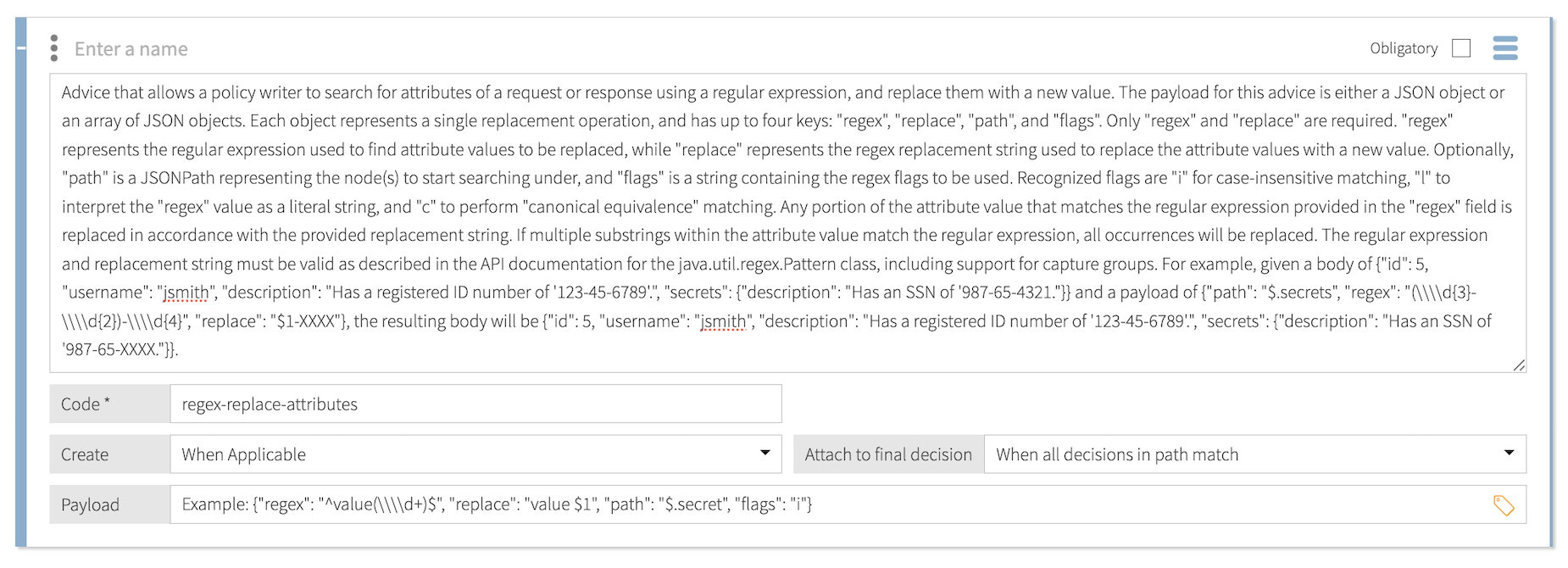
The payload for this statement is a JSON object that contains key-value pairs or an array of JSON objects: {"path": "$.jsonPath", "regex": "regex", "replace": "replacement-value"}
Each JSON object represents a single replacement operation and has up to four keys:
| Key | Required | Description | ||
|---|---|---|---|---|
|
Optional |
A JSONPath expression that represents the nodes to search under. The expression can point to objects, arrays, or strings in the body. |
||
|
Required |
The regular expression used to find the attribute values to replace. |
||
|
Required |
The regex replacement string used to replace the attribute value with a new value. |
||
|
Optional |
A string that contains any of the following recognized regex flags:
|
PingAuthorize replaces any portion of the attribute value that matches the regular expression in the regex key’s value in accordance with the replace key’s replacement string. If multiple substrings in the attribute value match the regular expression, PingAuthorize replaces all occurrences.
The regular expression and replacement string must be valid, as described in the java.util.regex.Pattern API documentation.
Example
The following payload instructs the decision service to replace the account type Savings with the account type PremierSavings:
{
  "path":"$.type",
  "regex":"^S[a-z]+s$",
  "replace":"PremierSavings"
}
Original body:
{
  "ID": "123456",
  "amount": "999",
  "type": "Savings"
}
Modified body:
{
  "ID": "123456",
  "amount": "999",
  "type":"PremierSavings"
}