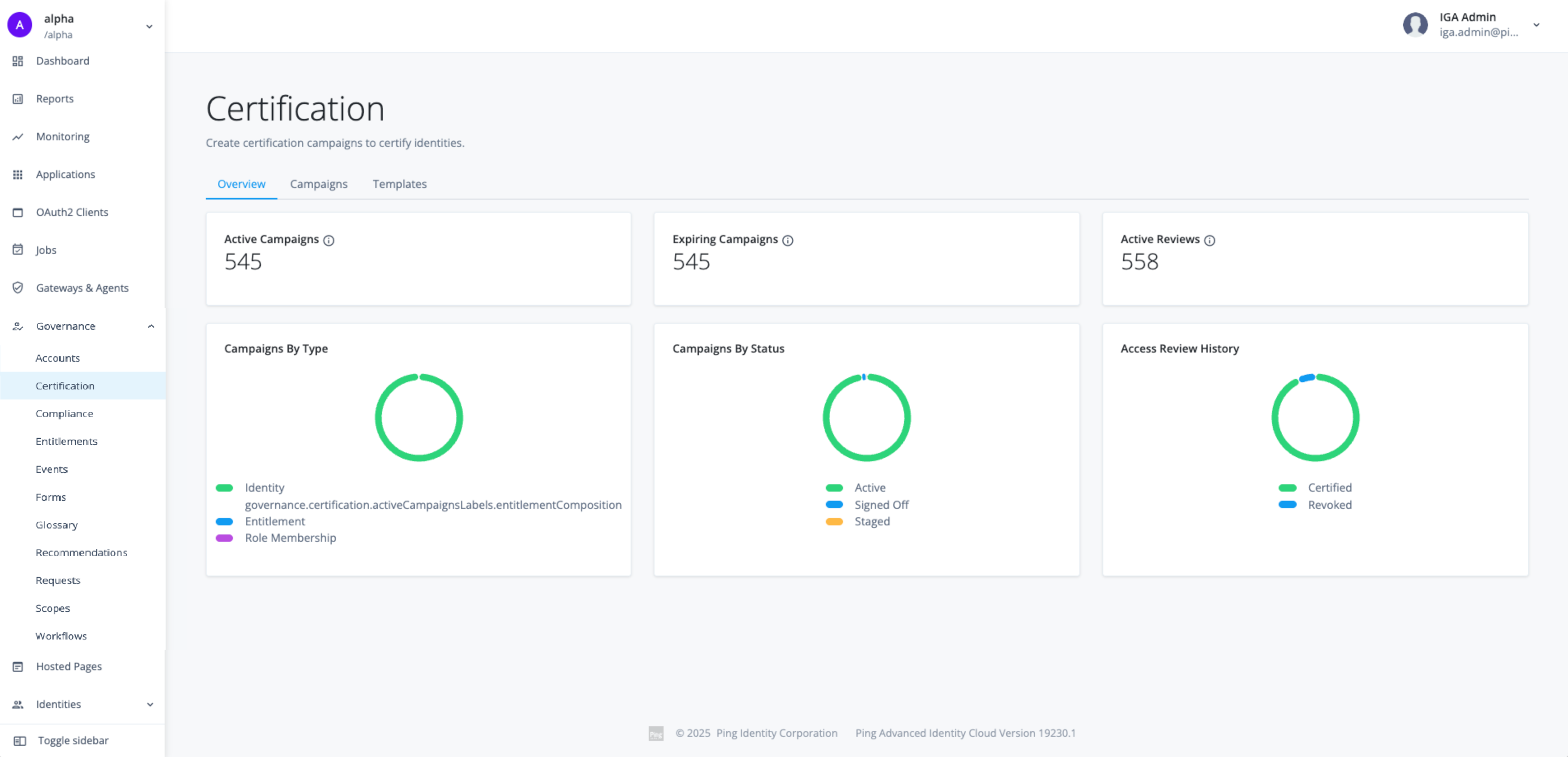
Identity Governance Administrator UI
When you purchase Identity Governance, a new Governance section appears in the main navigation menu in the admin console. This section provides administrators with centralized control over all identity governance functions. From this UI, administrators actively manage the entire governance framework.
They can manage:
-
Accounts: Provides a centralized view to manage all user accounts across your connected applications, including correlated, uncorrelated, and machine accounts.
-
Certification: Allows you to create and manage access certification campaigns, where reviewers must periodically verify or revoke user permissions to ensure access is appropriate.
-
Compliance: Lets you define and enforce Segregation of Duties (SoD) policies to prevent risky combinations of access and to review any violations that occur.
-
Entitlements: Provides a catalog of all specific permissions (entitlements) discovered from your applications, allowing you to see what each permission grants.
-
Events: Enables you to configure automated triggers, such as launching a certification campaign whenever a user’s role changes.
-
Forms: Allows you to build custom forms to collect necessary information from users during the access request and approval process.
-
Glossary: Lets you add business-friendly metadata—like risk levels or data sensitivity—to applications, roles, and entitlements to provide context for reviewers.
-
Recommendations: Uses machine learning to analyze access patterns and provide suggestions to approvers, helping them make faster and more consistent decisions.
-
Requests: A central dashboard to view and manage the status of all incoming access requests across the organization.
-
Scopes: Allows you to define fine-grained rules that control which resources (applications, roles, entitlements) are visible and requestable by different sets of users.
-
Workflows: Provides a visual editor to build and automate the approval processes that route access requests to the correct people for review.
Access to these administrative functions requires tenant administrator permissions.