Scheduling LDIF export as a recurring task
You can create an LDIF export recurring task and add it to a recurring task chain to automate the export with a custom schedule. Learn more in LDIF export as a recurring task.
To create a recurring LDIF export task:
Steps
-
Sign on to the admin console.
-
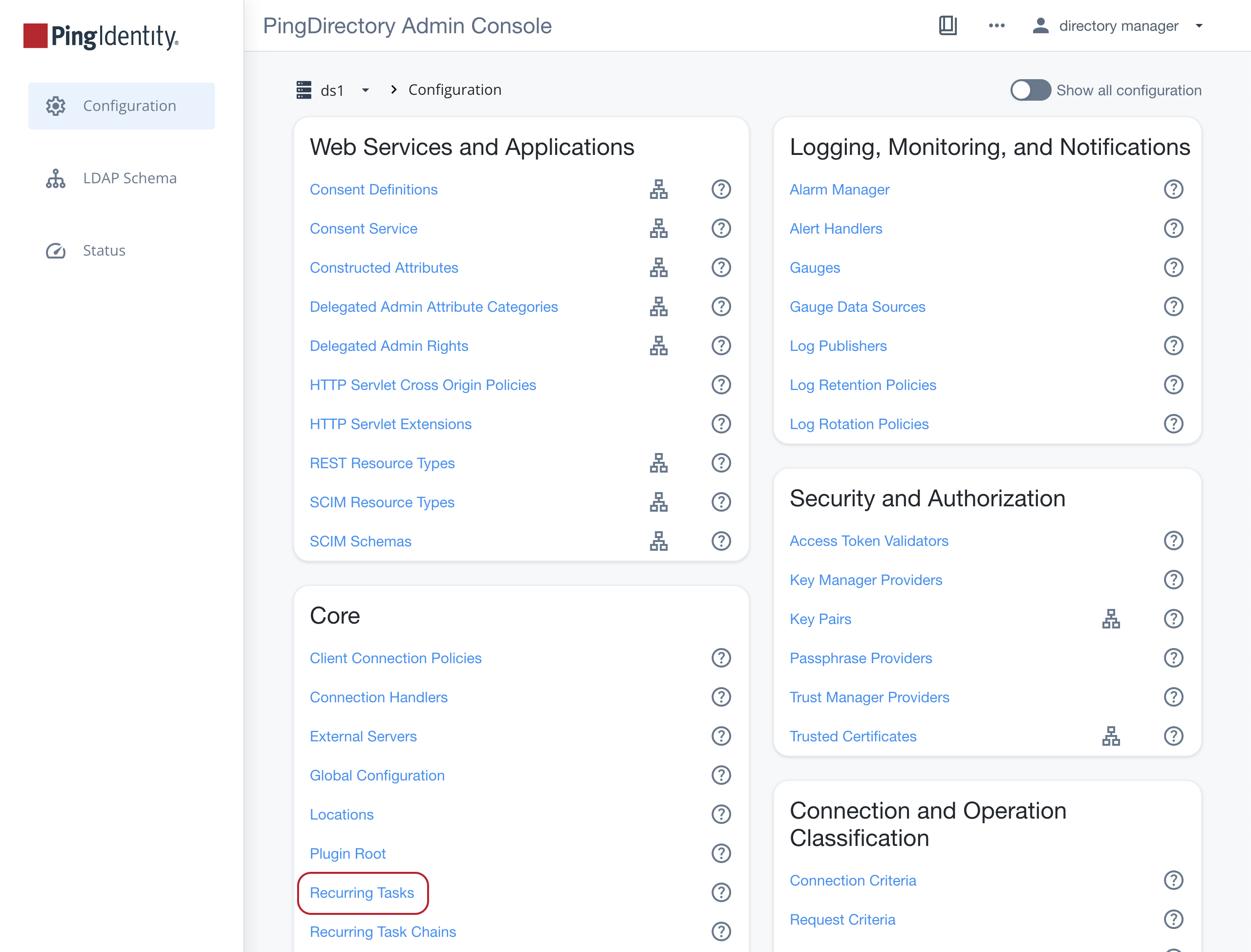
In the sidebar, select Configuration, and in the Core section, select Recurring Tasks.
-
Click New Recurring Task and select LDIF Export Recurring Task.
-
In the Name field, enter the desired name of the task.
-
Populate the rest of the task’s properties according to the tooltips.
You must configure a value for either the Retain Previous LDIF Export Count field, which specifies the minimum number of previous LDIF exports preserved after a new export, or the Retain Previous LDIF Export Age field, which specifies the minimum age of previous LDIF exports preserved after a new export. If each of these properties has a value, then only LDIF exports failing to satisfy both criteria are candidates for removal.
-
Click Save.
-
-
In the Core section of the Configuration page, click Recurring Task Chains.
-
Click New Recurring Task Chain.
-
In the Name field, enter the desired name of the task chain.
-
In the Recurring Task list, select your newly created recurring task.
-
Enter the scheduling details according to the tooltips.
-
Click Save.
-