Add your branding to PingID
Customize PingID to include custom colors, logo, and background.
You can customize your end users' PingID experience to complement your organization’s brand by applying your organizations branding elements to the PingID enrollment screens and selected mobile application elements. You can define your organization’s custom colors, logo, and background.
The benefits of customizing PingID with your branding include:
-
Alignment with the organization’s “look and feel”
-
A customized and familiar end-user experience
-
Reduced end-user confusion and suspicion
Apply your organization’s branding to the following elements:
-
Out-of-the-box user enrollment screens. Learn more in Customizing the PingID enrollment page (legacy).
-
End-user mobile authenticating devices, such as smart phones, swipe screen. Learn more in Customizing the PingID mobile app swipe screen.
In PingID mobile app 2.0 and later, swipe screen settings aren’t applied because the swipe screen feature is discontinued.
-
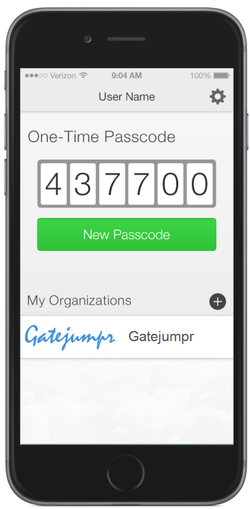
PingID App home screen. Learn more in Customizing the PingID mobile app home screen.
In PingID mobile app 2.0 and later, the branding configured under PingID Home is applied to the My Organizations screen. The logo from this section is only used if a corporate logo isn’t defined on the Enrollment page.