PingID desktop app authentication (legacy)
|
This section documents the legacy PingID desktop app. Learn how to configure the most up-to-date version for a consistent PingID desktop app passwordless experience in PingID desktop app in the PingOne documentation. |
The PingID desktop app (legacy) is a one-time passcode (OTP) generator and can be installed on a PC or Mac. The PingID desktop app (legacy) works similarly to the PingID mobile app’s OTP generator.
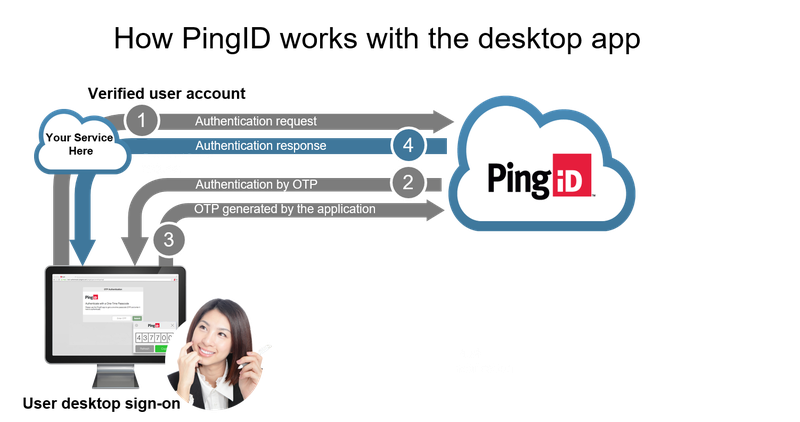
The PingID desktop app (legacy) supports an option to secure the OTP window with either a 4-digit or 6-digit PIN code. This elevates the security level by preventing unauthorized users from accessing the PingID OTP on an unlocked workstation.
The PingID desktop app (legacy) is available for the following platforms and versions:
-
Microsoft Windows 10 and 11
-
Microsoft Windows Server 2016 and 2019
-
Apple Mac OS X 11+
|
The PingID desktop app (legacy) doesn’t run on an Apple Mac OS X virtual machine (VM). |
|
The PingID desktop app (legacy) requires a minimum of 155 MB RAM and 212 MB free disc space. |
Users must be online to pair the PingID desktop app (legacy) or change the PIN code. However, the PingID desktop app (legacy) can be used to generate an OTP even when the user is offline.
Learn more about the user experience in PingID End User Guide.
|