Configuring authenticator app authentication
Steps
-
In the admin portal, go to Setup → PingID → Configuration.
-
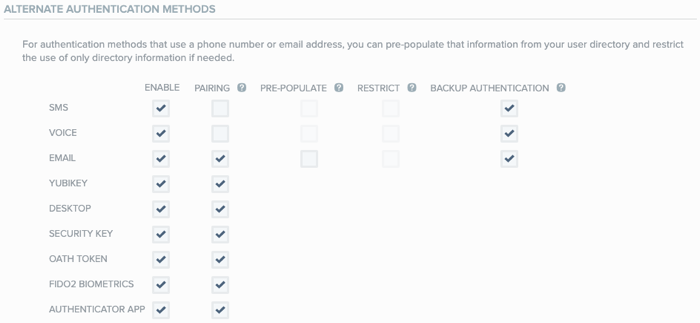
Go to the Alternate Authentication Methods section.
-
In the Authenticator App row, select the Enable check box.
-
Click Save.
In the admin portal, go to Setup → PingID → Configuration.
Go to the Alternate Authentication Methods section.
In the Authenticator App row, select the Enable check box.
Click Save.