Configuring authentication enforcement
Create authentication enforcement to protect service and apps with the authentication portal.
Steps
-
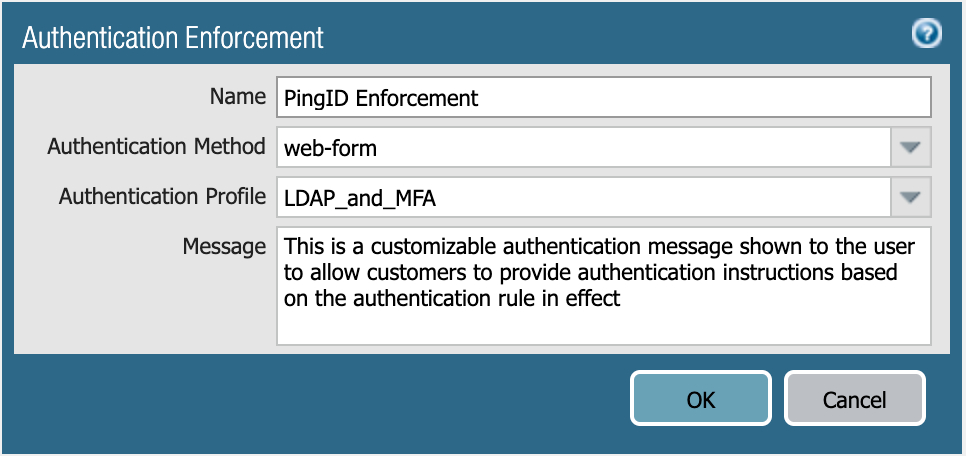
In the Palo Alto NGFW admin portal, go to Objects → Authentication, and then click Add.
-
In the Name field, enter a name for the authentication profile.
-
From the Authentication Method list, select web-form.
This example configures authentication to a browser-based application using the authentication portal (web-form).
-
From the Authentication Profile list, select the appropriate certificate profile.
For more information, see Preparing for configuration.
-
Optional: In the Message field, enter an instructional message for the user.
-
Click OK.
Next steps
For more information, see Authentication Enforcement in the Palo Alto documentation.