Task 6: Design account recovery experiences
Designing effective account recovery experiences is crucial for user satisfaction and security. Advanced Identity Cloud provides several mechanisms to help end users recover access to their accounts.
This task guides you through common account recovery experiences:
-
Password reset: For end users who’ve forgotten their password.
-
Username recovery: For end users who’ve forgotten their username.
-
Account unlock: For end users whose accounts are locked after too many failed sign-on attempts.
-
MFA device recovery: For end users who’ve lost access to their registered multi-factor authentication (MFA) device.
The Best practices and next steps section offers guidance and resources for enhancing these experiences after you’ve mastered the basics.
Test the default reset password journey
Advanced Identity Cloud includes a preconfigured default reset password journey that lets the end user reset their password.
To preview the default journey and test it as an end user:
-
In the Advanced Identity Cloud admin console, go to Journeys > Journeys and click the ResetPassword journey.
-
Click the ellipsis icon () and select Edit to view the journey.
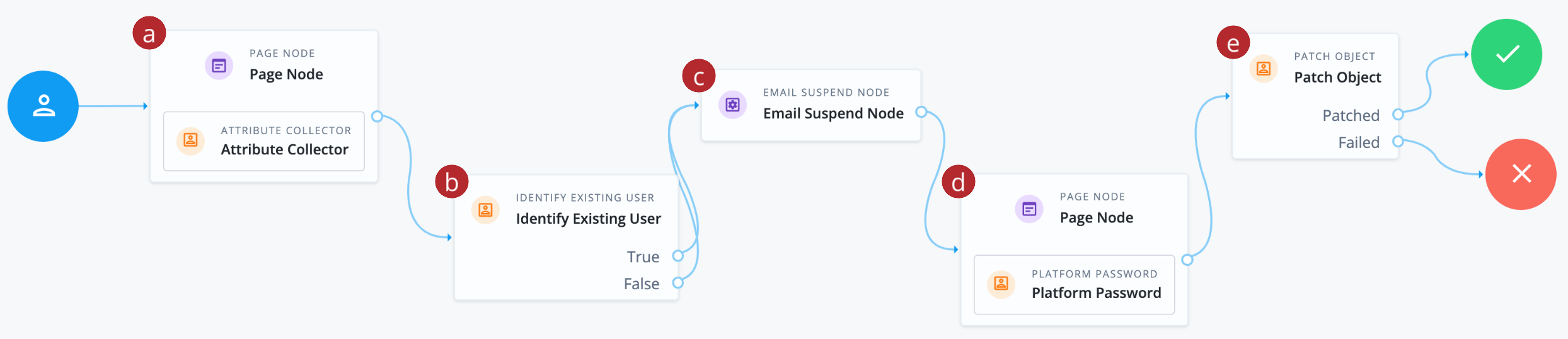
-
a Collects the end user’s email address.
-
b Validates the email address matches an existing user identity in the Advanced Identity Cloud identity store.
-
c Sends an email to the end user with a password reset link.
-
d Collects the end user’s new password and validates the new password against password policies.
-
e Updates the end user’s password in the identity store.
-
-
To test the user experience, open the default Login journey:
-
Go back to the Journeys page.
-
Select the Login (default) journey.
-
In the Preview URL field, click and paste the URL into an incognito window.
-
-
On the Sign In page, click Forgot password?.
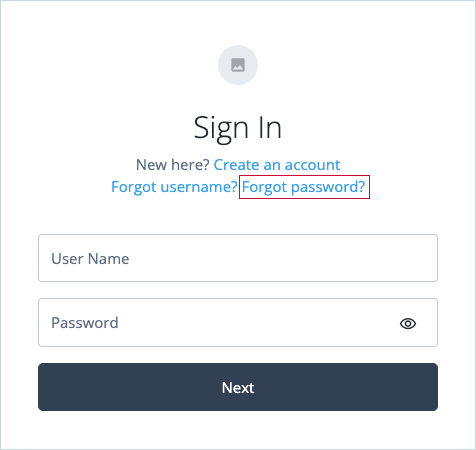
The Forgot password link initiates the default ResetPassword journey.
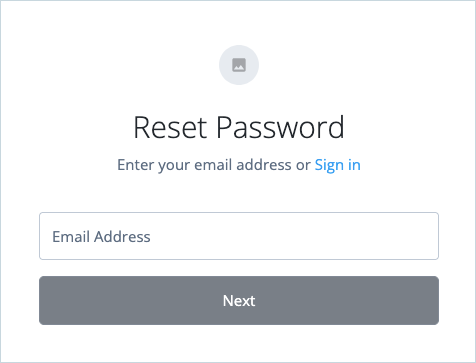
-
On the Reset Password page, enter the end user’s email address and click Next.
For this test to succeed, use an email address that belongs to an existing user in your tenant. You’ll need to access this email account to receive the password reset link. Advanced Identity Cloud checks if an account exists and sends a password reset link to the end user’s registered email address.
-
Copy the Password reset link from the email and open it in an incognito browser window.
-
On the Reset Password page, enter a new password and click Next.
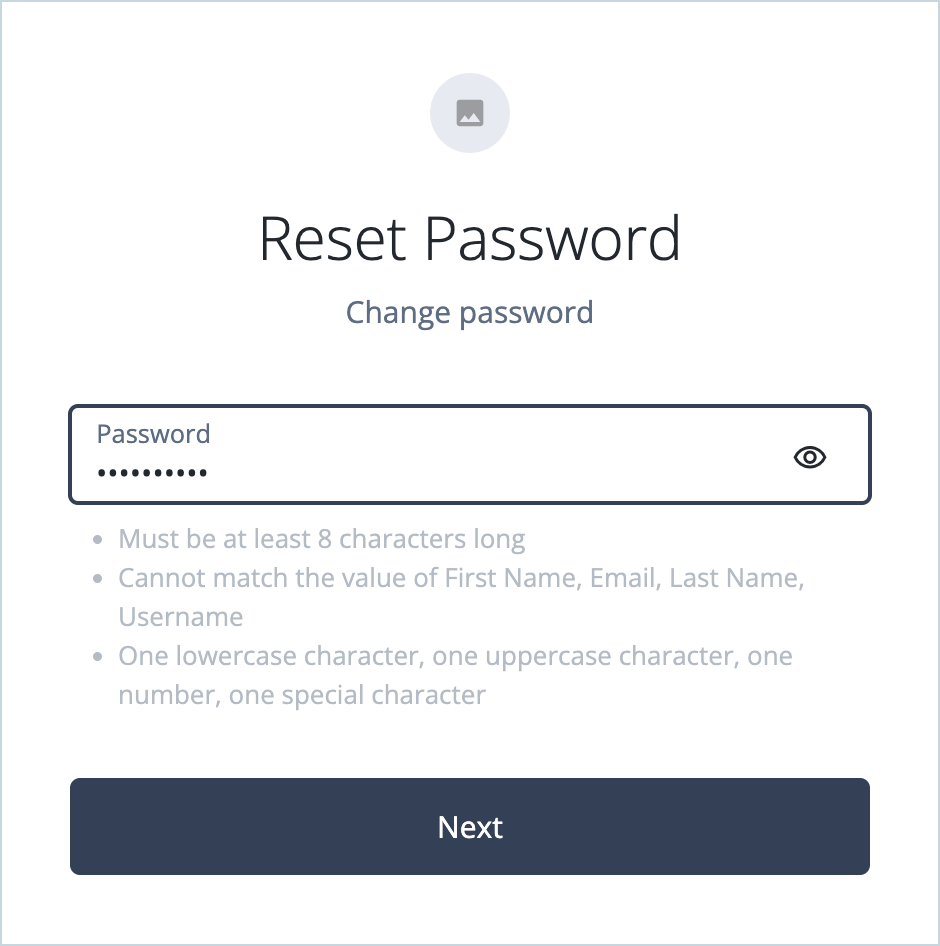
The password is successfully reset, and you’re signed on to the Advanced Identity Cloud account pages as the end user.
Test the default username recovery journey
Advanced Identity Cloud includes a preconfigured default forgotten username journey that lets end users recover their accounts if they’ve forgotten their username.
To preview the default journey and test it as an end user:
-
In the Advanced Identity Cloud admin console, go to Journeys > Journeys and click the ForgottenUsername journey.
-
Click and select Edit to view the journey.

-
a Collects the end user’s email address.
-
b Validates the email address matches an existing end user in the Advanced Identity Cloud identity store.
-
c Sends an email to the end user with their username and a sign-on link.
-
d Initiates the Login journey to sign the user on.
Both Identify Existing User node True and False outcomes are mapped to the Email Suspend node to reduce potential data leakage. If the journey finds a matching user, the email includes their username and a link to resume the sign-on journey. -
-
To test the user experience, open the default Login journey:
-
Go back to the Journeys page.
-
Select the Login (default) journey.
-
In the Preview URL field, click and paste the URL into an incognito window.
-
-
On the Sign In page, click Forgot username?.
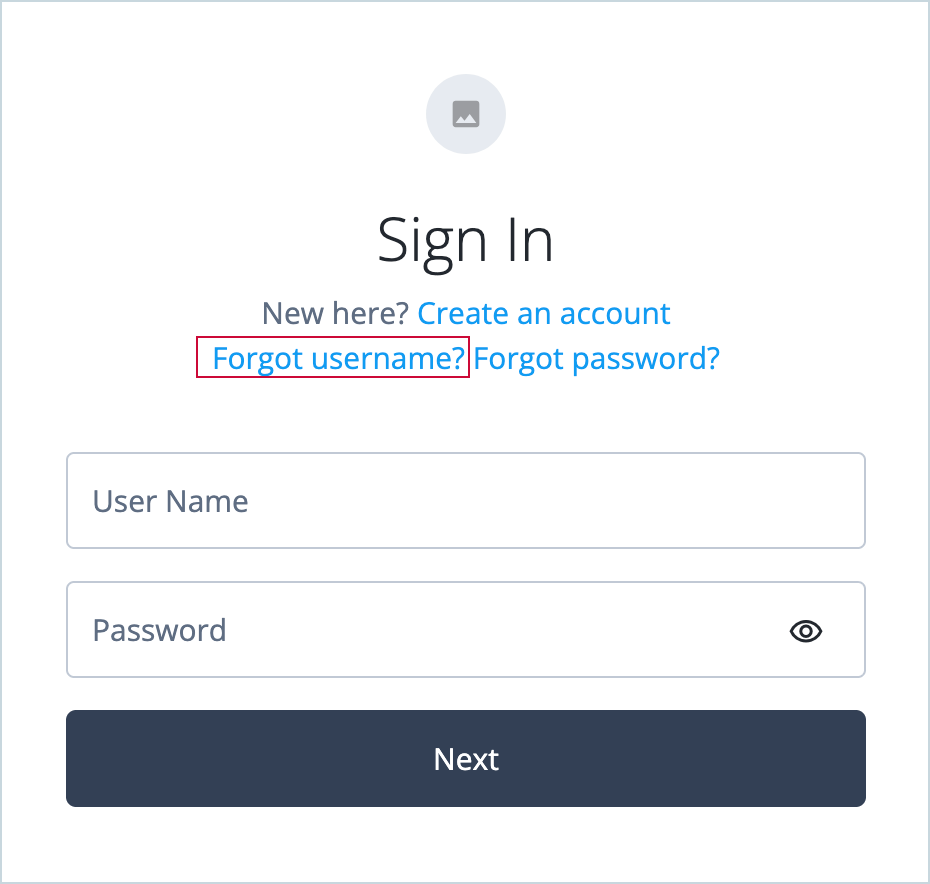
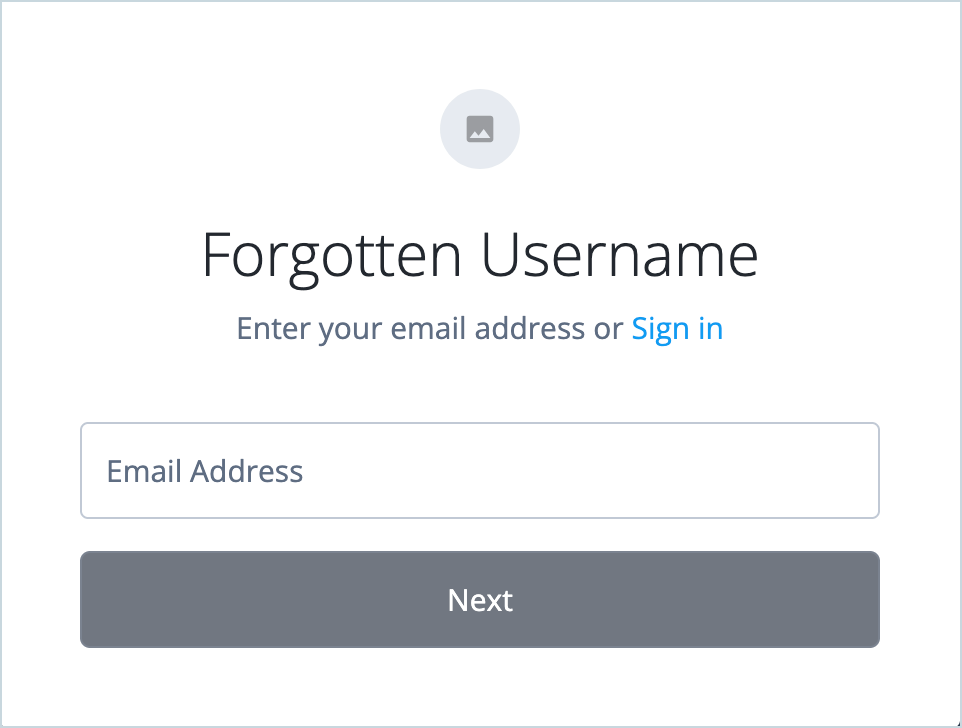
The Forgot Username link initiates the default ForgottenUsername journey.
-
On the Forgotten Username page, enter the end user’s email address and click Next.
For this test to succeed, use an email address that belongs to an existing user in your tenant. You’ll need to access this email account to receive the recovery link. Advanced Identity Cloud checks if an account exists and sends an email to the user’s registered email address with their username and a sign-on link.
-
Copy the Click here to login link from the email and open it in an incognito browser window.
-
On the Sign In page, enter the username and password and click Next.
You’re signed on to the Advanced Identity Cloud hosted account pages as the end user.
Account unlock
If an end user’s account is locked after too many failed sign-on attempts, the recovery process will depend on how you configure account lockout. Advanced Identity Cloud supports two main types of lockout:
-
Duration lockout: The account is locked for a specific time period (for example, 15 minutes). The end user must wait for this time to pass, after which the account automatically unlocks.
-
Persistent lockout (default): The account is locked indefinitely and must be unlocked manually. This is the recommended setting. An account can be unlocked in two ways:
-
An administrator can manually unlock the account in the Advanced Identity Cloud admin console.
-
In some configurations, a user can unlock their own account by successfully completing the password reset process.
-
As a tenant administrator, you can fine-tune the lockout policy, such as the number of failed attempts allowed and the lockout duration, to match your organization’s security requirements.
Learn more in Account lockout.
MFA device recovery (lost device)
If a user loses access to a device used for MFA, they have several paths to recovery:
-
Using an alternative MFA method: If the user has previously registered multiple MFA methods (for example, both an authenticator app and SMS), they can use an alternative method to authenticate and then register a new device or reset their existing registered devices.
-
Using a recovery code: During MFA device registration, users are often prompted to save one-time recovery codes. They can use one of these codes in place of their MFA device to sign on.
-
Administrator assistance: If a recovery code isn’t an option, a tenant administrator might need to use the Advanced Identity Cloud API or console to manually reset the user’s registered devices.
Learn more in Recover after replacing a lost device.
Best practices and next steps
Consider the following best practices and enhancements when designing your account recovery experiences:
-
Secure recovery with step-up authentication: Account recovery is a high-risk event. To reduce the risk of account takeover, consider adding step-up authentication to your recovery journeys. For example, after a user resets their password, you could require a second factor, such as a code from an authenticator app, before granting access. Learn more in Multi-factor authentication.
You can also use risk-based signals to determine when step-up authentication is required. Services such as PingOne Protect can evaluate contextual and behavioral signals during recovery and trigger additional verification only when risk is elevated, helping balance security and user experience.
-
Verify user identity with document and biometric checks: For applications with higher assurance requirements, consider integrating an identity verification service such as PingOne Verify. Identity verification can help confirm that a user is who they claim to be by validating government-issued identity documents and biometric data during recovery.
Advanced Identity Cloud also includes many third-party identity verification services using marketplace nodes, which you can incorporate in your journeys. -
Fine-tune account lockout policies: Configure account lockout policies to align with your organization’s security posture and risk tolerance. This includes defining the number of failed sign-on attempts allowed and whether accounts are locked for a fixed duration or indefinitely. Well-tuned lockout policies help prevent brute-force attacks while minimizing unnecessary user disruption. Learn more in Configure account lockout.
-
Ensure high-quality recovery data: The quality and integrity of your user data directly impacts the security and reliability of your recovery processes. Carefully consider which identifiers are used for account recovery and how they are managed. Wherever possible:
-
Enforce uniqueness for primary recovery identifiers, such as email addresses or mobile phone numbers.
-
Ensure recovery identifiers are verified (for example, through email or SMS confirmation) before they can be used.
-
Validate the format and quality of user data at the time of creation or update. For example, use policies to ensure a phone number is in a valid format or that a username meets specific criteria. Learn more in Apply policies to managed objects.
-
Define clear rules for handling identifier changes to reduce the risk of unauthorized account recovery.
-
Avoid relying on identifiers that might be shared across users unless additional verification steps are in place.
Strong identifier management improves recovery reliability and reduces the risk of account takeover.
-
-
Enable recovery through SMS or voice: Some users might prefer to recover their account using a mobile phone number. You can integrate with an SMS or voice provider and update your recovery journeys to send one-time passcodes (OTPs) through text message or voice call.
Advanced Identity Cloud includes marketplace nodes for third-party SMS and voice providers. You can also build your own custom integration using the OTP SMS Sender node.
-
Incorporate social identity recovery: If your application supports social sign-on (such as Google or Facebook), consider allowing users to recover their accounts using these social identities. When doing so, ensure that appropriate risk controls and verification steps are in place. Learn more in Social authentication.
-
Customize email templates: Customize the content and branding of the emails sent during password reset and username recovery. Consistent branding helps users recognize legitimate recovery messages and reduces the risk of phishing or social engineering attacks Learn more in Email templates.
-
Regularly review and update recovery processes: As threats, regulations, and user expectations evolve, regularly review your account recovery journeys to ensure they remain secure, effective and user-friendly.