Task 3: Add end users
End users are the identities that interact with your applications, such as your customers or employees. They are distinct from the administrator users who manage the tenant configuration.
Methods for adding end users
There are several methods for adding end users in Advanced Identity Cloud, depending on your use case. Familiarize yourself with these methods.
| Method | Description | Use case |
|---|---|---|
User self-registration |
Let end users create their own accounts through a registration journey. Learn more in User self-registration. |
Customer-facing applications where end users sign up for a service. |
Manual creation by a tenant administrator |
Manually create individual end user accounts directly within the Advanced Identity Cloud admin console Learn more in Manage identities. |
Add a small number of end users or add end users for testing. |
Bulk import |
Import many end users into the platform, typically using a file-based process, for example, a CSV file. Learn more in Bulk import identities. |
Large-scale initial onboarding or migrating end users from a legacy system. |
API calls |
Use the Advanced Identity Cloud API to programmatically add end users. Learn more in Managed users. |
Integrate end user creation into a custom application, script, or workflow. |
Identity synchronization and provisioning |
Synchronize end users from an external identity source, such as an LDAP directory, Active Directory, or another IdP. For common workforce applications, such as Salesforce or Workday, you can create a provisioning application for synchronization and provisioning. Learn more in Application management. Other external identity provisioning requires connector configuration. Learn more in About Advanced Identity Cloud connectors. |
Enterprise environments that manage end user identities in an existing directory. |
Manually create a test end user
This task demonstrates how to add an end user in the Advanced Identity Cloud admin console. Although you’re unlikely to add end users in this way, other than for testing purposes, it demonstrates how to get your first end user in the system.
-
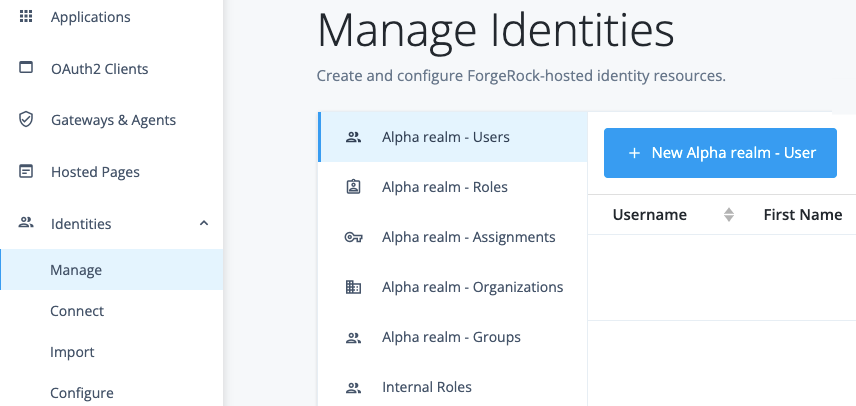
In the Advanced Identity Cloud admin console, go to Identities > Manage.
-
On the Manage Identities page, click + Alpha realm - Users and New Alpha realm - User.
-
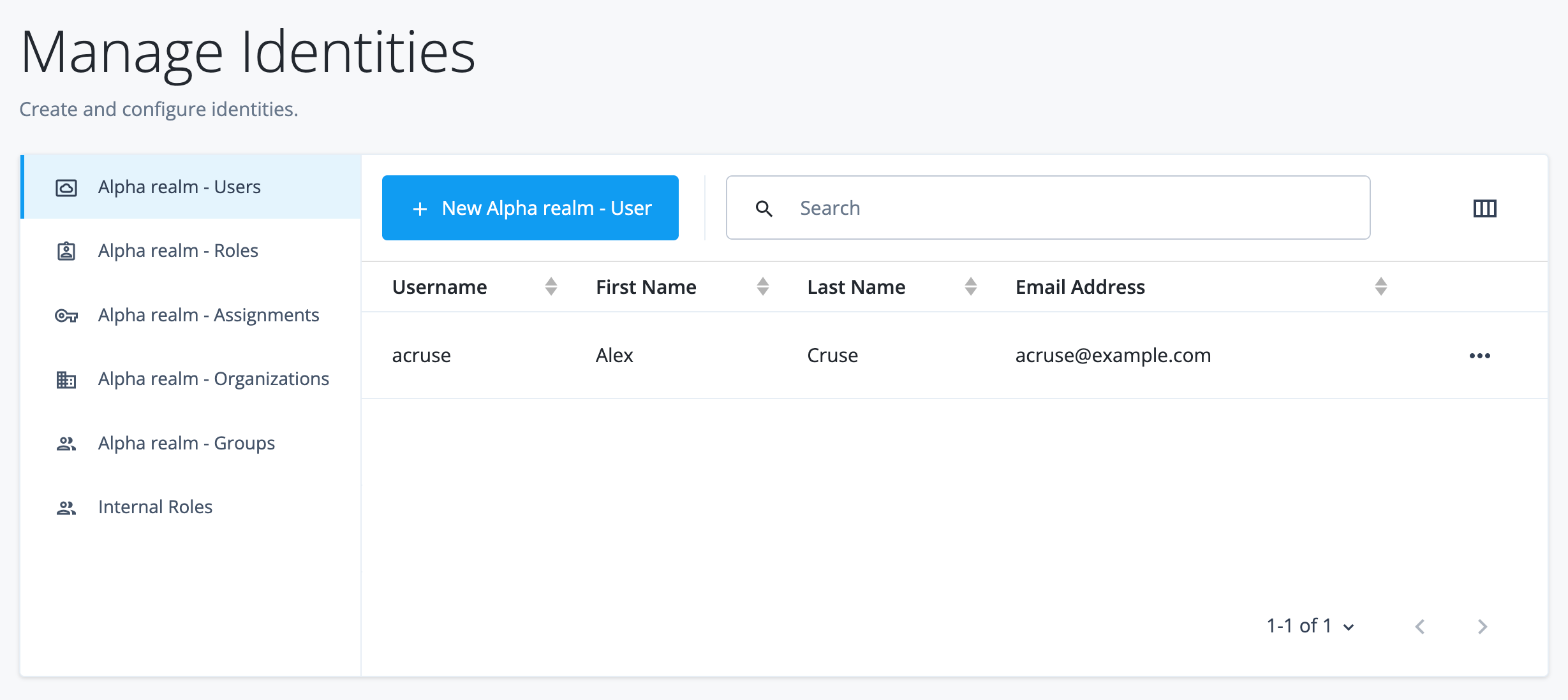
On the New Alpha realm - User page, enter the following information for the end user, and then click Save:
Field Value Username
acruseFirst Name
AlexLast Name
CruseEmail Address
alex.cruse@example.comPassword
Secret12!
You now have your first end user in your Alpha realm.
Best practices and next steps
Adding end users is just the first step. To build a secure and user-friendly identity solution, consider these common next steps for managing your end users:
-
Grant access control: Manage user access through roles, groups, and assignments. This implements the principle of least privilege, ensuring users can only access the applications and data appropriate for their job function. Learn more in Manage identities, Roles and assignments, and Groups.
-
Force password changes: Ensure end users created with temporary passwords (for example, through bulk import) are forced to change them on initial sign-on. This critical security step transfers ownership of the credential from the administrator to the end user, eliminating the risk of a shared or known temporary password being compromised. Learn more in Password reset.
-
Enforce password policies: Create password policies to enforce password strength and complexity requirements for all end users. Enforcing strong policies makes accounts significantly more resistant to brute-force attacks, protecting both the user and your systems. Learn more in Password policy.
-
Verify accounts: For users created without immediate verification, for example through an import, trigger a verification flow (often part of a journey) to confirm the user owns the contact information associated with their account. This is crucial for enabling self-service account recovery and ensuring that security notifications are delivered to the correct person. Learn more in Multi-factor authentication (MFA).
-
Enforce multi-factor authentication (MFA): Secure user accounts by creating journeys that require users to enroll an MFA method, such as the PingID app or SMS, on their first sign-on. MFA adds a critical second layer of security, ensuring that an attacker can’t access the account without the user’s physical device.
-
Provision to target applications: Map end users to their correct target applications. If your applications have provisioning enabled, verify that the end-user account is created or updated in the target application (such as Salesforce or an HR system). Automating this process ensures users have immediate access to the tools they need on their first day and that their access is instantly revoked across all systems when they leave the organization. Learn more in Application management.