Task 5: Design user authentication experiences
Advanced Identity Cloud includes a preconfigured default login journey that lets end users authenticate with a username and password. Although this provides a functional starting point, most real-world implementations require additional customization.
This task guides you through testing the default login journey to establish a baseline. The Best practices and next steps section then offers guidance and resources for implementing more advanced features, such as multi-factor, social, and passwordless sign-on.
Test the default login journey
To preview the default login journey and authenticate as an end user:
-
In the Advanced Identity Cloud admin console, go to Journeys > Journeys and click the default Login journey.
-
Click the ellipsis icon () and select Edit to view the journey.
-
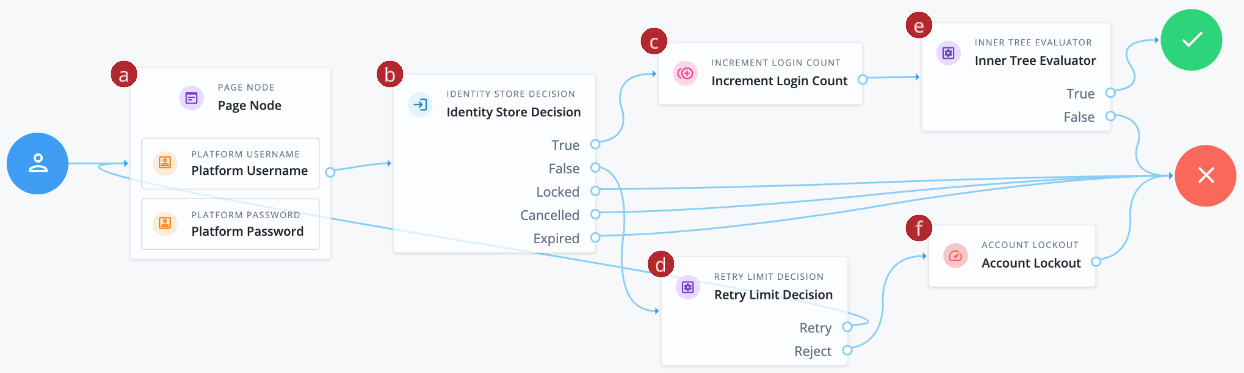
a Collects the end user’s username and password, and presents them on the same page.
-
b Validates the username and password match an existing end user in the identity store.
-
c Increments the successful login count property of the end user.
-
d Tracks failed authentications. If the number of failed authentications is under a specified retry limit, the end user can attempt authentication again. Otherwise, the node forwards to the Account Lockout node to lock the end-user account.
-
e Increments the successful login count property for the end user.
-
f Sends the successfully authenticated end user through a separate progressive profile journey.
-
-
In the Preview URL field, click and paste the URL into an incognito window.
The Sign In page opens.
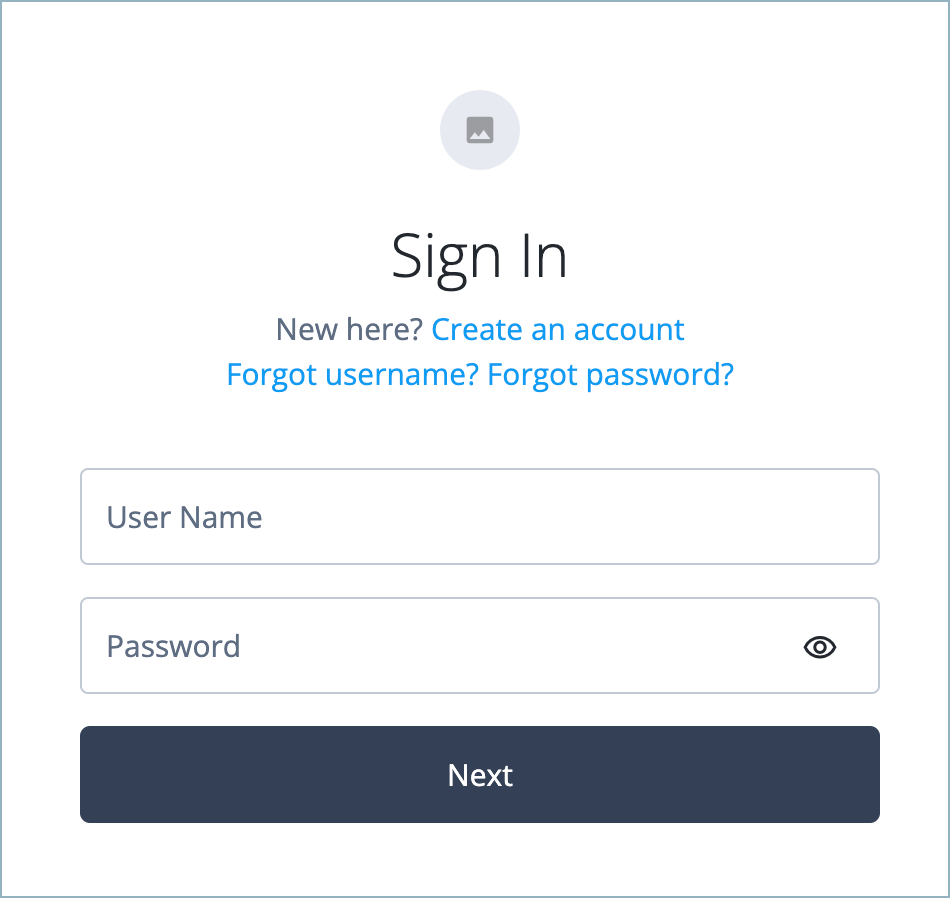
The Sign In page provides links for users who need to create an account or have forgotten their username or password. These links open the journeys configured in the journey’s Page Node. -
On the Sign In page, enter the username and password of one of the users you created in the previous tasks.
-
Click Next.
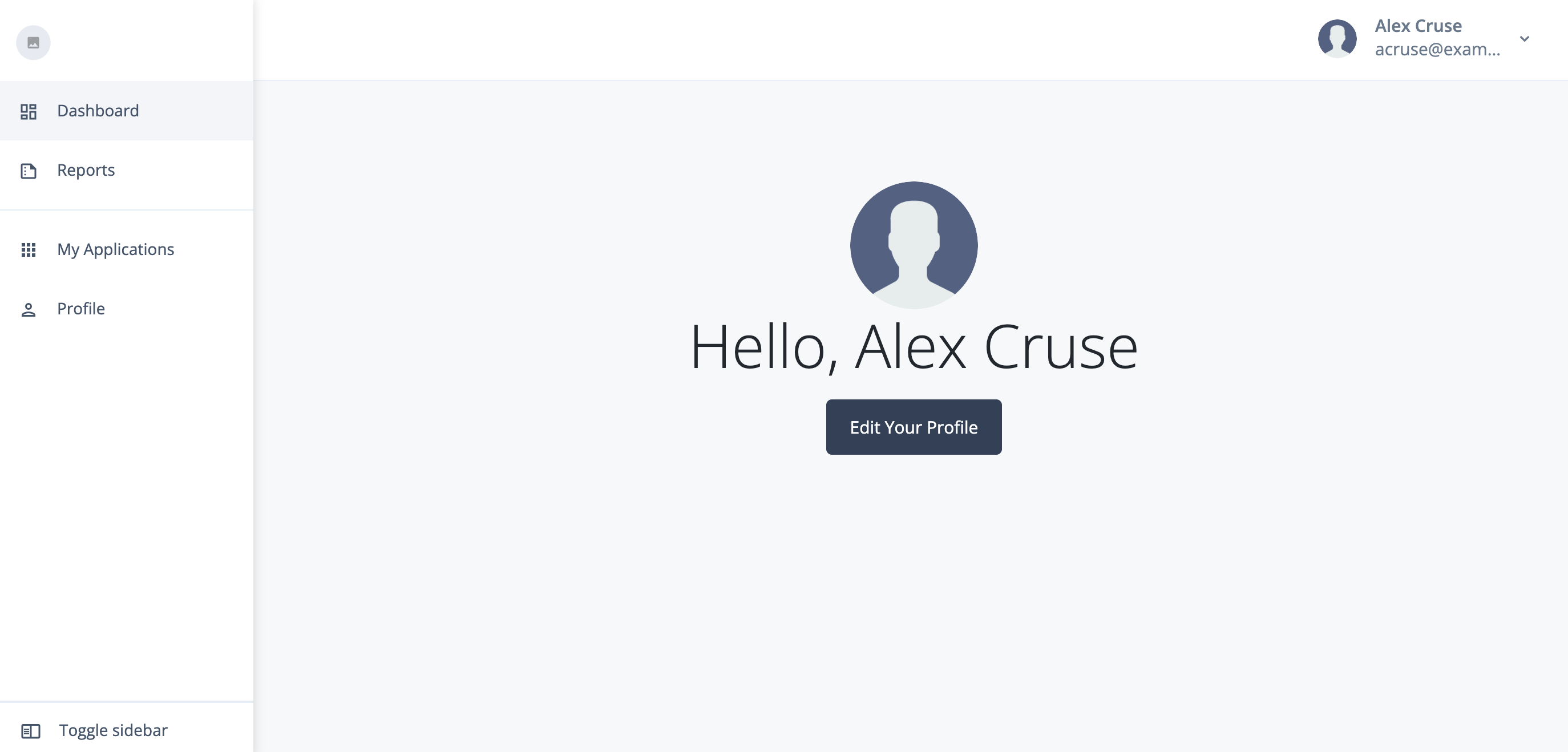
You’re signed on to the Advanced Identity Cloud end-user UI as the end user.
Best practices and next steps
To increase security in the authentication flow, consider these common enhancements when designing your authentication journeys:
-
Multi-factor authentication (MFA): Prompt end users to provide a second form of verification, such as a one-time passcode (OTP) from an authenticator app, a push notification, or a security key. This additional layer of security significantly reduces the risk of account compromise, even if a password is stolen or guessed. Learn more in Multi-factor authentication.
-
Risk-based authentication and fraud detection with PingOne Protect: Add risk-based authentication and fraud detection to your authentication journeys. This adaptive security approach evaluates the context of each authentication attempt (such as device, location, and behavior) to dynamically adjust the level of authentication required, enhancing security without compromising user experience. Learn more in Use PingOne Protect for risk-based authentication and fraud detection.
-
Social sign-on: Let end users sign on with their existing accounts from providers such as Google or Facebook. This simplifies the sign-on process, reduces password fatigue, and can increase user adoption by using familiar credentials. Learn more in Social authentication.
-
Passwordless login: Let end users sign on using biometrics (such as Face ID or a fingerprint) or by clicking a magic link sent to their email, removing the need for a password. This enhances and user convenience and security by eliminating password-related vulnerabilities. Learn more MFA: Authenticate using a device with WebAuthn and passkeys and Suspend journey progress.
Advanced Identity Cloud also includes many third-party biometric services using marketplace nodes, which you can incorporate into your journeys.
Learn more about Advanced Identity Cloud authentication in Introduction to authentication.