Run advanced sync reconciliation
In advanced sync, reconciliation uses the mapping rules you define on the Mapping tab to decide how to match, map, and update properties between the source and target systems. Running reconciliation evaluates all relevant data on both sides, not just changes. Learn more in Source reconciliation and Target reconciliation.
You can review details about how individual records are evaluated by setting Persist Associations on the Advanced tab to true. This records link information so you can review detailed results later. Learn more in Reconciliation association details.
Run a manual reconciliation
To run a manual reconciliation for a mapping:
-
In the Advanced Identity Cloud admin console, open the Advanced Sync editor.
-
In the Advanced Sync editor, open the mapping you want to reconcile.
-
(Recommended) Review the mapping configuration on the relevant tabs:
-
Correlation Query: Check the correlation query.
-
Situation Rules: Verify the actions for each situation.
-
-
On the Reconcile tab, review the reconciliation options, for example, the current correlation query and situation rules.
-
Click Reconcile Now to Reconcile your data between source-name and target-name.
Understanding reconciliation results
Advanced Identity Cloud uses the first three mapping rules that have a source and target property defined to display reconciliation results, for example:
-
source.userPrincipalName → userName -
source.mail → email -
source.surname → lastName
The target property is always present in the mapping rule, but a specific reconciliation run might not return a value for it. In those cases, the target column for that record appears blank in the reconciliation results table even though the mapping itself still exists.
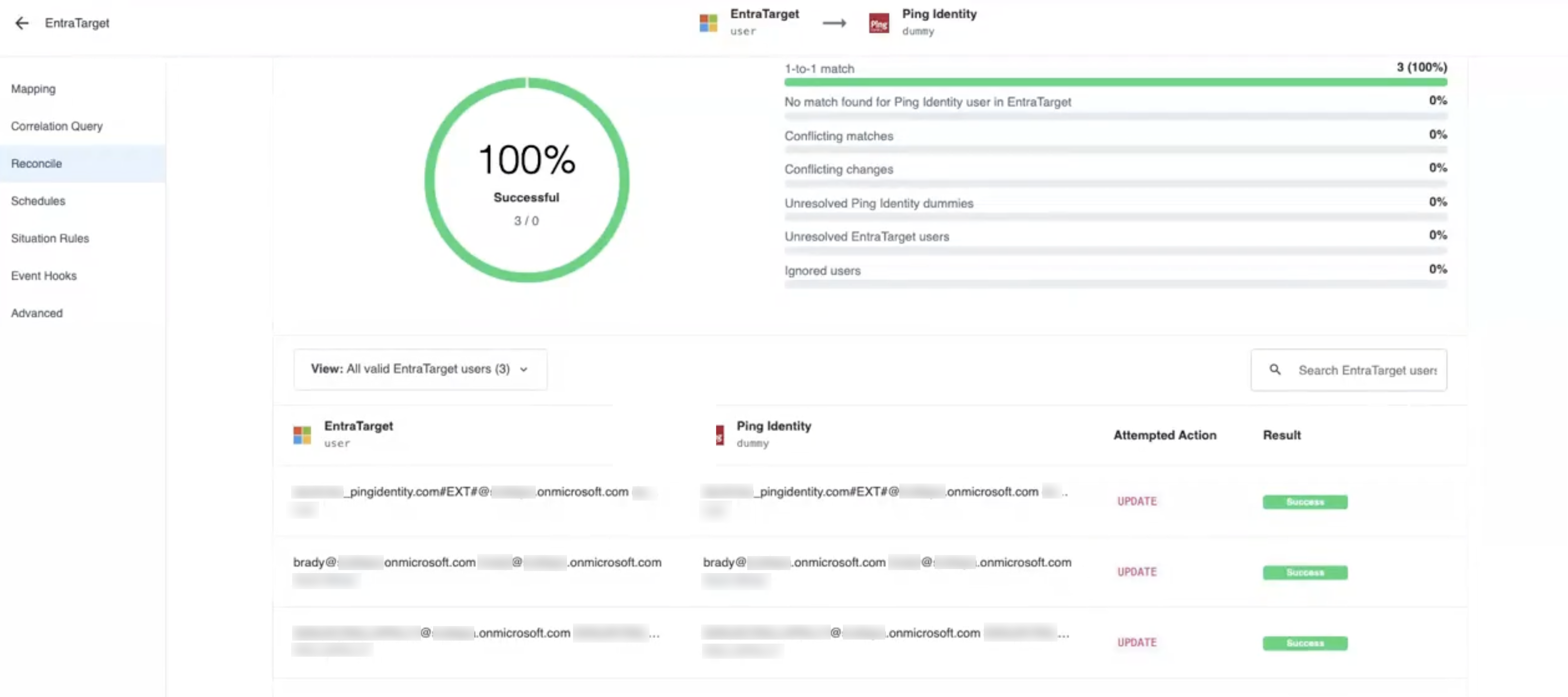
If no matching data is found using the first three mapping rules, no data or Not found displays for the reconciliation results. Learn more in View a report about the last reconciliation.
|
| If a mapping contains a transformation script and a target, but no source, the mapping rule won’t be used to display reconciliation results for the source column. |