Modules
Modules are divisions of a PingOne Authorize environment that each contain their own Trust Framework definitions, policies, and version history. Use modules to divide authorization ownership across application teams so that each team can build, version, and deploy their policies independently without affecting the others.
For example, a retail company might create separate modules for their customer service, inventory, and payment teams. The payment team can update and deploy their transaction approval policies, while the inventory and customer service teams continue working in their modules unaffected.
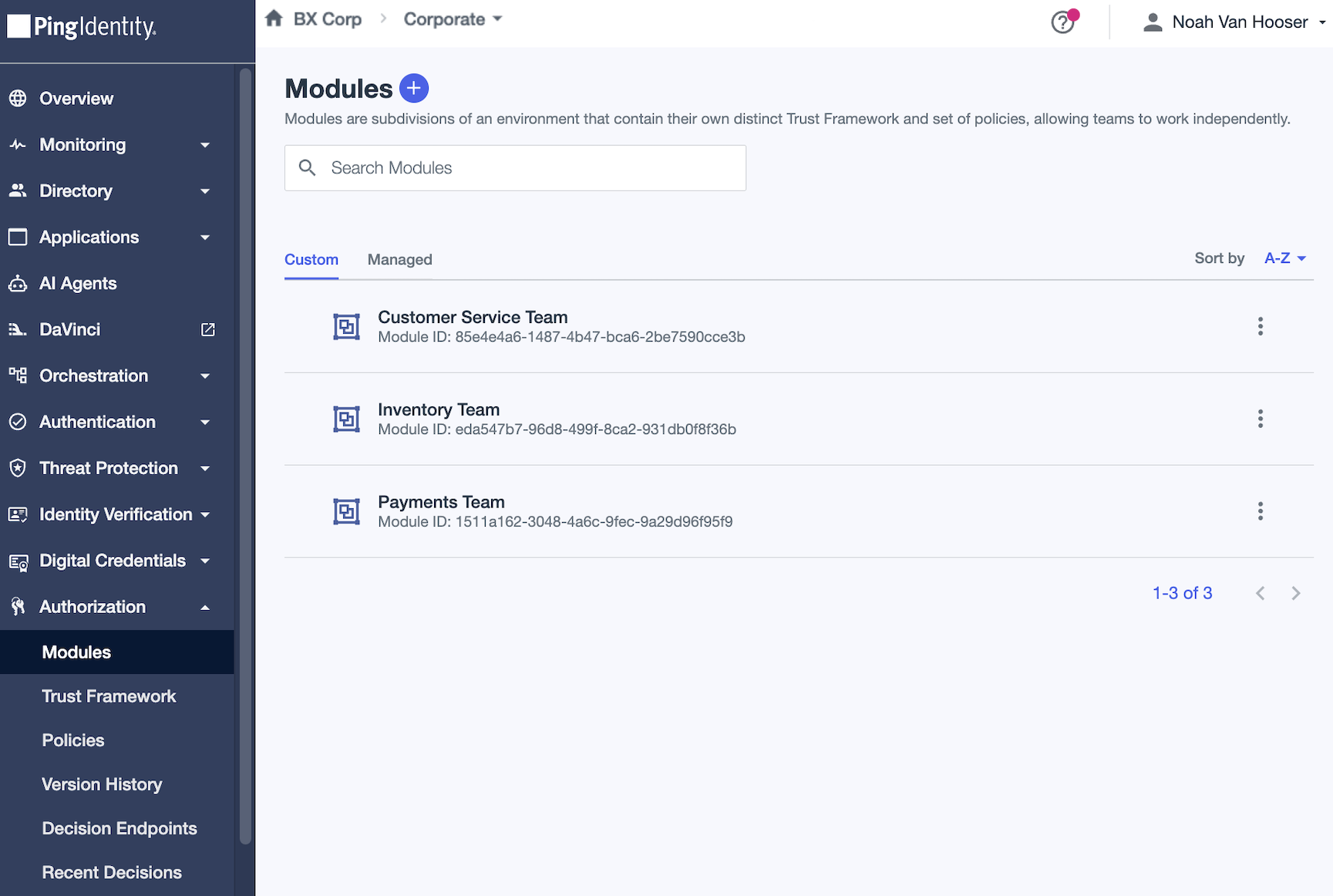
|
You can have up to 201 modules in each PingOne environment, including:
Learn more about PingOne Authorize limits in PingOne standard platform limits. |
Module contents
Each module contains the following authorization resources:
- Trust Framework
-
The attributes, services, conditions, and processors used in the module’s authorization policies. Learn more in Trust Framework.
- Policies
-
The policy sets and policies that define the module’s authorization logic. Learn more in Authorization policies.
- Version History
-
A history of changes made to the module’s policies and Trust Framework definitions. You can name versions and publish them to decision endpoints and Authorize gateways. Each module maintains its own independent version history. Learn more in Authorization policy version history.
Module types
PingOne Authorize provides the following types of modules.
Managed
Managed modules are listed on the Managed tab of the Modules page. The Shield ( ) icon indicates that these modules are system owned, and editing restrictions apply. You can’t update or delete these modules. You can add and update authorization resources in these modules.
- Default
-
PingOne Authorize bootstraps the Default module automatically when PingOne Authorize is first added to an environment. This module shares a Trust Framework with all API service modules. Definitions you add in this module or in any API service module are available in all other API service modules.
- API service
-
PingOne Authorize creates these modules automatically when you enable custom policies for an API service.
Each API service has a corresponding module that contains the authorization policies only for that service. API service modules share a Trust Framework with the Default module, but they maintain their own independent policies and version history. You can delete an API service module only by deleting the corresponding API service.
Module selection
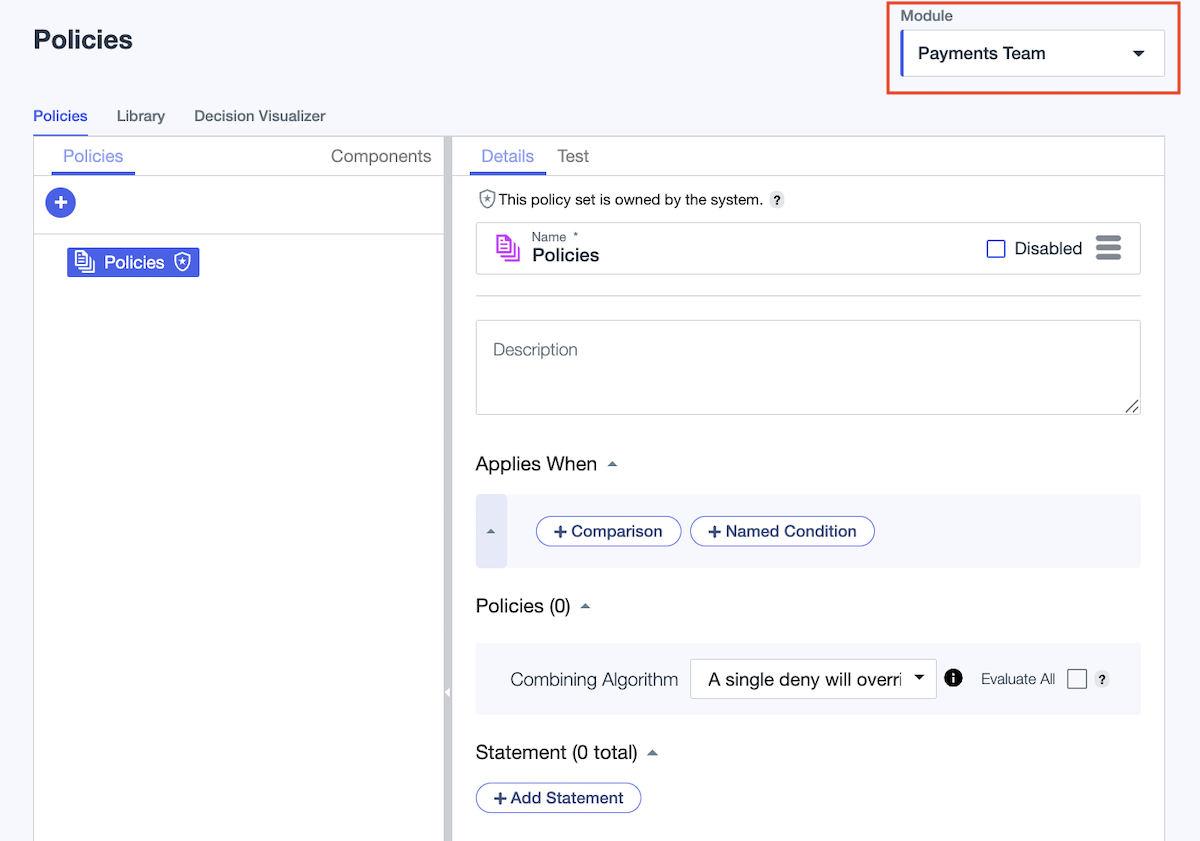
To manage authorization resources for a specific module, select that Module on the Trust Framework, Policies, or Version History pages. Module selections persist across these pages, so you can switch between them without having to reselect the module.
Module deployment
To deploy authorization versions, publish a module’s version to a decision endpoint or Authorize gateway. When selecting a deployment target, you specify the module first, then choose a version from that module’s version history. Each decision endpoint and Authorize gateway can have only one deployed module version at a time.
|
Decision endpoints that correspond to API services are system owned. Deploy API service modules by deploying the API service rather than by publishing a version. |