Viewing a webhook
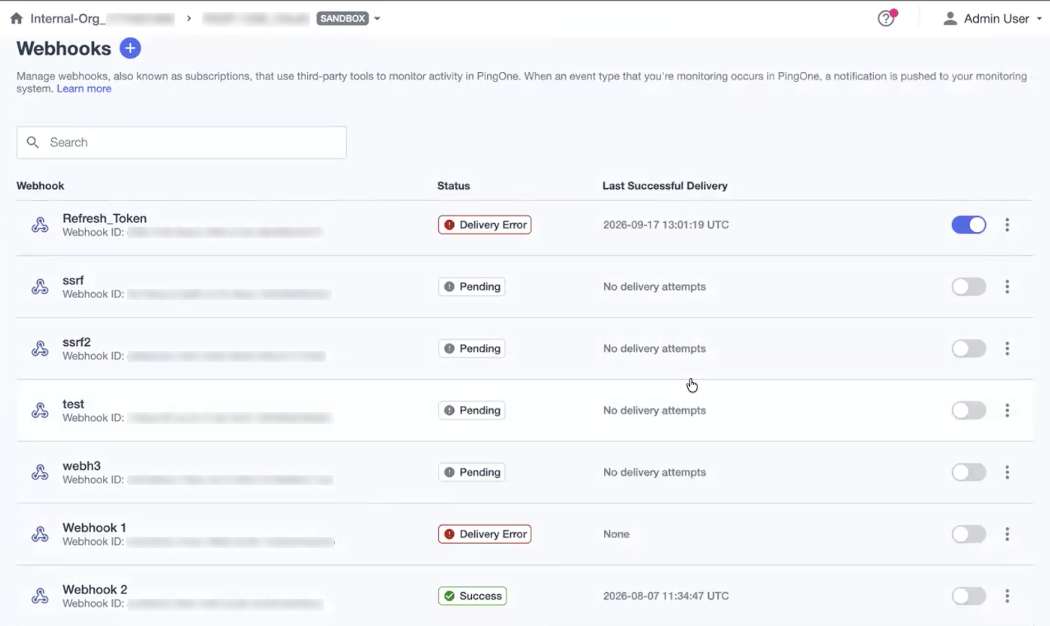
Use the Webhooks page to view details for webhooks configured in PingOne. The status and last successful delivery of each webhook to which you’re subscribed are displayed on the Webhooks page.
Steps
-
In the PingOne admin console, go to Integrations > Webhooks and browse or search for the webhook you want to view.
-
Click a webhook to open the details panel and review the configuration information, which is shown on the following tabs:
-
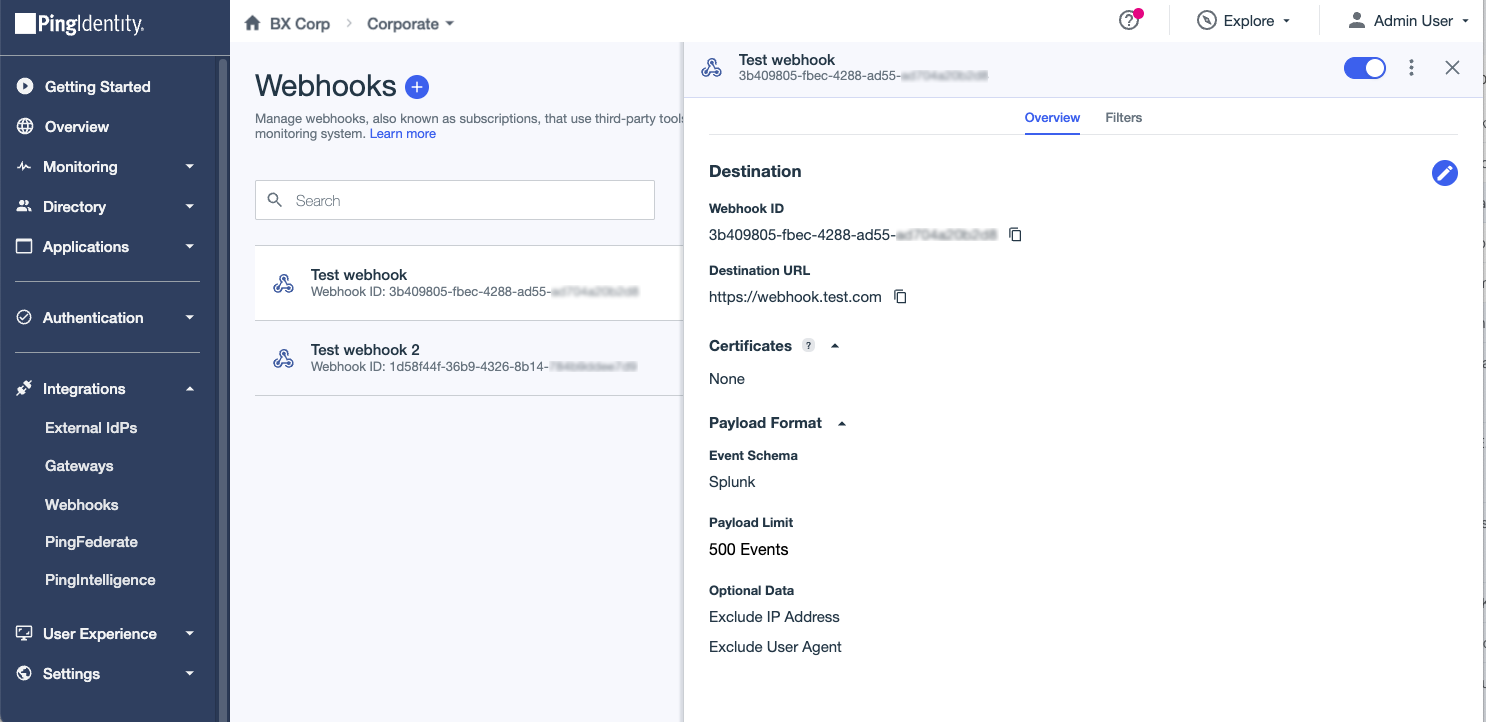
The Overview tab shows the destination, certificates, and payload format details. It also provides the connection status of the webhook, including the last delivery attempt and the last successful attempt of validating a connection to the destination.
If there’s an error, and the delivery attempt is unsuccessful, a status code and description returned by the destination where the error occurred displays under the connection status.
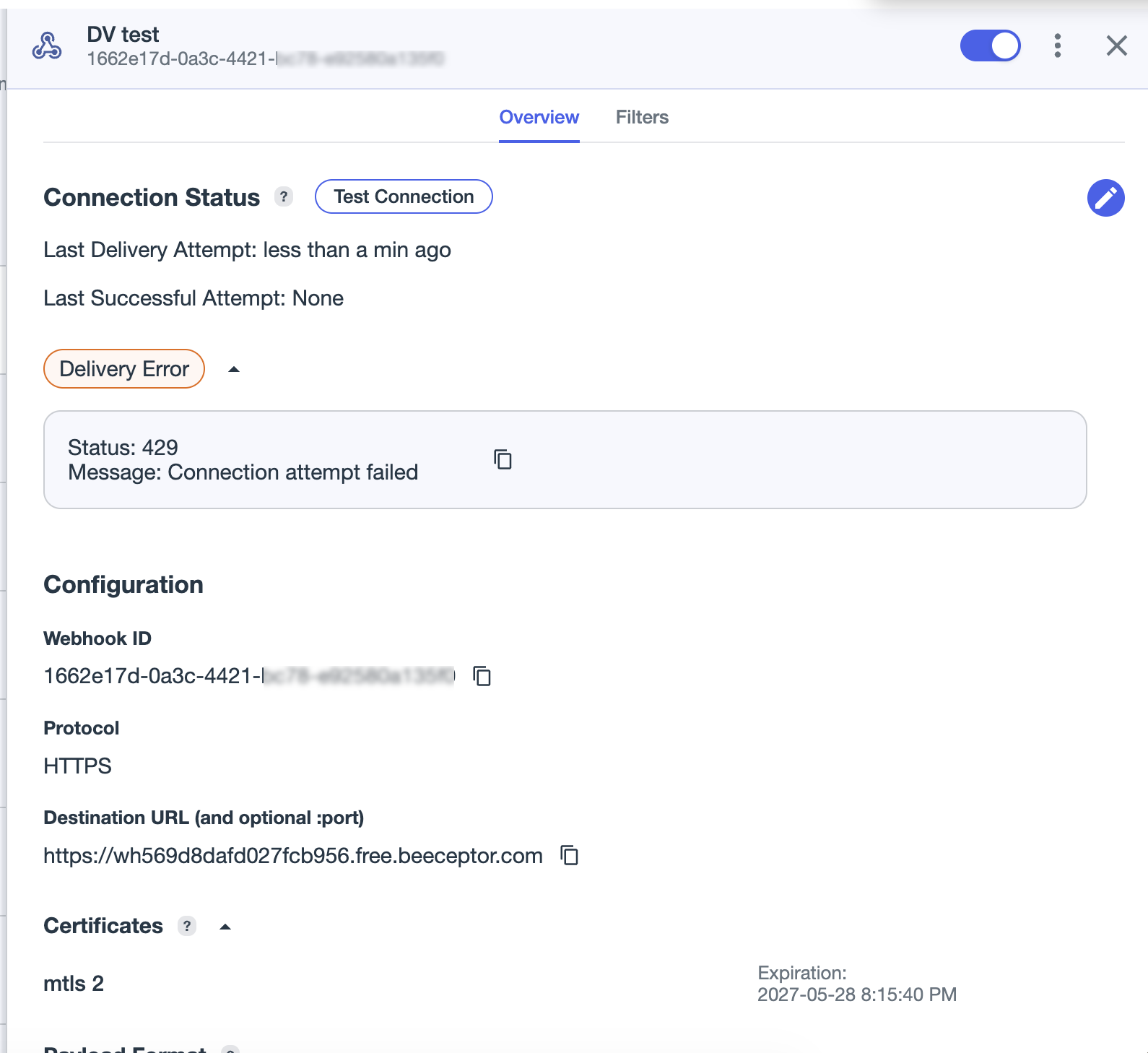
The status codes and descriptions can help administrators understand the following:
-
Whether PingOne could reach the destination.
-
Whether the configured authentication worked.
-
Whether the payload was accepted.
-
What response came back from the receiver.
The following tables list the possible HTTP and TCP and syslog status descriptions:
HTTP statuses Description 2xxThe event delivery succeeded. For regular event delivery, the success state is stored and shown as the generic
2xxbucket rather than the exact downstream HTTP status code.200The test connection succeeded. PingOne reached the destination, sent the test payload, and the receiver accepted it successfully.
201The test connection succeeded and the destination created a resource while processing the test payload. Webhook receivers sometimes respond this way even though the connection is healthy.
400PingOne reached the destination, but the destination rejected the payload as invalid. This usually points to a payload, content-type, or receiver-side schema mismatch rather than a connectivity problem.
401PingOne reached the destination, but the destination rejected the request because authentication information was missing or incorrect. This usually means the subscription’s configured credentials or authentication header are wrong.
403PingOne reached the destination and authenticated, but the destination refused the operation. This usually means the configured credentials are valid but don’t have permission to perform the request.
404PingOne reached the destination host, but the configured webhook path wasn’t found. This usually means the destination URL is wrong or the endpoint no longer exists.
405PingOne reached the destination, but the destination doesn’t allow POST on that endpoint.
408PingOne reached the destination, but the destination timed out while receiving or processing the request.
429PingOne reached the destination, but the destination is rate limiting requests. This usually means too many test or delivery requests are hitting the receiver.
500PingOne reached the destination, but the receiver failed internally while processing the request.
502PingOne reached the destination, but the destination’s upstream service or proxy couldn’t complete the request.
503PingOne reached the destination, but the receiver was temporarily unavailable, overloaded, or under maintenance.
504PingOne reached the destination gateway, but the downstream processing behind the gateway took too long to complete.
Non-2xxPingOne couldn’t obtain a real HTTP response code from the destination. This covers failures such as connection timeouts, network interruptions, thread interruption, or other unhandled delivery errors before an HTTP response was returned.
TCP and Syslog statuses Description ACKThe TCP or Syslog destination was reached successfully, and the message was delivered. This represents a successful connection and delivery operation.
TCP_TIMEOUTThe TCP destination didn’t respond within the configured delivery window. This can occur during connection or delivery.
TCP_REFUSEDPingOne reached the host, but the destination port refused the TCP connection.
TLS_HANDSHAKE_FAILEDPingOne opened the TCP connection, but TLS negotiation failed. This usually points to certificate trust issues, certificate expiration, or a TLS version mismatch.
TLS_ERRORA TLS-layer failure occurred, but it wasn’t classified as a handshake failure.
UNKNOWN_HOSTPingOne couldn’t resolve the configured destination hostname through DNS.
TCP_DELIVERY_FAILEDPingOne connected to the destination successfully, but the actual message failed to send.
TCP_ERRORA TCP delivery attempt failed for a reason that didn’t match one of the more specific TCP categories. This is the generic catch-all for unclassified TCP delivery failures.
RSTTCP event delivery failed before a usable delivery status could be attached. This is the TCP equivalent of the HTTP
Non-2xxfallback state.
-
-
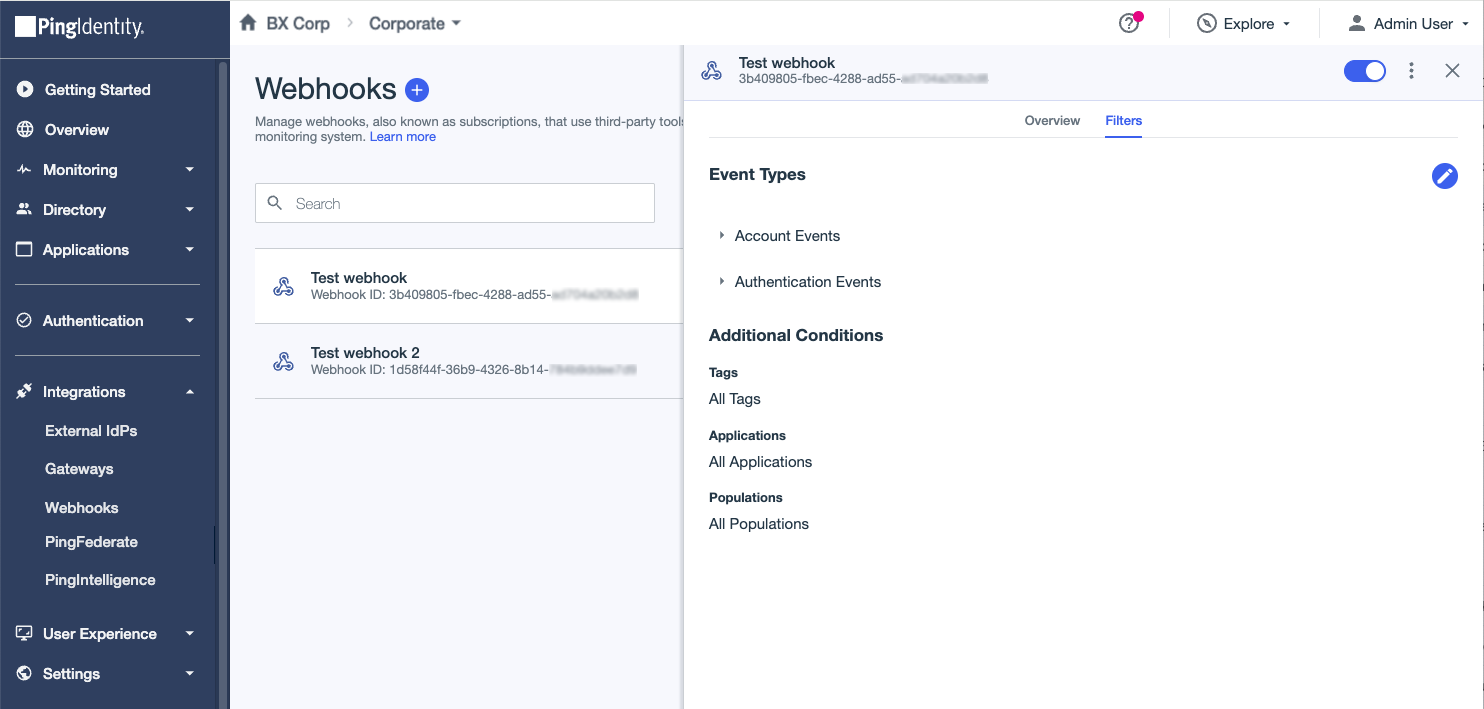
The Filters tab shows the event types and filters details.
-
-
To enable or disable a webhook, click the toggle at the top of the details panel.