Verifying an Authorize gateway instance
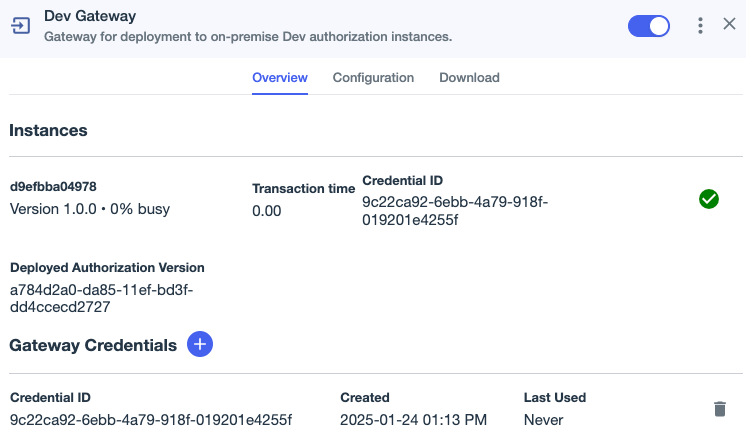
After you start a gateway instance, ensure that the gateway can connect to PingOne.
|
When a gateway instance connects to PingOne, it stores the deployment configuration locally in your organization’s infrastructure. If the gateway instance loses its connection to PingOne, it uses the locally stored deployment configuration and might not be using the latest configuration version. |
Gateway instances log PingOne connection status.
Steps
-
In the PingOne admin console, go to Integrations > Gateways and select the appropriate gateway.
You can refresh the Gateways page to ensure that the information is current.
-
Review gateway details to ensure that the gateway instance is healthy.