Clearing pending webhook events
If a webhook is disabled for an extended period, or if there’s been an issue with the webhook endpoint, events can build up in the queue. If these events are no longer relevant, and you don’t want them delivered, you can clear them from the webhook.
To clear undelivered events from a webhook, do the following:
Steps
-
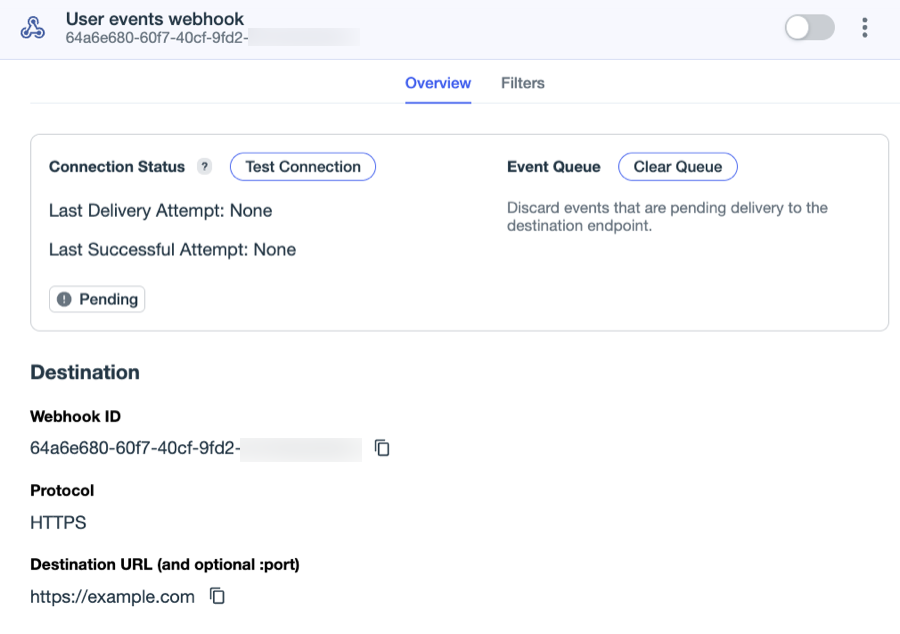
In the PingOne admin console, go to Integrations > Webhooks, browse or search for the webhook you want to view, and click it to open the details panel.
-
If the webhook isn’t already disabled, disable it by clicking the toggle at the top of the webhook to the left (gray).
You can’t clear the event queue if the webhook is enabled.
Wait at least 3 minutes for the queue to stop processing and don’t make any configuration changes to the webhook during this time.
If you edit the webhook during this 3-minute time period, you’ll reset the waiting period.
-
On the Overview tab, after at least 3 minutes have passed, click Clear Queue.
-
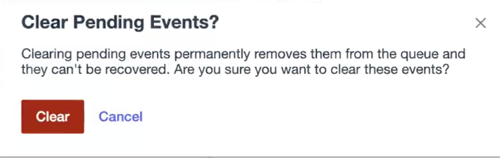
Click Clear on the Clear Pending Events modal to confirm.
Result
The old events are permanently removed from the queue, and the webhook is ready to start receiving and delivering new events. Cleared events can’t be recovered.
-
Click the toggle at the top of the webhook to the right (blue) to enable it.