Deleting an experience (early access)
You can remove a sign-on experience that you no longer need from the Design Center.
Before you begin
To delete an experience, you must have the Environment Admin role or a custom role with equivalent permissions.
Steps
-
In the PingOne admin console, go to Orchestration > Design Center and browse or search for the experience you want to delete.
-
Click the More Options (⋮) icon and select Delete.
-
In the confirmation modal, click Delete.
Result
After you delete an experience, the following occurs:
-
The experience is removed from your PingOne environment and is no longer visible in the Design Center.
-
The experience is no longer available to assign to applications.
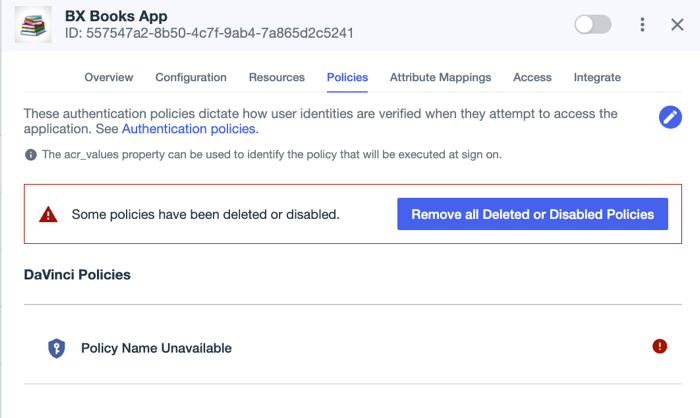
If the experience was previously assigned to an application, the application reverts to using any other DaVinci policies that might be assigned, or to the default authentication policy if no other policies are set. Learn more about default policies in Authentication policies for applications.
Clean up any references to deleted experiences by removing the references to the policies in the application configuration.
-
The read-only flow for the experience is removed from PingOne DaVinci.
-
The unique read-only sign-on and registration forms for the experience are removed from the Design Center Forms section of the Forms page.